Publicação

2 seguidores Seguir
0
Avatar

How to improve 3D texture?

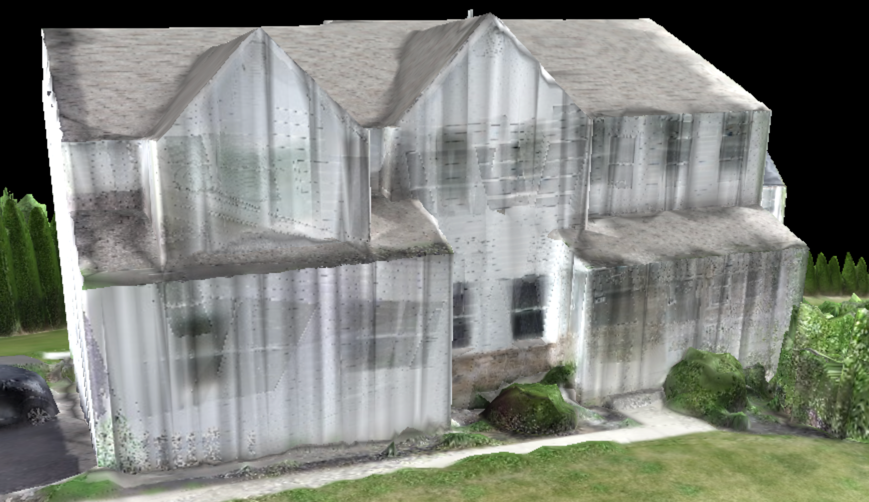
Is there any way to tweak settings to improve the texturing of a 3D model? I would like to remove the vertical striations on the sides of the home. Link to model... https://www.mapsmadeeasy.com/maps/public_3D/8549c91c6ada40b39b63ea5cf3b50ffb/

CJ Cuccaro

Comentário oficial

Avatar

If you are doing areas of a limited size like this and are interested in getting more detail on the overhung and vertical surfaces you should be using the 'Full   3D' processing option. 

https://support.dronesmadeeasy.com/hc/en-us/articles/207855366-Full-3D-vs-2-5D-Processing


Your data collection looks like it is ready for full 3D processing but here is some more information on it:

https://support.dronesmadeeasy.com/hc/en-us/articles/360000745363-Gimbal-Angle-Setting-3D-Capture-Mode

Zane
Ações de comentário Permalink

Por favor, entrar para comentar.

5 comentários

0
Avatar

Thanks Zane,

I'll try the full 3D option. Will update you once complete

cj

CJ Cuccaro 0 votos
Ações de comentário Permalink
0
Avatar

Can completed maps be restarted or reprocessed?

Or do I have to reupload the images?

Thanks,

CJ

CJ Cuccaro 0 votos
Ações de comentário Permalink
0
Avatar

All images must be uploaded for every time you process a job. We can restart and rerun jobs that have issues but that is something only the support team can do.

Zane 0 votos
Ações de comentário Permalink
0
Avatar

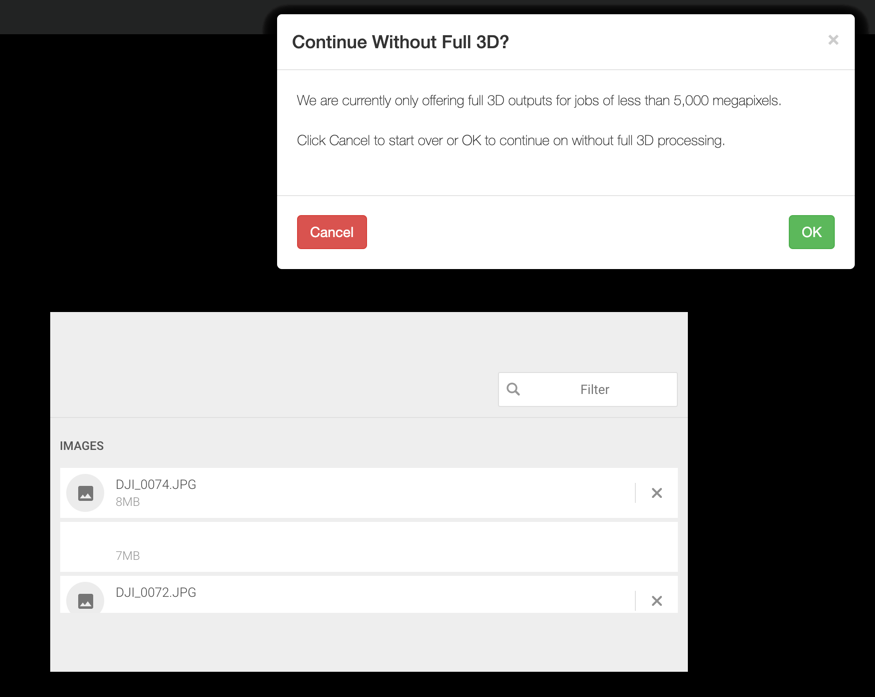
I'm trying the full 3D option and running into issues with uploading the images. I get this message...

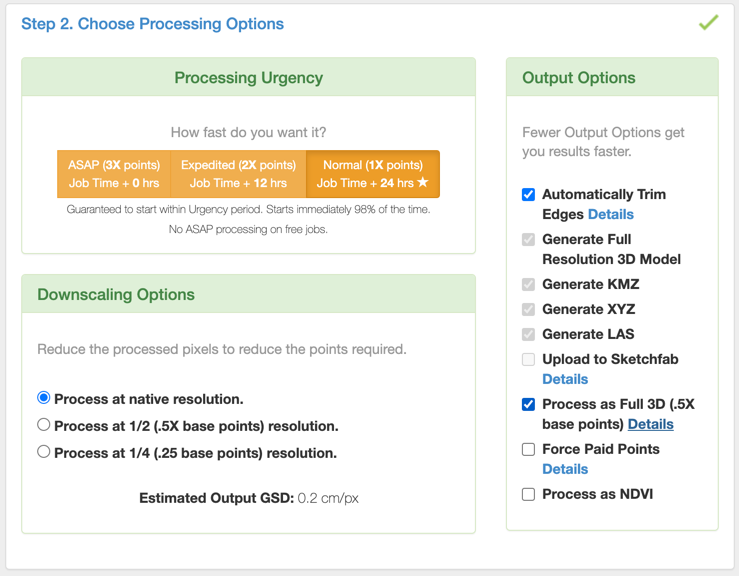
and have tried each of the three Downscaling Options with no luck. 

How do I get around this issue?

Thanks,

CJ

CJ Cuccaro 0 votos
Ações de comentário Permalink