Publicação

2 seguidores Seguir
0
Avatar

map pilot pro 5.4.1 - wrong side overlap on linear mission plan

I was performing some missions using normal pattern with 80/80 overlap and other with the linear pattern with same overlaps but when the drone was flying using the linear mission it used a different side overlap than the one configured in the mision, it added some offset to the lines, so I had to repeat the mission of that area with the normal pattern,

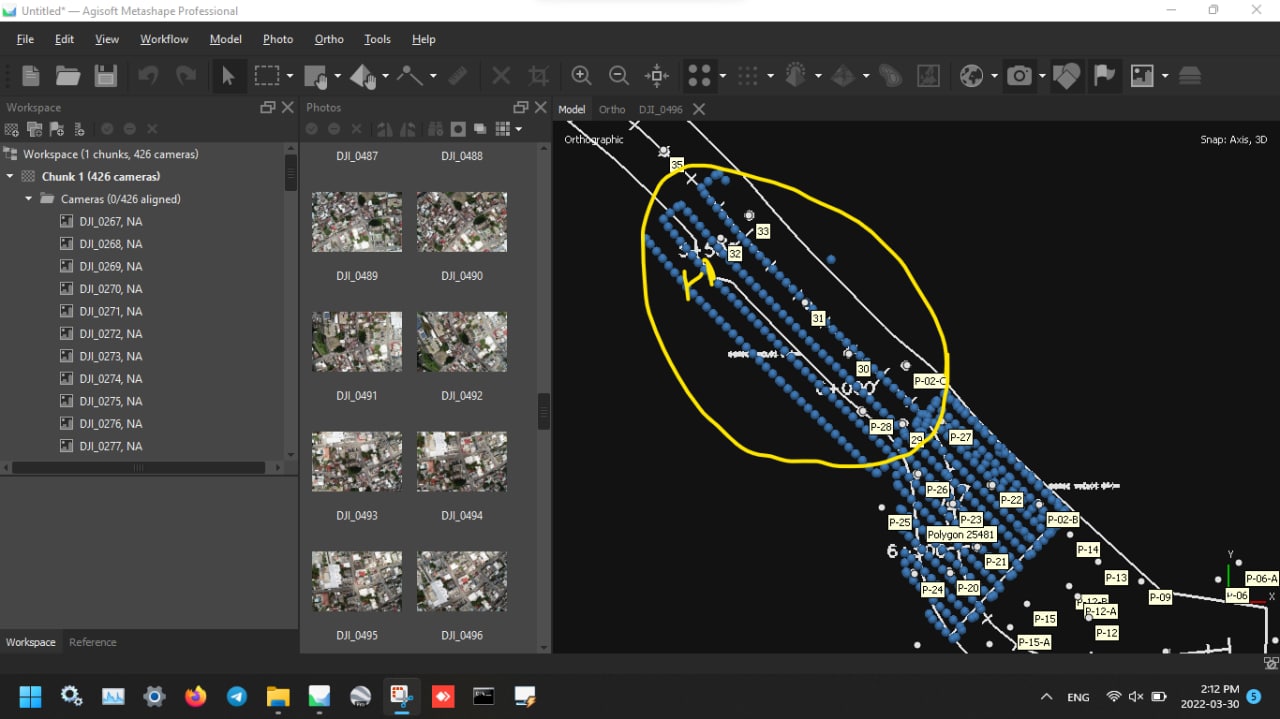
below is a screenshot of plan view with imported fotos from linear mission plan with wrong side overlap, side overlap should be similar to the adjacent normal mission.

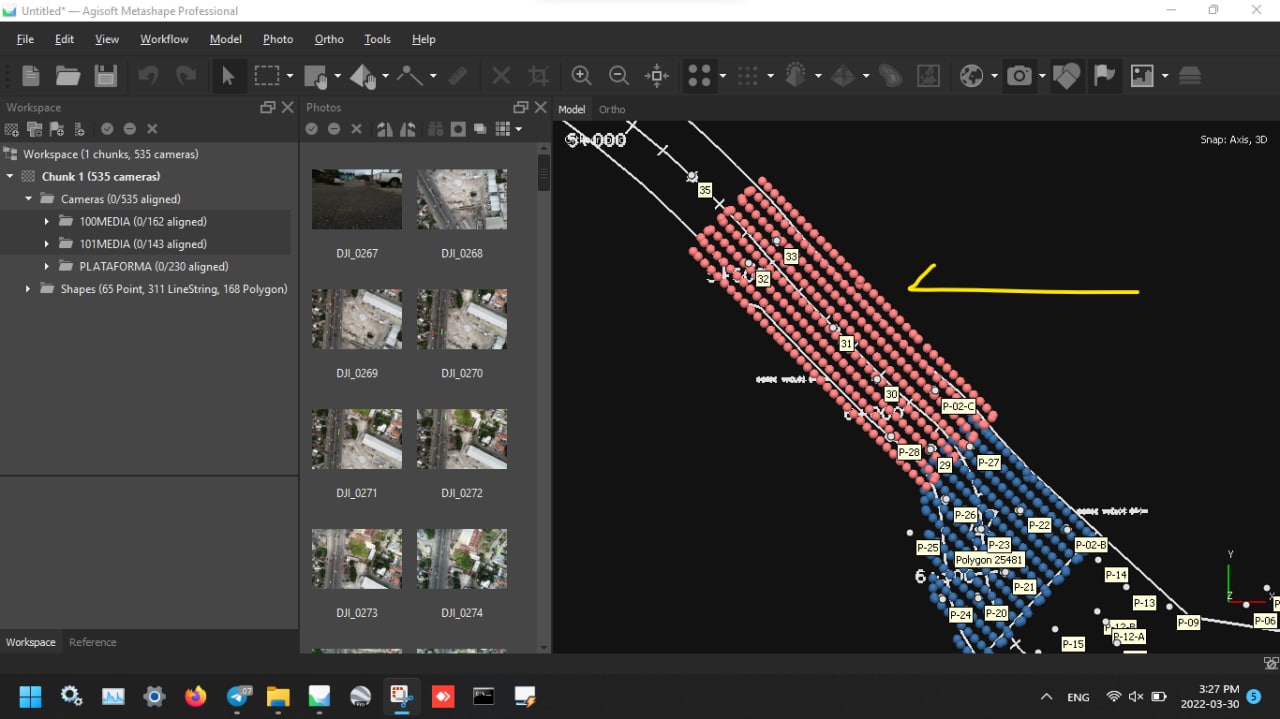
below is a screenshot of imported fotos from normal mission plan with correct side overlap

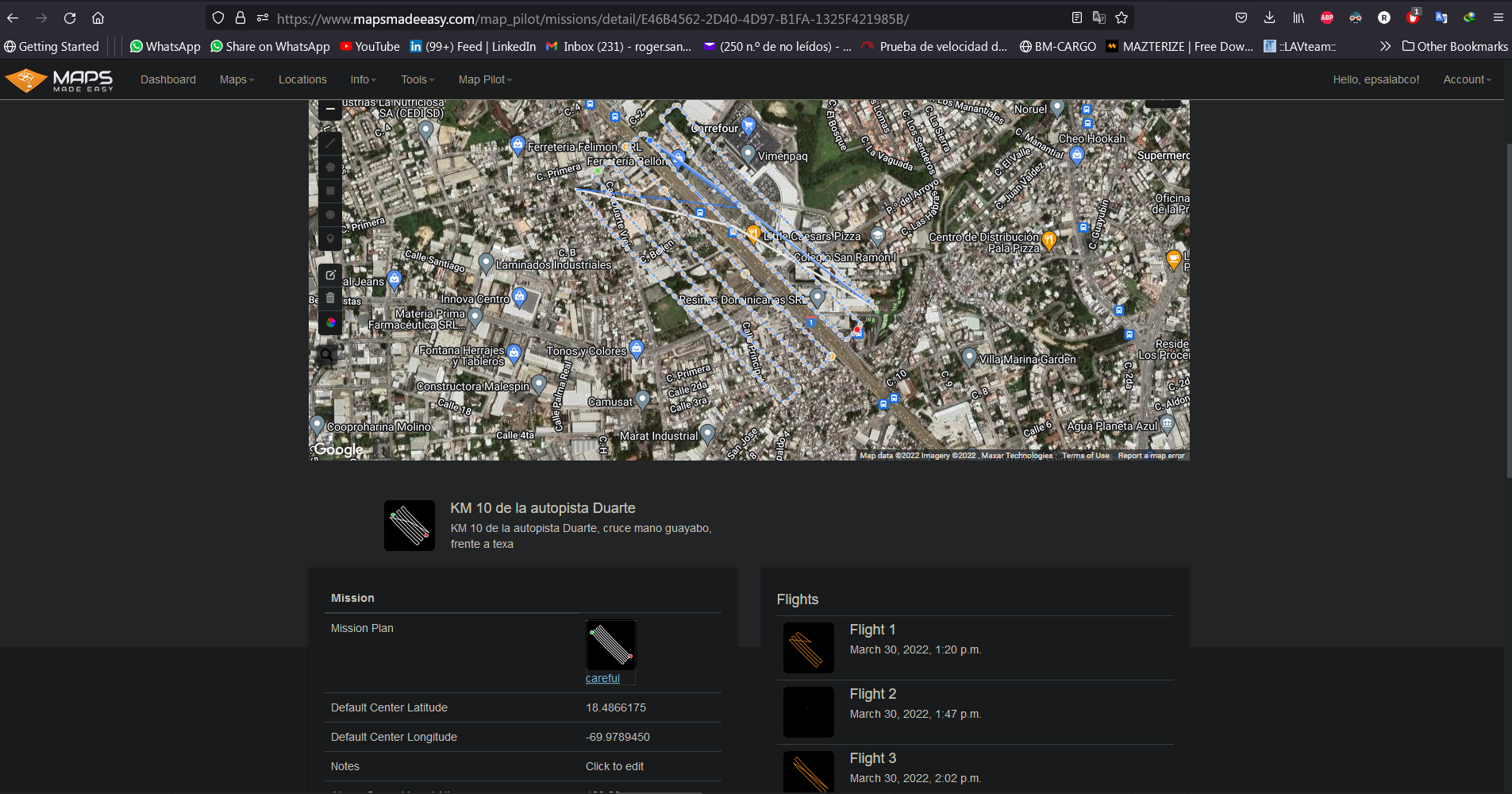
below is a screenshot of lineal mission plan in the app, in theory it was fine, but not during flight.

Roger Sanchez

Por favor, entrar para comentar.

8 comentários

0
Avatar

It is impossible to tell the difference here without seeing all of the settings for each layout. Is the altitude different?

In the bottom screenshot, the lines will show where the aircraft flies. It isn't going to magically fly something else. 

The best way to tell that the spacing is not changing between a normal and a linear mission is to make a layout and switch between the two types. You will see that the spacing of the lines is not changing. 

Zane 0 votos
Ações de comentário Permalink
0
Avatar

If you are seeing something different please provide screenshots. 

Zane 0 votos
Ações de comentário Permalink
0
Avatar

the settings are the same, altitude 120m, overlap 80/80, connectionless..

in linear mission plan the lines in the app shows ok, but the drone flies with other pattern.

see screenshot of nearby normal mission, for this type the dron fly as the path lines of plan

Roger Sanchez 0 votos
Ações de comentário Permalink
0
Avatar

There is basically zero chance it just flew a different path. Please give use the links to the appropriate flights. 

Zane 0 votos
Ações de comentário Permalink
0
Avatar

Are these saved missions? Did you have the correct camera selected when you designed the mission?

Zane 0 votos
Ações de comentário Permalink
0
Avatar

In this flight it went up to 180 meters:

https://www.mapsmadeeasy.com/map_pilot/flights/detail/9F645391-0D3D-4216-9EF8-E0A774ECD3A9/

In this flight it went up to 120 meters:

https://www.mapsmadeeasy.com/map_pilot/flights/detail/1B5A3FFD-2CD3-4F6E-BEAE-5A8C46F43B44/

If you had a Ground Offset value in there it could cause this. The linear mission doesn't account for the Ground Offset. 

Zane 0 votos
Ações de comentário Permalink
0
Avatar

Are you 100% sure you don't have a Ground Offset value in there? You can't see that in Maps Made Easy. It would have been in Map Pilot Pro. 

Zane 0 votos
Ações de comentário Permalink