Posting

3 pengikut Ikuti
0
Avatar

Linear Flight Planning

 I can´t find the option to define the number of passes on the top status bar. Can you support me with this isuue.?

eduardo segura

Harap masuk untuk memberikan komentar.

6 komentar

0
Avatar

From the Linear Flight Planning page:

https://support.dronesmadeeasy.com/hc/en-us/articles/115000167986-Linear-Flight-Planning

"By swiping left or right on the top status bar, the number of passes in a linear mission can be reduced or increased. The minimum number of passes is 1 and the maximum number is 15. These passes are laid out according to the overlap settings just as any other mapping mission."
 

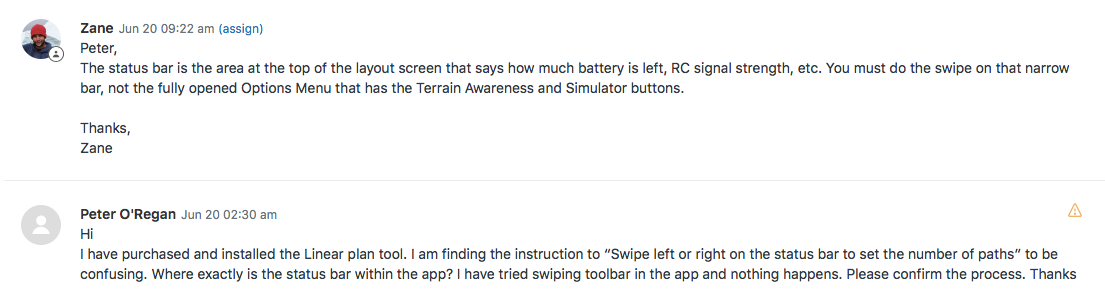
Zane 0 suara
Tindakan komentar Permalink
0
Avatar

This "swiping left or right" does not seems to work on IPhone 6S Plus - not on an iPad mini 4.  Does the UAV need to be connected for this to work?  I am trying to plan a mission offline in my office...


Peter O'Regan 0 suara
Tindakan komentar Permalink
0
Avatar

I have just verified that it does work on an iPad Mini 4 using the latest version of Map Pilot which is 2.8.2.

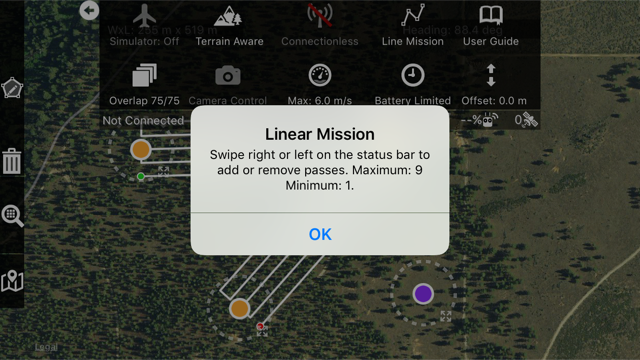
Make sure you are swiping on the part of the bar that says "Not Connected" and has the RC, battery and Satellite icons. Swiping on the Options Menu itself will not help.  

You do not need to be connected to the aircraft to use this feature. 

Also, your initial request made to our support email was answered on June 20. 

Please make sure our email addresses are whitelisted with your email server and are not in a spam folder or something. 

Zane 0 suara
Tindakan komentar Permalink
0
Avatar

Thanks Zane.  Sorry, the prior email did route to my spam folder.  Fixed now.

I have re-tested on my iPad Mini, using v2.8.2 of MME.

I select Linear mission - draw 4 or 5 points on the map, then swipe on the Not Connected bar as advised.  Nothing happens.  I notice that the dots are not connecting when I initially draw them on the screen - like it does with the other Mission modes.


Same behaviour on my iPhone6S+.  Any ideas?  Thanks


Peter O'Regan 0 suara
Tindakan komentar Permalink
0
Avatar

Are you selecting Line Mission in the Options Menu?

Have you double tapped to drop the purple dot which denotes the anticipated takeoff location? 

Please post a screenshot of what you are seeing.

Zane 0 suara
Tindakan komentar Permalink
0
Avatar

Hi Zane,

Hate to say it, but I had not defined the take-off spot (purple dot).

Silly user error!

The linear tool works well now on both iPhone 6 and iPad mini 4.

Thanks for your patience.


Peter O'Regan 0 suara
Tindakan komentar Permalink