Publication

2 abonnés S’abonner
0
Avatar

Map Pilot Pro and M2EA smart controller error

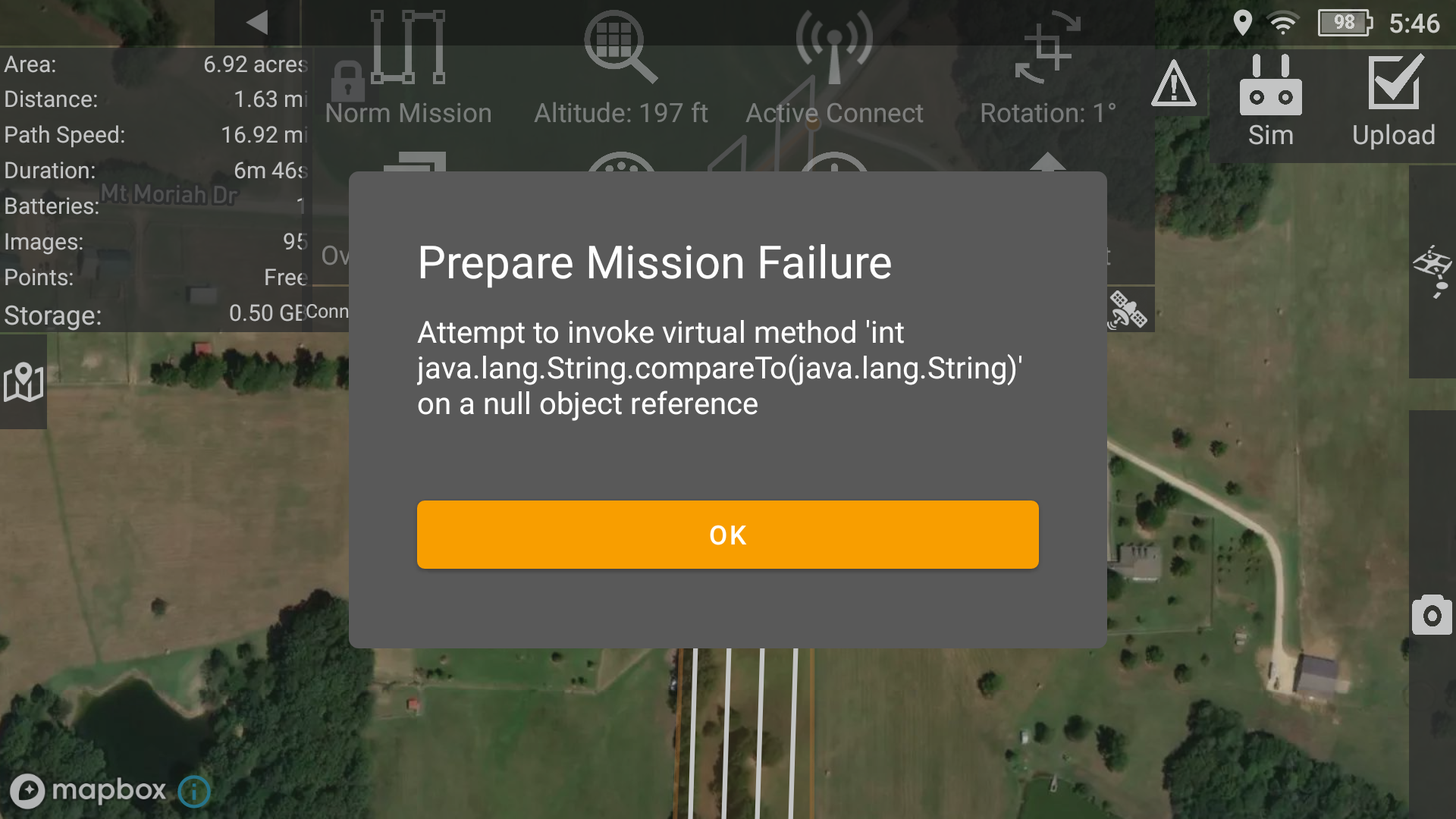
I installed the latest "B" version of Map Pilot Pro on my Mavic 2 Enterprise Advance smart controller and get an error message that I have taken a screen shot of and attached.    

The install went smooth with no error messages, I was able to log in to my account and sync missions with no issue, but this is as far as I get trying to fly a test mission.  I have restarted the controller and the drone, made sure there were no apps running in the background on the controller by clearing out all recent apps, drone related or not. 

I have installed the play store and Litchi and it works fine for waypoint missions.  

Any ideas what I should try next?

Thanks


Jvhooser

Vous devez vous connecter pour laisser un commentaire.

6 commentaires

0
Avatar

Try to change the shape of the mission you are uploading to see if that affects it. Try flying higher or using less overlap.

That error is something straight from the DJI SDK (we don't use Java). It could be something we are passing it.

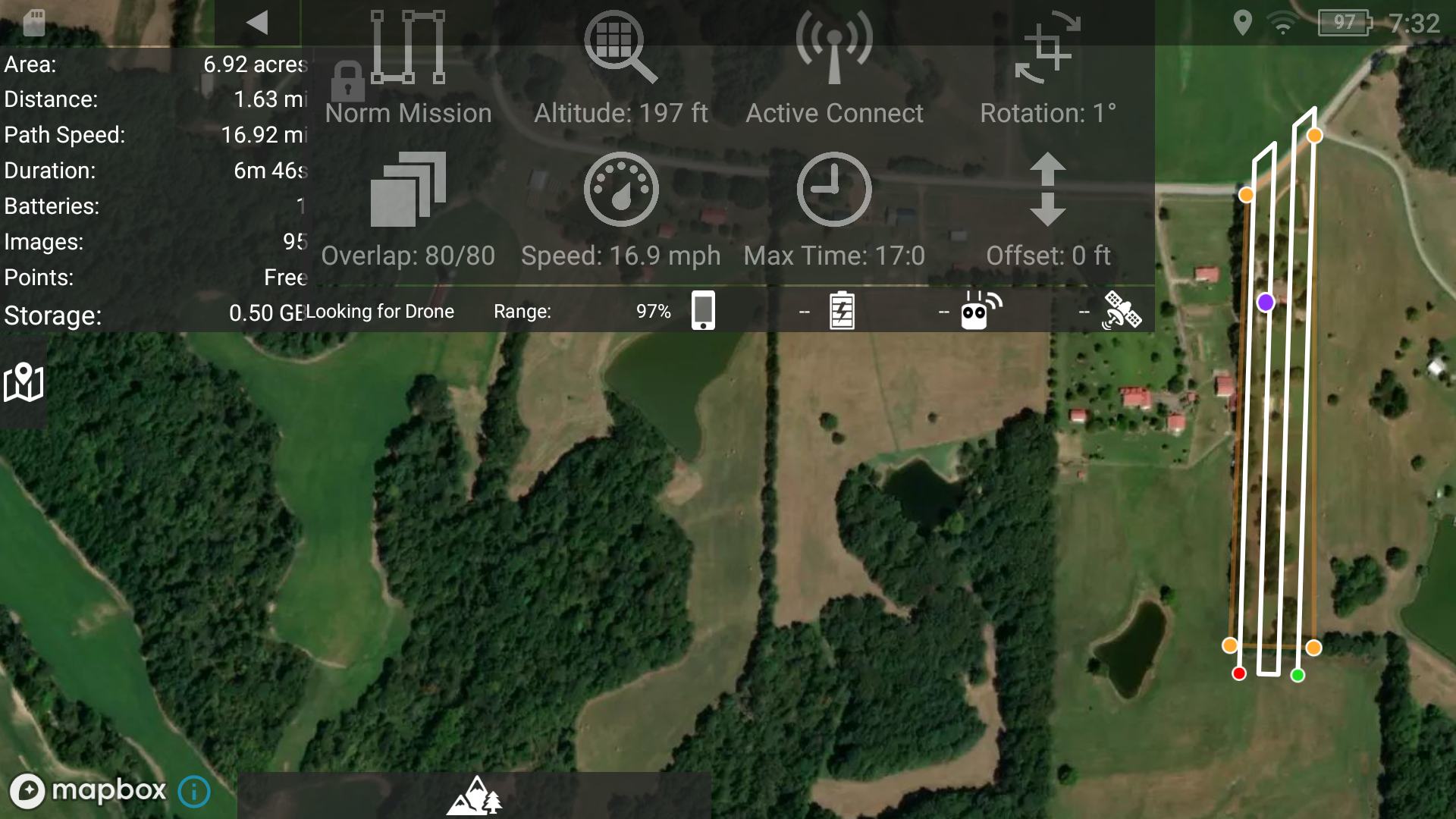
Please include a screenshot of the mission you are uploading with the Options Menu pulled down so we can see what is going on.  

Zane 0 votes
Actions pour les commentaires Permalien
0
Avatar
My apologies for just not getting back with you, I was replying to the email notification, and not this thread. 
 
Thanks for getting back so quick.   Below is the screenshot of the mission you requested.  
 
This mission did work without issue on my M3T using the "E" version of the app, as well as on my Mavic 2 Zoom with Smart Controller using v2.4.12b like I have on the Mavic 2 Enterprise Advance Controller.   Both versions of the app were downloaded from the website over the weekend.  
 
I tried making several changes to the mission, both shape and parameters and consistently got the same error message. 
 
I also set up a  new mission in the same area as well as trying other missions in different locations with the same results.   
 
The Map Pilot software recognized the Mavic 2 Enterprise Advance before I get the error message.   The software asks me to verify the camera selection I assume because the M2EA cameras are not a choice.    I have been choosing the Mavic 2 Dual Thermal because I am wanting to do a thermal map.  
 
Any suggestions on camera choice if we can get past the error message?
 
Thanks
Jack
 
 
Jvhooser 0 votes
Actions pour les commentaires Permalien
0
Avatar

The issue might be the 80% selection with the thermal camera selected. The thermal camera has a really narrow field of view which makes the passes really close together. Try doing 50% overlap just to see what happens. 

What happens if you select the other camera?

We might need to add a check there or something. That isn't a super common aircraft anymore and it has a lot of weird cases. 

Zane 0 votes
Actions pour les commentaires Permalien
0
Avatar

Changing the offset from 80% to 50% did not help.   Same error message.   I also tried going into DJI pilot and selecting RGB camera with same error and then Thermal Camera with the same error as well. 

I tried setting the Flight Camera in Map Pilot Pro settings to Mavic Zoom Enterprise, as well as Mavic 2 Enterprise Dual both Thermal and Visual and got the same error.    

In Map Pilot Pro Flight Camera Model settings there is no Mavic 2 Enterprise Advance camera setting, Visual, or Thermal, so I am trying different settings but coming up with no success. 

When the drone connects, Map Pilot Pro recognizes it as a Mavic 2 Enterprise Advance, maybe the lack of camera settings for this drone  in Map Pilot Pro settings could be part of the problem?

I even tried the H20 Visual and Thermal but the software said I need the Enterprise "E" version.  

Any ideas of what to try next?

Thanks

Jvhooser 0 votes
Actions pour les commentaires Permalien
0
Avatar

The DJI app isn't really involved except for to check that everything is working properly. 

It does appear to be something with how the M2EA is being detected. We will give that a look now that we have a bit more information but we don't have one of these to test with so finding issues like this will be hard. 

Has this aircraft worked for you previously? If so, what version last worked for you?

I am not sure I understand how the H20 could be used with that aircraft. 

Zane 0 votes
Actions pour les commentaires Permalien
0
Avatar

I did try one previous version but did not have any success, so no, I have never been successful with the M2EA and Map Pilot Pro.  It was a hurry up flight looking for a missing child.   Didn't have time to mess with it so used the DJI Pilot app instead.   I just don't like the Pilot app, Map Pilot is so much better and I can easliy share the mission between my drones if needed.   Yes the child was found by ground searchers and safe.  

I just tried to select the H20 Thermal because it is thermal, hail mary attempt the went no where.   

I appreciate anything you can do to make this work.    

Should I try resetting the controller and starting over with app installs?  There is nothing on it that I need currently.  Just a thought.

Thanks

Jvhooser 0 votes
Actions pour les commentaires Permalien