Commentaire officiel
As noted in 'General Instructions' the Manual Referencing article:
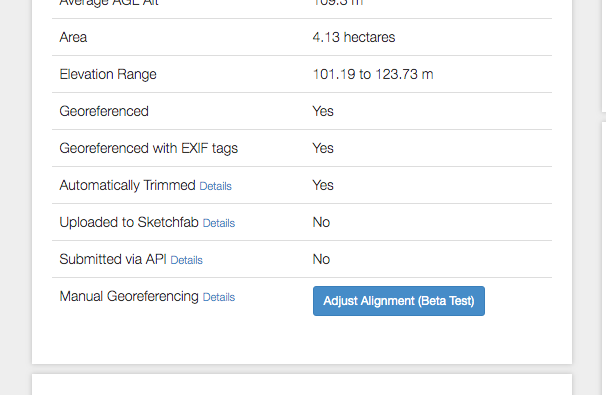
2. Click the 'Adjust Alignment' button at the bottom of the 'Job' section of job's the Map Detail page.
Actions pour les commentaires
I can't find the button to click for the Manual Georeferencing Adjustment, can someone show me where it is?
As noted in 'General Instructions' the Manual Referencing article:
2. Click the 'Adjust Alignment' button at the bottom of the 'Job' section of job's the Map Detail page.

Vous devez vous connecter pour laisser un commentaire.
Hello Zane, I do not see the "adjust alignment" button on my jobs page?
Does is appear after to model is done processing? Mine is still undergoing processing.
Thanks
It will show up after processing and be available for 30 days.
Awesome! Thanks for the quick response. Love your App and System.
Thanks