
Comentario oficial

We are sorry to hear you are having trouble uploading your data.
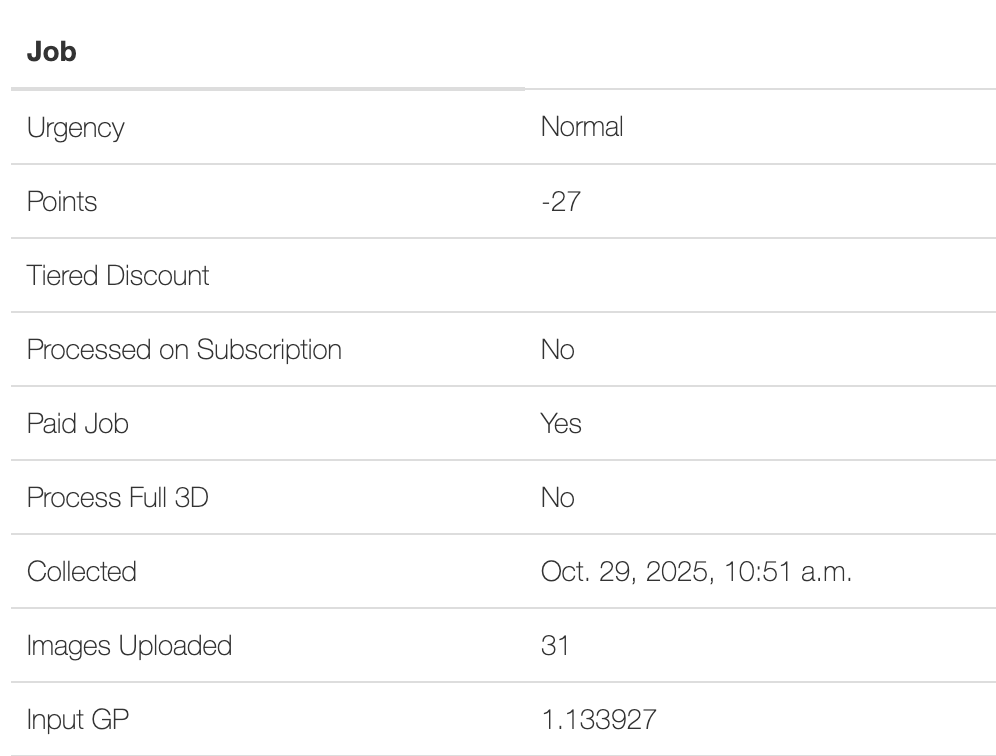
Quick notes: 31 images were uploaded. 31 were used. It cost 27 points to process (roughly $0.54). Images were 36.5 megapixels each instead of the 48 that the map's name implied which is what triggered the early QC note.
It sounds like you had an issue uploading or selecting your imagery. Nothing was culled, or limited, or blocked without any explanation. The DJI Workflow explains with a message when it doesn't like certain types of data, like backwards/sideways flight or the gimbal being set to high. Manual flight rarely works out well and if you selected a larger dataset that had some offending images they would not have been added to the uploader and the number of files would accurately be shown in the point calculation on the right. If this is not the case, please try to select those images again and show us that it is not working properly so we can fix it. Again, we didn't just take all of the data and then drop it while charging you full price.
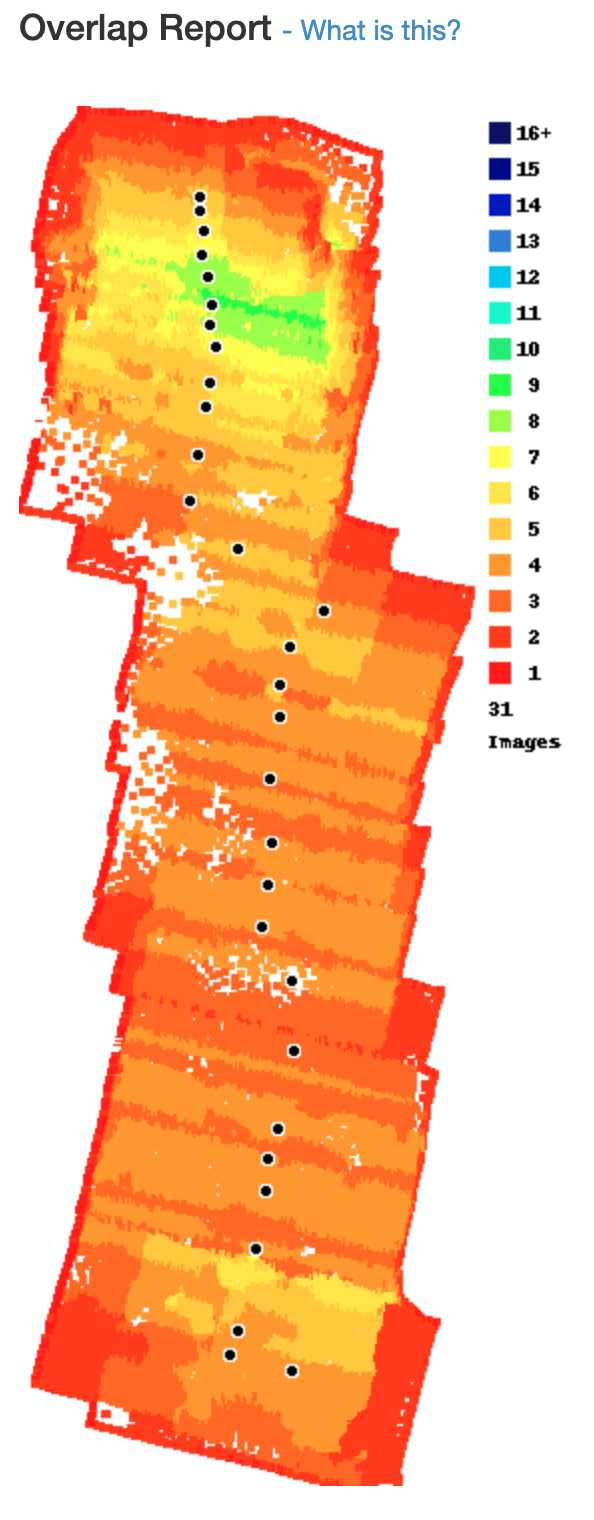
The Quality Control note was just to point out that there is no added benefit to using the 48 megapixel setting. Had the 12 megapixel setting been used the outputs would have been of similar quality and been totally free instead of costing 27 points. There was no data "culled" from your dataset. We received 31 images (#s 33-63) and lot of the processed area was trimmed off since the "Automatic Trimming" checkbox in Step 2 was left enabled. You can see this in the Overlap Report and "Job" section of the Map Detail page.
The 50% of images were not uploaded. Only 31 were received which works out with the amount of points you were charged:
31 images at 36.5 megapixels each (8064x4536) is the 1.13 total gigapixels you were charged for. The first gigapixel is free so you had to pay the 27 points for the .13 gigapixels overage.
The Mini 4 Pro is supported by Map Pilot Pro with the N2/3 remotes. No one offers 3rd party apps for the RC2 since DJI doesn't allow for 3rd party apps to be loaded onto that remote. You can get the Android APK here:
https://support.dronesmadeeasy.com/hc/en-us/articles/8160429529876-Installation
The only support for it in iOS for is KMZ Export only which is also an easy option:
From our perspective: 1. We didn't limit it. You were charged for the images that were SUCCESSFULLY selected to be uploaded and processed. The calculation next to the uploader selector would have shown this. 2. Any image selection error messages would have explained the reason for their rejection. The GC note is also there to suggest something better.
If you still think there is something wrong with how your upload went please zip up the remainder of your images and get them to us somehow. I am assuming they are #s 1-32. You could also use the Classic uploader which does not review the images for pointing angles or other settings. The processing itself is the same but generally more expensive since it doesn't filter out non-compliant data.
Once we have all of the images we can review how the system failed you if that is indeed what happened.


