Post

2 followers Follow
0
Avatar

MPP app crash during flight

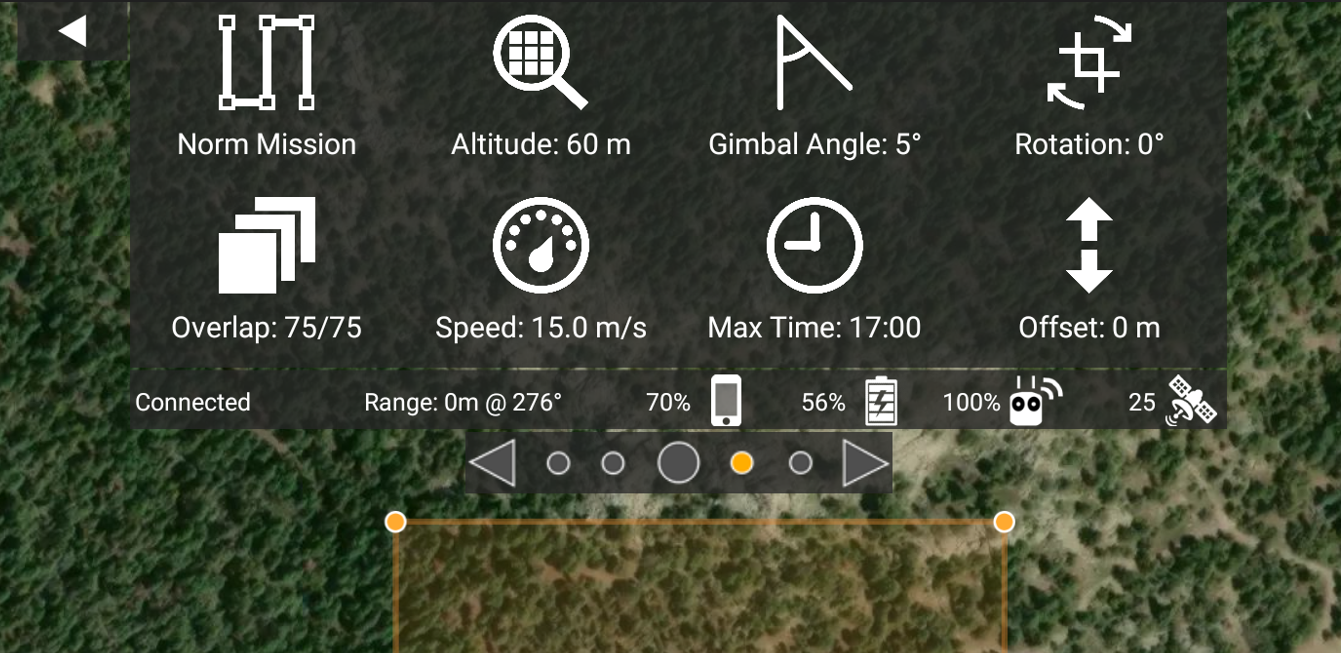
I flew several waypoint missions with an M3M this weekend where MPP crashed partway through. The camera feed dropped out, Android reported the app as hung, and it didn't respond to any touch inputs.

The RC Pro controller (and Android) seemed fine, so I let the drone complete the mission normally using the uploaded waypoints. The drone appeared to fly the rest of the mission just fine, but ended up taking no photos after the point that MPP crashed. I'm running MPP version 3116e.

I have three questions:

  1. What's the best way to handle a midflight app crash: can MPP just be restarted without physically crashing the drone or otherwise interrupting the mission?
  2. Why does MPP crashing cause the drone to quit taking photos on a waypoint mission, and is MPP actually triggering the photo action at each waypoint?
  3. Why is MPP crashing? I scanned the crash logs and the stack trace indicated it was failing on a memory allocation call from the MapBox SDK.
Chris Wood

Official comment

Avatar

There is a new SDK version from DJI that is in version 3.1.18e of Map Pilot Pro. There are some issues getting the firmware versions to match the new SDK so make sure they are all up to date. If 3.1.18e (beta) is not working for you we recommend using 3.1.12e which is available on our site as well. 

1. If the app is closed you could use the remote to switch out of the programmed flight mode and once things are stable you can try to reload the waypoints while in the air. If that doesn't work you would hit the RTH button to bring it back in and reload waypoints on the ground. You wouldn't have to fly everything again. When you load a set of waypoints and it shows you the blue verification line you can tap on any corner waypoint to start from there instead so you should really only have to repeat a partial pass. 

2. The waypoints are loaded into the aircraft but the triggering is done by the app (unless you are using Connectionless mode).

3. This has been fixed in the latest versions. 
Zane
Comment actions Permalink

Please sign in to leave a comment.

7 comments

0
Avatar

Thanks for that info. I will give 3.1.18e (beta) a try.

It sounds like the safest course of action upon an app crash is to hit the RTH button, land, and restart from a selected corner waypoint. However, what are the side effects of restarting MPP in the air, and is that something you would recommend to save time?

I was looking for a pattern in the MPP crashes in 3.1.16e, but it happened with great radio line-of-sight, with marginal line-of-sight, after 280+ photos, and after 120 photos. Auto-clear Image Points was enabled. Do you think this was just a quirk of 3.1.16e or is something else likely going on that you would suggest looking at?

Also, how do you set up Connectionless mode? I don't see that option in 3.1.18e.

Chris Wood 0 votes
Comment actions Permalink
0
Avatar

From the looks of the most recent flight logs in your account there are a lot of signal dropouts which will affect things greatly. Make sure to track the aircraft with the remote to ensure a solid RC connection. The M3M shouldn't have trouble maintaining a connection at that range if you are doing things right'.

You can about connectionless mode here but the control for it looks a little
different now.
https://support.dronesmadeeasy.com/hc/en-us/articles/217006946-Connectionless-Mapping

Zane 0 votes
Comment actions Permalink
0
Avatar

Yes, I did fly a couple of missions with signal dropouts (lots of forested and hilly topography, with multiple visual observers needed), but the aircraft did a RTH just fine and MPP kept running.

There were several missions where I had clear LOS and R<300m and MPP still crashed, including another one today.

There may be a dependence of MPP crashing on signal strength, but it looks like there's more going on with the crashes.

OK, so I must be a real dummy but I can't find anything in the UI related to connectionless mode, even after reading that link you provided.

Please tell me how to enable connectionless mode. Which specific menus and settings?


Chris Wood 0 votes
Comment actions Permalink
0
Avatar

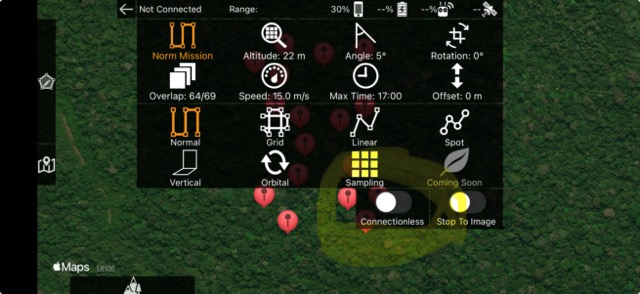
Sorry. We need to update that article. It is now attached to the bottom of the mission type selector. The link was more so you can read about it. 

I wouldn't think that the signal would make it crash more. It is likely a firmware mismatch with the SDK. Try with the update. 

Zane 0 votes
Comment actions Permalink
0
Avatar

Ok, just assume I'm the biggest dummy ever to use MPP. Please explain in detail, from first principles, exactly how you got to the menu shown in your screenshot, and how you got the connectionless mode options to show up.

I don't see what you have. Instead, here's what I see:
3.1.12e

3.1.16e

3.1.18e (beta)

Chris Wood 0 votes
Comment actions Permalink
0
Avatar

OK, now I get it.

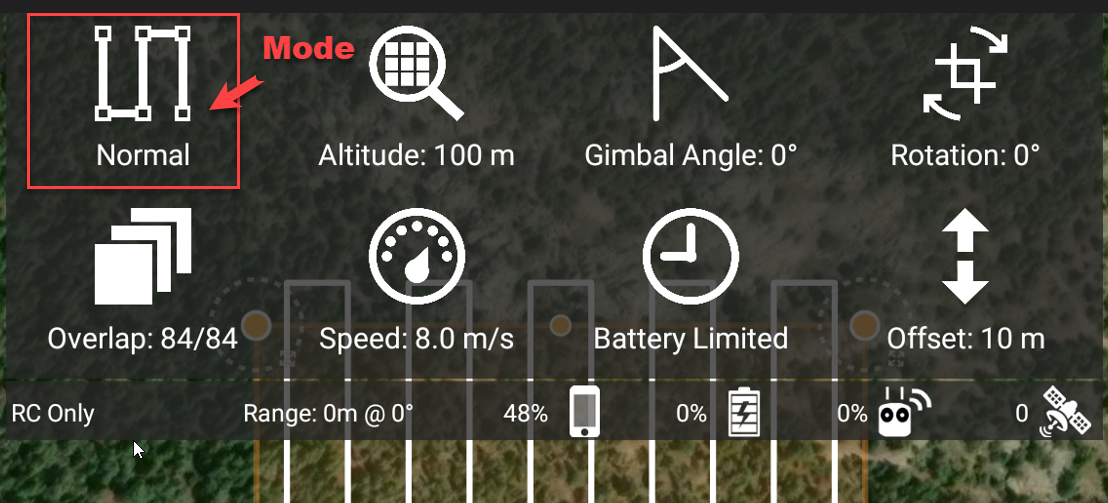
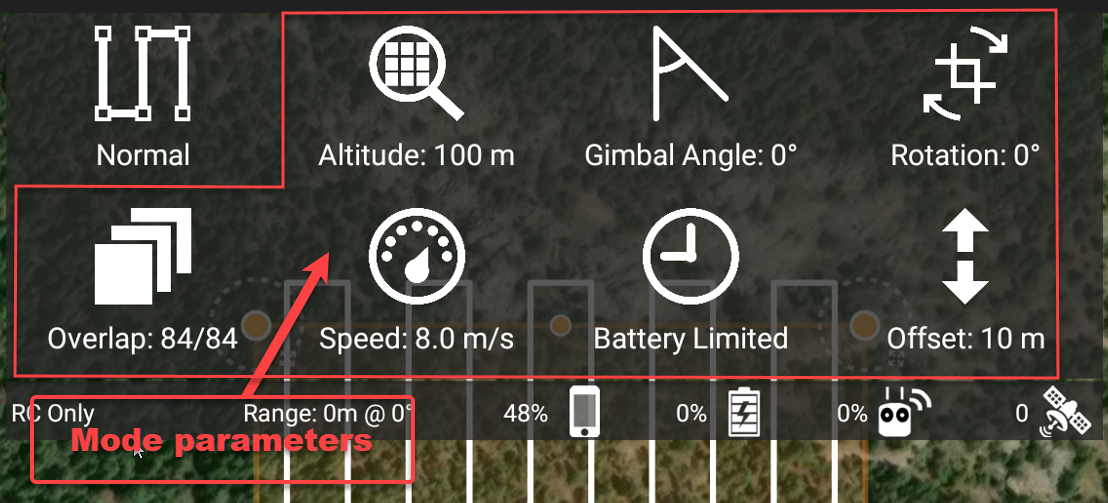
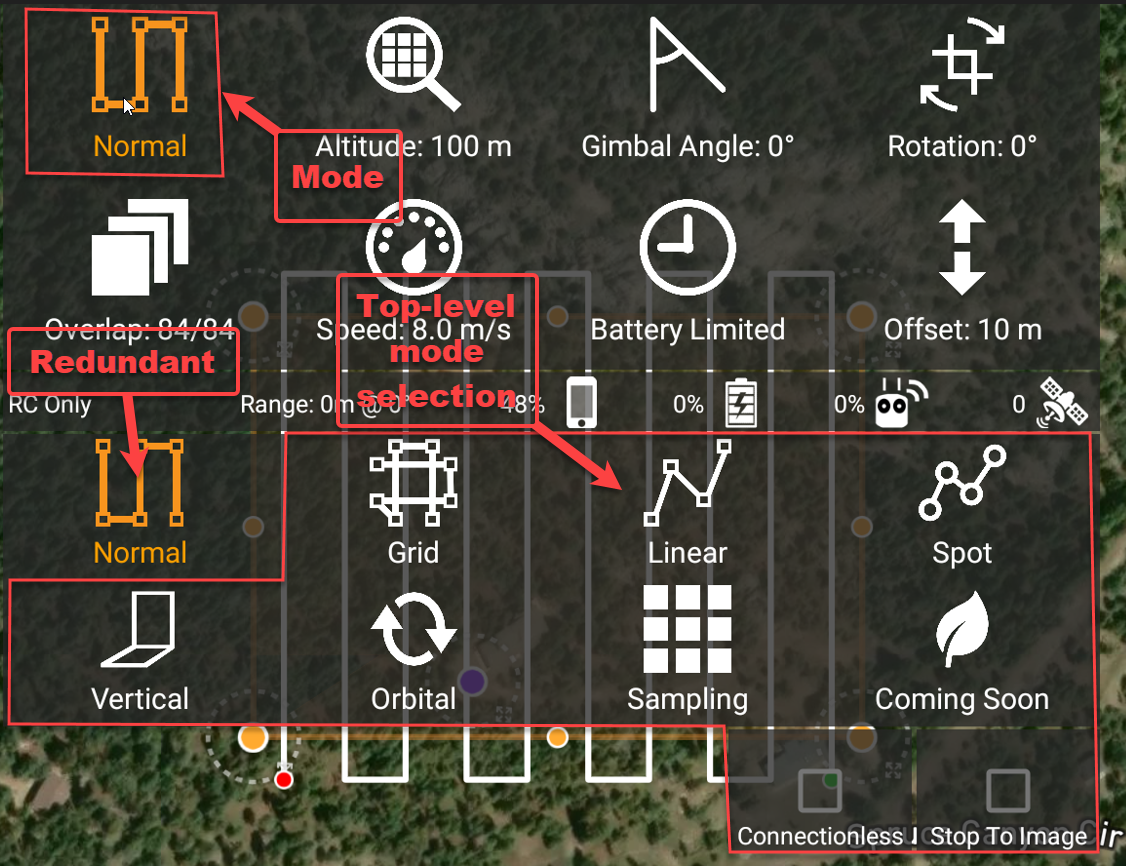
The upper left-hand icon shows the current mode, while the other icons bring up sliders to set numeric parameters for that mode.

Mode


Mode parameter selection - touching an icon brings up slider(s) for that parameter

Touching the mode icon also brings up a mode selection, which seems inconsistent with the mode parameter icons that are still visible (because those icons just bring up numeric sliders)

To me, this is a really confusing UI design choice because there is no cue to suggest that the mode icon is different than the parameter icons. Also, the mode parameter section seems unnecessary when setting the mode.

Maybe if you could at least put a border around the mode icon there would be fewer befuddlement comments like this one.

Chris Wood 0 votes
Comment actions Permalink