Bài đăng

2 người theo dõi Theo dõi
0
Avatar

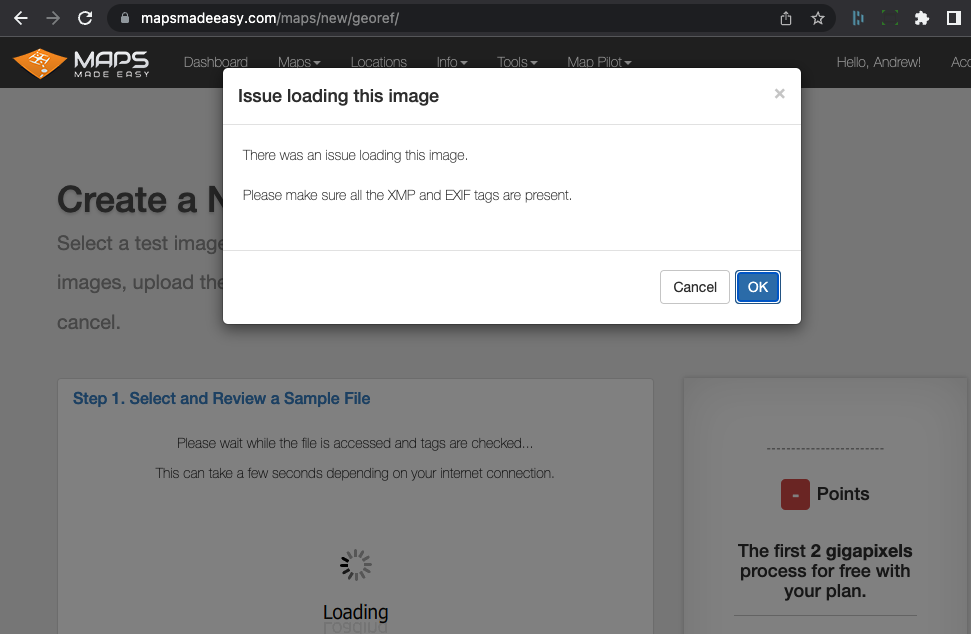
DJI workflow, unchanged images, "EXIF XMP" read problems

Trying to load images through DJI workflow using DropBox. When I load the images directly (drag-drop) there's no issue, the EXIF and XMP info is perfectly read. I can't load all the photos this way, too long/too many. So I loaded to DropBox and tried the images through there. But, in Step 1 it can't read the sample image, claims I need to check the EXIF/XMP files. But these are files straight off the SD card, straight out of a Mavic 2. Confused!!

Andrew Bennett

Vui lòng đăng nhập để lại bình luận.

4 bình luận

0
Avatar

They aren't really straight off the card. They are going through Dropbox first. They don't usually get touched there but things always change. Can you post a link to a single file that is available for public download so we can check it?

Zane 0 bình chọn
Thao tác bình luận Đường dẫn cố định
0
Avatar

I am using Chrome. I updated the browser software and now it's working, so it seems it was a browser issue. Thanks for your help Zane!

Andrew Bennett 0 bình chọn
Thao tác bình luận Đường dẫn cố định