Bài đăng

2 người theo dõi Theo dõi
0
Avatar

Manual Camera Control

I'm revisiting this after a session today. 

(MP v 4.0.8 on iPad 6th gen, ios 12.3, M2P on latest (sept 2019) fw.)

Exposure control for the rest of us that don't live in the southwest.

It has been suggested that the best approach is to start the mission, let the drone ascend to mission altitude, pause the mission, set up the camera, resume and go.

Do the MP devs know that when the mission is paused, the craft will not respond to stick movement other than Yaw?  The point of pausing the mission is to maneuver the drone over a good subject for contrast and lighting in order to set the camera and focus.

[Edit]  I was trying out a new app yesterday (Hammer) and when the mission is paused, there is only yaw control as well. So, this may be a limitation of the SDK?

Some of the camera parameters, particularly shutter speed, is grayed out and unchangeable after the mission is started,  It is settable on the ground before starting which is just a guess and needs to be set at altitude. 

Please do point out my errors if I am wrong in the statements above; It won't be the first time and I would be happy to be wrong and find out how it is done.

If I am correct, can we please get one of 2 things.

1.  Be able to set up the camera (completely) in GO and then switch to MP and have MP not mess with it other than file type.

2.  Be able to pause the mission, maneuver the drone and have control of all camera parameters.

[Edit] In the Hammer app I mentioned above, they have a pretty good set of camera controls, you guys should check it out.  In fact, they have the coveted "Aperature Mode" that is the best auto solution for mapping, IMHO.  Perhaps you guys could purchase their camera control section of code for MP!

Thanks!


Dave Pitman

Bình luận chính thức

Avatar

When you are in a waypoint flight you can't control any motion other than yaw because then it would leave the defined path. This is how DJI does it. The point of pausing the mission is so that you can adjust things without it flying. 

It depends what camera mode you are using. If it is in Auto you aren't going to be able to adjust things. 

1. Not going to happen. We can't trust the settings most users bring in so Map Pilot sets it to settings that work for most situations. 

2. You can pause the mission but only stay in place. Then you can adjust things using the right click wheel or if you have selected manual camera mode adjust things using the controls as needed. 

Historically we haven't added Aperture mode to Map Pilot because most DJI cameras didn't have an adjustable aperture but we may be adding that mode soon since most aircraft are now equipped with one. 


Zane
Thao tác bình luận Đường dẫn cố định

Vui lòng đăng nhập để lại bình luận.

7 bình luận

0
Avatar

I'm pretty sure I was in manual mode and paused and I could not change the shutter, only the aperture.  An Aperture priority would be great.

BTW, this post still does not show for me in recent activity, or MP discussion.  I got to it by the email link.

Dave Pitman 0 bình chọn
Thao tác bình luận Đường dẫn cố định
0
Avatar

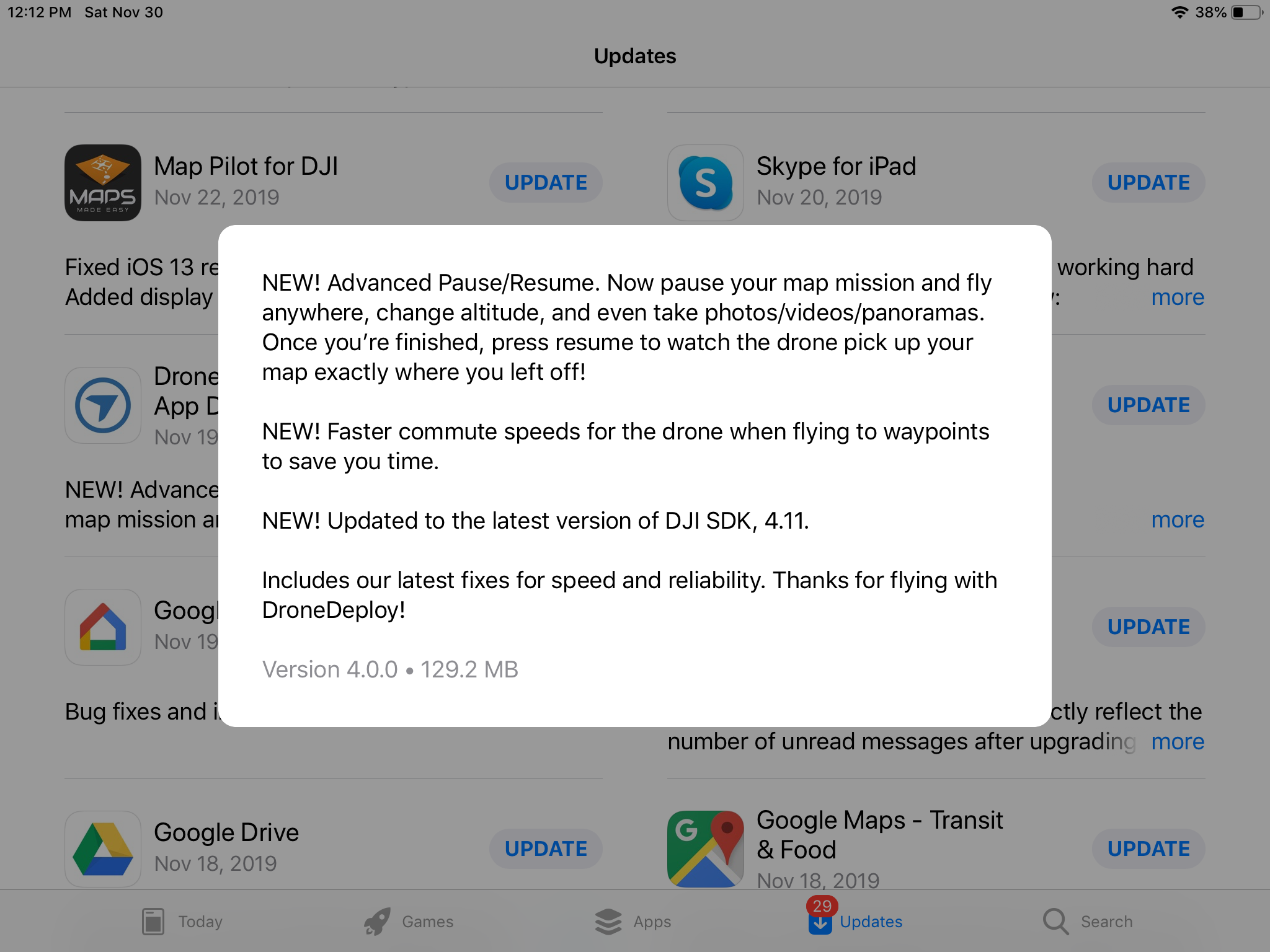
The sdk must now allow for pausing a mission, manual flying (to set camera controls for example ) and then resuming automated flight. Can this be added in MP please. 

Drone Deploy has recently added it.

Thank you.

Dave Pitman 0 bình chọn
Thao tác bình luận Đường dẫn cố định
0
Avatar

Doing this requires loading the waypoints again after the aircraft is already in the air. We have lots of reasons why we don't want to do this. It tends to make aircraft fly away... This is an example of "just because you can doesn't mean you should". We prioritize the safe return of the aircraft over the addition of certain features. 

Zane 0 bình chọn
Thao tác bình luận Đường dẫn cố định
0
Avatar

You know the limitations of your app the best, I guess.  Random "flyaways" are extremely, extremely rare, though. User error flyaways are much more common. ;)

Since camera control has become such an Achilles Heel, I often use DD just for the ability to set up the camera in GO, and then load the DD mission while in the air.  I have never experienced any issue (with that) ever. I suspect you could do it and have the app report if a check-sum or some other form of confirmation shows there was an upload problem.

Why is it that you can have the app upload capture timing in real time throughout the flight, but you feel it can't handle a single small upload of waypoints at altitude but generally with the craft very near the controller?

If you don't want to make this happen, how about adding an optional additional waypoint that the craft will fly to before starting the mission in order to be able to choose a place where there will be good contrast to set up the camera while not being able to maneuver.

Setting up the camera on the ground is just not near as reliable as it used to be with the P3P.  Without good camera settings, what is the point of the rest? 

Dave Pitman 0 bình chọn
Thao tác bình luận Đường dẫn cố định
0
Avatar

Flyaways aren't as rare as you think... We like to have everything locked down and agreed to before leaving the ground.

It isn't that we can't command the aircraft to do things but certain commands require a super strong RC connection and tend to fail when there is any loss so we never rely fully on the ability to make any changes in the air. 

We will look into something to address the ability to designate a focus location. 

Zane 0 bình chọn
Thao tác bình luận Đường dẫn cố định
0
Avatar

"We will look into something to address the ability to designate a focus location."

That would be welcome, thanks!

Dave Pitman 0 bình chọn
Thao tác bình luận Đường dẫn cố định