I am not seeing this. Can you provide a screenshot?
Thao tác bình luận

Vui lòng đăng nhập để lại bình luận.
I am not seeing this. Can you provide a screenshot?
Previous links didn’t work
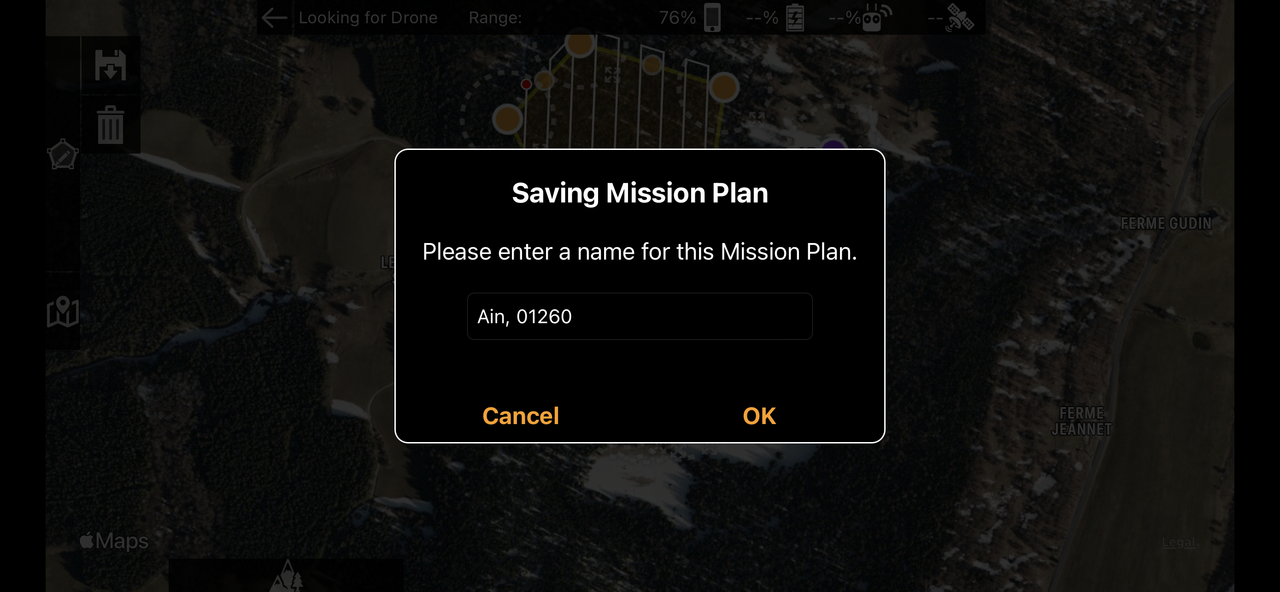
1st image is the name creating page
https://i.postimg.cc/d17CMJcn/IMG-5838.png
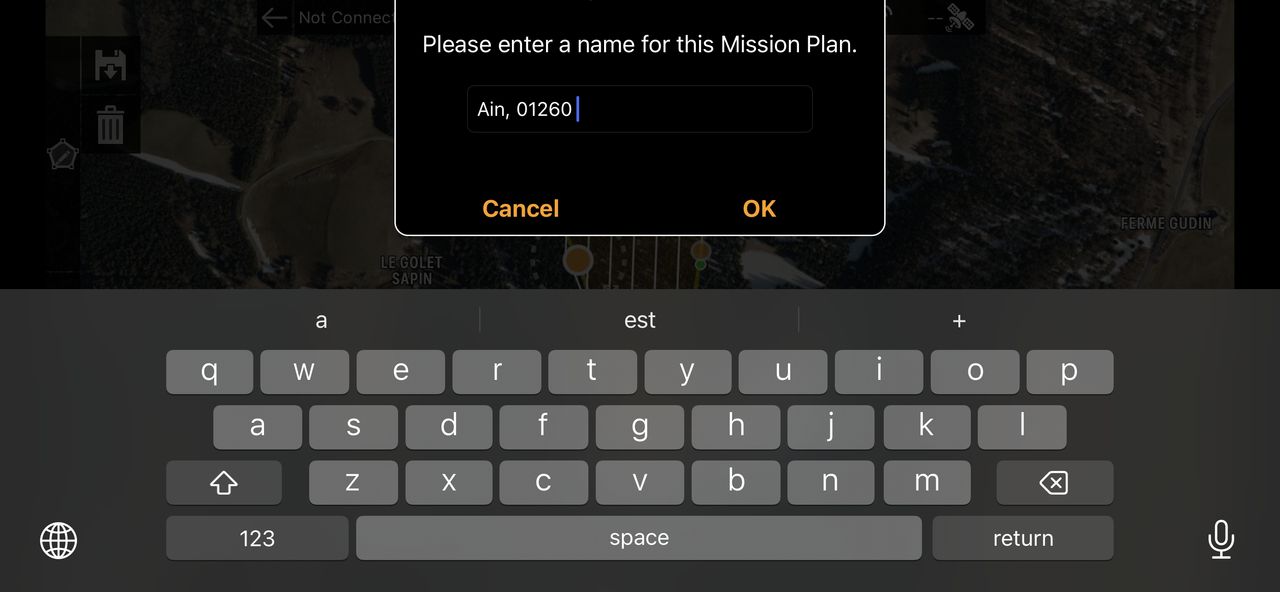
2nd is with the name being modified (see blue pointer)
https://i.postimg.cc/HnX7x3xy/IMG-5840.png
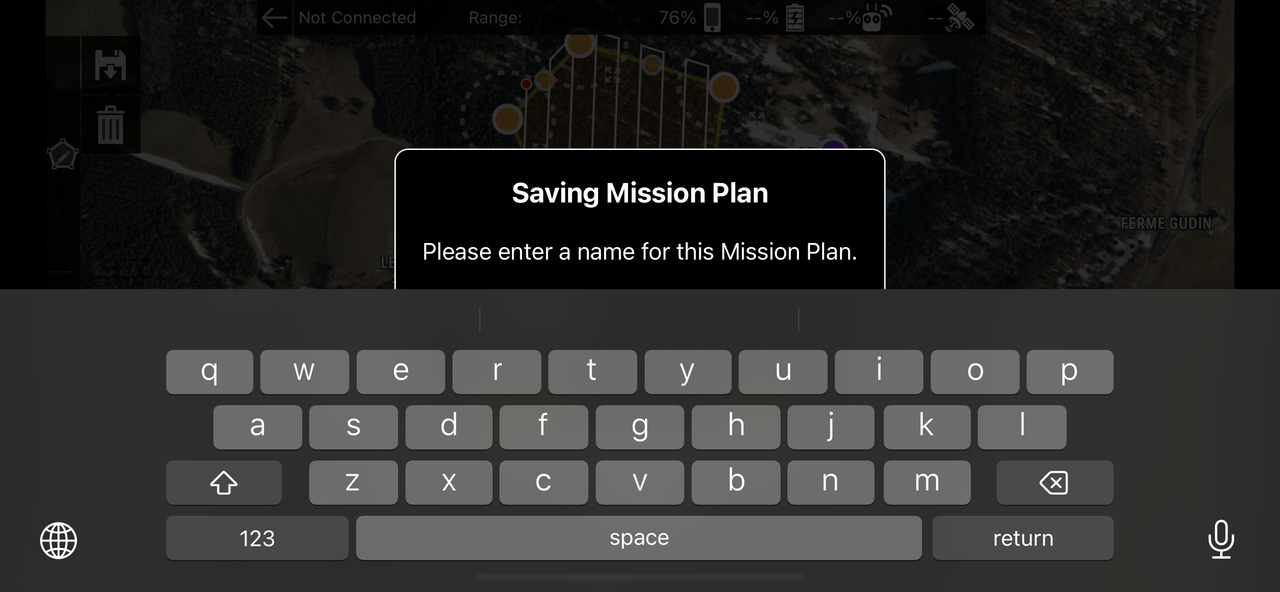
3rd is getting back to map pilot pro after swapping to another app.
The ok button is hidden behind the keyboard the screen can’t be scrolled to reach it.
https://i.postimg.cc/LXr12GHS/IMG-5841.png
Yikes. OK. We will get that fixed somehow.
Awesome.
Thanks
Mathieu