
Comentário oficial

8GB of RAM isn't a lot these days... Use your system monitor utility to check how much RAM is actually available. About 100K from each image is cached for inspecting the image tags in the DJI Specific workflow. That does add up pretty quickly. Post a screenshot of what is using memory on your system and we can help.
Here is an example from mine:
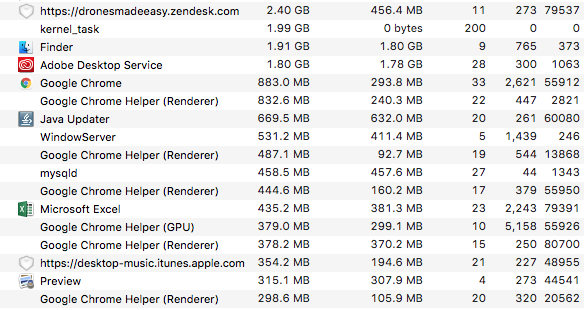
With a lot of web applications that are out there these days 8 GB doesn't go too far when applied on top of the OS.
Have you tried fully closing Chrome (which is a super memory hog) and try using either a Incognito Chrome window or Firefox?
The new Tiered Pricing is only available in the DJI Workflow since it is based on the tag inspection mentioned above. This is noted on the Pay as you Go pricing page. https://www.mapsmadeeasy.com/points
The DJI Specific workflow uses a 3rd party uploader called Filestack. It works better for most people but still does occasionally have issues. Usually they are more dropped image related though. This is a pretty straightforward system resource issue.


