Publicação

3 seguidores Seguir
0
Avatar

"Failed While Uploading" Error messages using Dropbox

Hi.  I have been doing small jobs uploading to MME from Dropbox for a few days. They go fine. When I try to do this larger job with 1949 files, I get the error "Failed While Uploading" and below each file, "error requesting cloud".

This happened a few days ago on this same data set, so I went about my business doing smaller test jobs with the same workflow, and they all uploaded ok.  Have I crossed some limit?  

I make sure all the files are synced to dropbox before starting the MME upload.  

Keith Johnson

Por favor, entrar para comentar.

7 comentários

0
Avatar

Thank you for bringing this to our attention. Have you been able to identify a rough range where this starts? We can’t fix it but will alert Filestack, the upload provider, to the issue, They are usually pretty responsive. Is your internet connection bad enough that you can’t use the local upload straight from your computer or will that work in the interim?

Tudor 0 votos
Ações de comentário Permalink
0
Avatar

Hi Tudor, 

  I have not yet found a threshold number. I have been running test jobs of subsets of the data before loading up a really big job. I have succeeded with uploads from Dropbox as large as 1200 some images. 

I did actually upload this same 1949 image set directly from the computer last week, and processed it at 1/4 resolution.  A couple of adverse things happened 1) when I came to check on the job in the morning, it had hung up saying that 6 files failed to upload. I chose to process it anyway.  2) the processing failed to use about half the data.. probably due to the bare trees, and maybe some wind.  

After running several test patches from this data set at full resolution, I decided to risk it and process the whole thing at full resolution.. that's when the dropbox upload failed.   I am hesitant to go through the direct upload process again given that that did not succeed completely last time, and it would be expensive to process again missing a handful of images.   Not sure what to do, but that's how it stands.  I might try uploading via Google Drive next. See how that performs.

BTW, can you tell me off the top of your head the maximum number of  images from a Phantom 4 Pro (3,648 by 5,472) I could submit in one job to be processed at full resolution? - I would be using pay as you go points.

Keith Johnson 0 votos
Ações de comentário Permalink
0
Avatar

Update.  I tried Google Drive.  It got stuck at 300 files.

It has been sitting like this for 5 minutes with the checkmark whirling, but the numbers don't change.

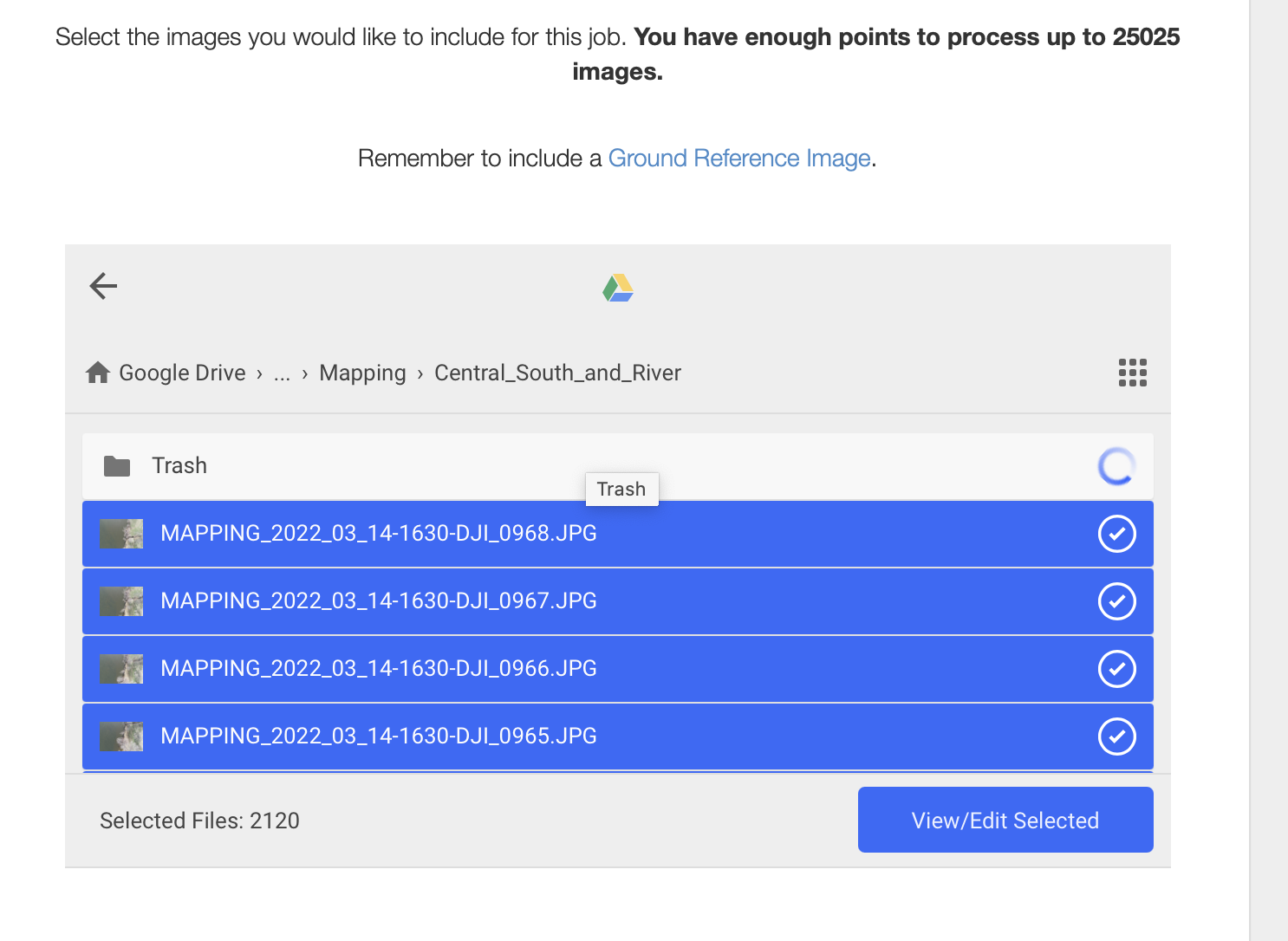
If I go to View/Edit Selected, I get the following and am unable to scroll the list to see any more of the files that are in the Folder.


Hitting Upload More, then clicking into the folder to see the actual file list, gives the full list of files with a weird subset of them selected.  So I manually selected all of the files in the folder, but now it shows an incorrect file count -- more files than are actually in the folder (only 1949 files in the folder, and the count shows 2120):

Google Drive puts an "invisible" Trash folder in there, and I made sure that it was empty, so that's not the issue.

For what it is worth, I have seen both these problems (several times) when loading from Dropbox, too - stuck at 300 files, and showing wrong file count.   I can't recall exactly, but I think I restarted a new map and eventually got lucky, it selected all files and showed the right count.

These results are all while using Safari Version 14.1.2  on Big Sur 11.6.1

Restarting a new map again, Gives this:


Keith Johnson 0 votos
Ações de comentário Permalink
0
Avatar

We limit things by the number of images, not the number of gigapixels so the limit is 4000 images. The cloud data source file selectors are a bit weird with long lists of files since they don’t load the full list at one time. I think Google loads like 100 at a time or something. Maybe try Chrome to see if it is better behaved. We don’t get too many complaints about the Filestack uploader using the cloud data sources and see some pretty big uploads coming through. You might have to slowly and deliberately scroll through the files so it will get an accurate count.

Tudor 0 votos
Ações de comentário Permalink
0
Avatar


Thanks for the answer on the file number limit, and for the suggestions to 1) use Chrome, and 2) trying selecting files individually instead of by folder.

Still no luck.

1) Chrome behaves the same as Safari:


2)  Scrolling through the 1949 files and selecting them by shift-clicking groups of as many as the scroller will give, it produced a wrong file count (2009 instead of the correct 1949). (Selecting at the folder level has returned to giving the correct file count on recent tries, but the whole process fails at the start of uploading.)

In the meantime, smaller jobs of 200 and 300 files have been uploading just fine via Dropbox.


FWIW, this set of 1949 files is not especially important, and I could live without it. It is a 200ft pass over a section of the farm attempting to capture some detail. 

However, I have a job of around 3000 files I am planning to submit soon, that captures the farm at 350ft.   Subsets of that dataset have been processing ok, so if we can get past this upload problem, it should turn out a good map!

Keith Johnson 0 votos
Ações de comentário Permalink
0
Avatar


Are you on a good internet connection? What are your numbers here: https://www.speedtest.net/

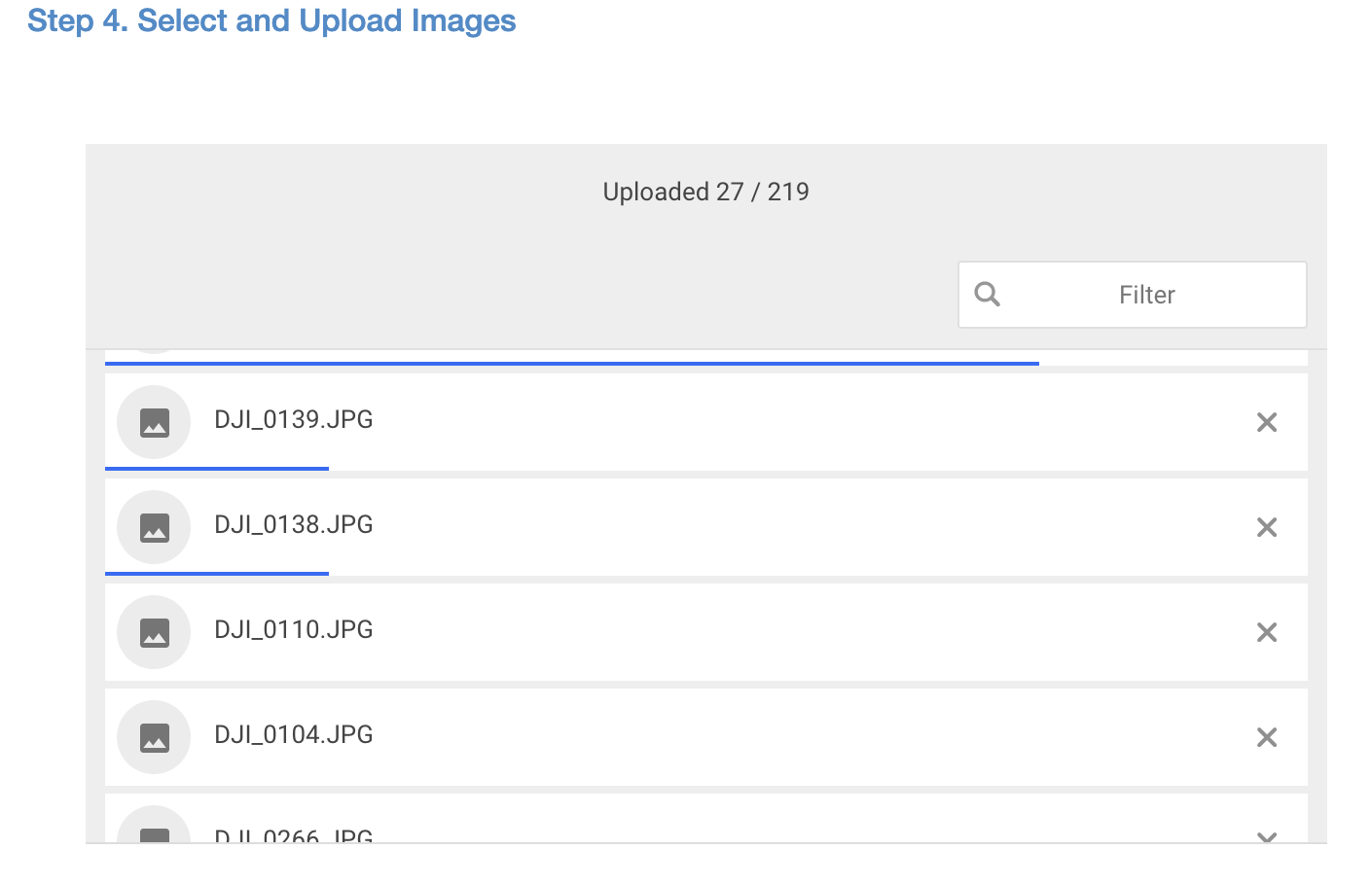
Are you not getting any progress bars for the files when you select them? Like this:

It sounds like that is a "no". 

When I select a Google Drive or Dropbox folder the file count goes up by 20 files every half second or so. So I would imagine that it might take a while to get the full count for a large list like that. I have tried up to 1500 and didn't have any problems. Then when you hit upload it goes through the files pretty quickly as they are transferred directly. 

We will likely have to include Filestack support in sorting this out. Would you mind us opening a ticket with them and including this thread and possibly your email address? 

Zane 0 votos
Ações de comentário Permalink
0
Avatar

I'd be happy for you to pass this thread, my email address and any other useful information along to Filestack. I could provide a dropbox link to the dataset if you wanted to copy it.  Nothing sensitive there.

On the small jobs, I get the progress bars just as you described.  On this job, I get the red error messages instead.

If you have my email address, go ahead and forward it to Filestack. I'm hesitant to post it in the forum.

My internet connection is VDSL, 10 Mbps up and pretty steady.

Keith Johnson 0 votos
Ações de comentário Permalink