Comentário oficial
We are trying to address all sorts of issues related to gimbal drift on certain DJI camera models. We haven't seen this one though and will attempt to address it in the next release.
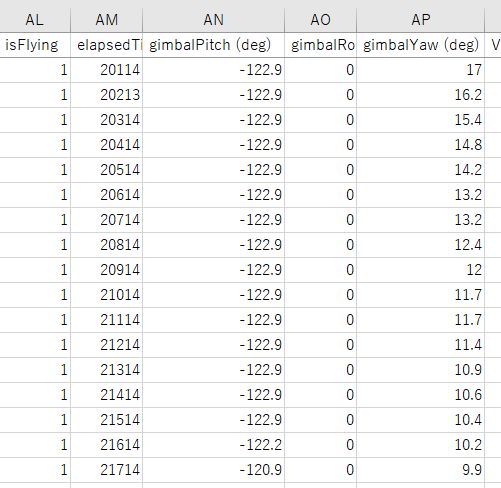
Inspire 2 with the X5s was strange because the gimbal pitch was fixed in the opposite direction after takeoff. But before taking off, The gimbal was follow mode with DJI GO4 and the nadia angle definitely set it at 0 degrees (-90 degrees) .

Repeated three flights, all like that.
BTW, The flight with MAVIC 2 PRO the day before yesterday was no problem.
MP ver.4.1.0
iPad pro iOS ver.13.1.3
Thanks,
We are trying to address all sorts of issues related to gimbal drift on certain DJI camera models. We haven't seen this one though and will attempt to address it in the next release.
Por favor, entrar para comentar.
Was your gimbal set at flat and straight out (the default after power up) at the time of takeoff or was it pointing somewhere else?
Thanks for the reply.
After turning on the aircraft, put the camera in follow mode in the DJI GO4 app and reset it to the front.Next,DJI GO4 was killed, MP was started, and at this time, At this time, the camera was still facing the front.The aircraft was taken off from a flat place.
Thanks,
Keep an eye out for 4.1.1 which we hope will fix this issue.
Thank you for your support with this case.
I'm looking forward to it.
After taking off the X5s on the Inspire 2, the camera ping is fixed at about 10 degrees behind it.
I've run other apps and it's normal.
This latest version looks problematic.
Please update as soon as possible.
Look for 4.1.3 to come out today. Enable 'Advanced Settings' at the bottom and then change the 'Turn Mode' to 'Straight'. This will help the gimbal issues hopefully.