Software version: Map Pilot 4.07 build 082320192
Aircraft: P4Pv2
Terrain following enabled (SRTM)
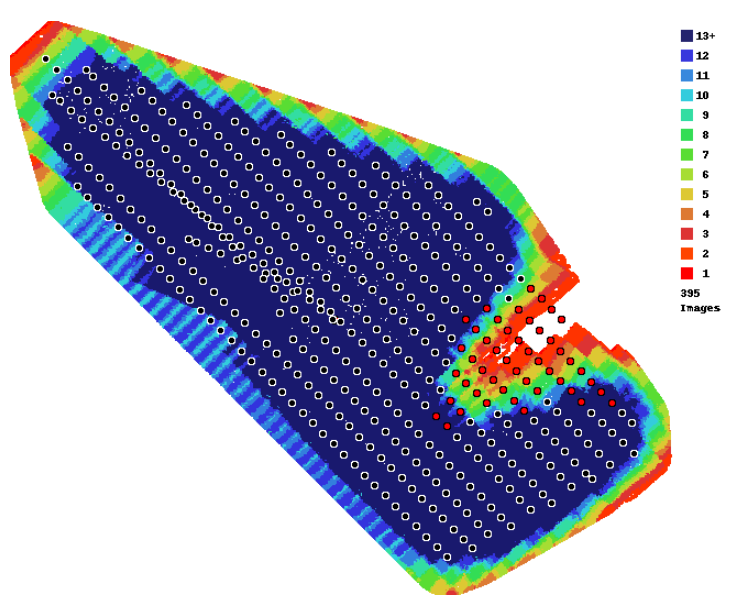
This image is the overlap report from a recent mapping mission. I'll cover the data gap in the NE side of the southern end in a separate post as I believe I understand why it's there and it's not entirely unexpected.
This post relates to the skewed line(s) of images about 3 rows in from the SW side.
This occurred after a battery change where the behaviour was as follows.
1) 1st run was manually abandoned using RTH early on last planned leg adjacent to launch site due to low battery.
2) Battery was changed and aircraft relaunched.
3) On resume aircraft immediately landed with a message saying another flight would be needed to complete the mission.
4) Aircraft was relaunched (without further battery change) and the mission again resumed.
5) Aircraft climbed to altitude then tracked to end of last planned leg of first battery taking photos along the way, rather than the abandonment point which was still visible on the screen.
6) I attempted to manually infill but couldn't trigger shutter manually so had to use Go4 to trigger and lost connection in MapPilot so couldn't see the desired track.