

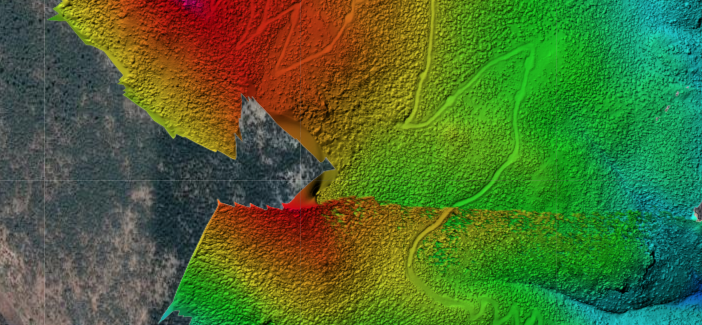
That 'shift' that occurs part way up the hill is due to using the GPS derived elevation tags. They can be off by hundreds of meters. It looks like one set of images had a GPS fix that was significantly different from the adjacent ones and resulted in discontinuities. We suggest either using a single takeoff location so you can use a ground reference image to solve this problem, using our tag fixer system with known takeoff point elevations for multiple sets or manually correct all of the photo altitudes on your own.
https://support.dronesmadeeasy.com/hc/en-us/articles/206208583-Ground-Reference-Images
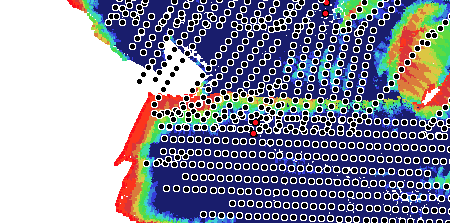
Overlap Report
If your model isn't good to start with, using GCPs is not going to make it better.
Our manual referencing workflow will apply a linear offset to your DEM that takes the errors in all of your entered GCP elevations into account. If they are all off by 5 meters, great! We adjust everything by 5 meters. If they are 5 meters high on one side and 5 meters low on the other, great! We apply a rotation to get the model back to where it should be. But if the offset is non-linear in nature and has discontinuities our linear adjustments will not correct the model.
In general, the data collection here was not great. There are some pretty big gaps and problem areas. The Phantom 3 cameras were OK a few years ago but for any sort of professional mapping like this when there is going to be this much time invested in the data collection you would be much better off investing in a more up to date camera which will provide much better results.


