게시물

팔로워 3명 팔로우
0
Avatar

Points Required?

This is my first time attempting a map using Maps Made Easy.  I used the IOS app, laid out the area to be flown, it said points required would be 444.  I flew the mission, came back to the office, and was attempting to process the images only to be told it would require 853 points instead of the 444 in the app.  Am I doing something wrong, or is there a way to reduce the points required so I can at least process this mission to see the results?

Dustin Huff

댓글을 남기려면 로그인하세요.

댓글 6개

-1
Avatar

Are you sure that you only attempted to upload the images that were shot during that mission?

I see a recent flight in your Flight Sync list that shows it took 203 images. 203 20 megapixel images will require 812 points to process. 

Please send a screenshot of where it said 444 points. Since you are using the X5S camera please make sure your focal length is selected properly in the settings. 

The app just takes the number of estimated images, multiplies by the resolution and then does the points calculation. I just checked and the calculation seems to be correct. 

Either you are including too many images or changed some setting after looking at the point estimate. 

Zane -1 표
댓글 작업 고유 링크
0
Avatar

What camera is selected in the Settings? What are the overlap settings?

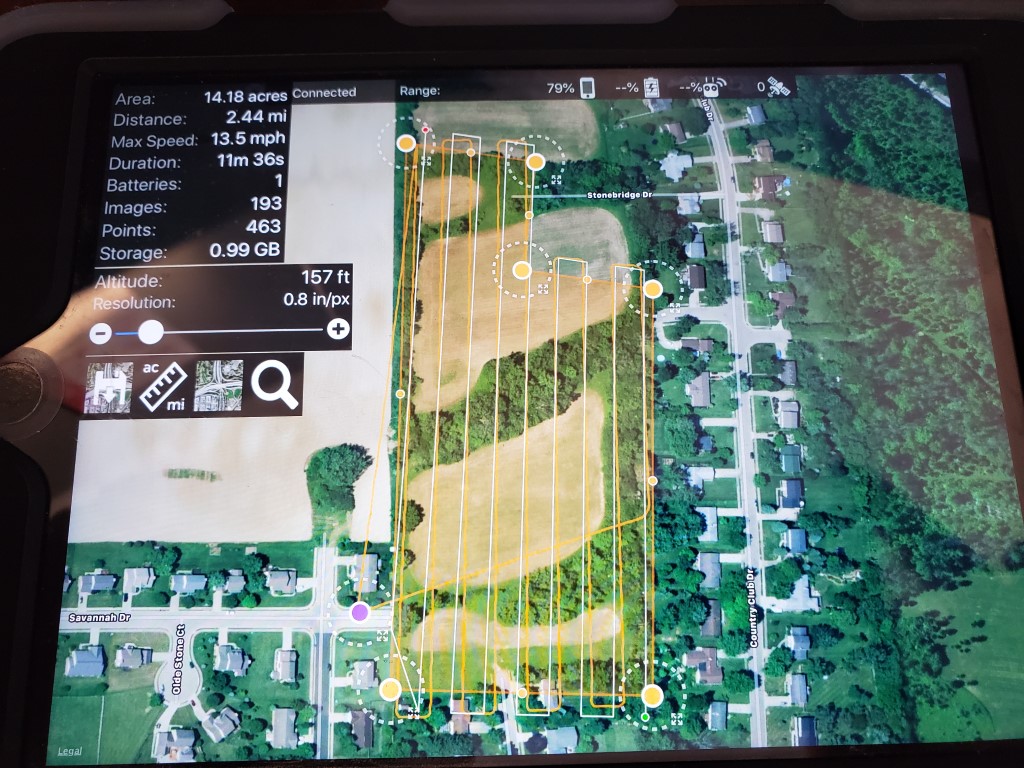
193 images is pretty close to the 203 that was actually taken. 

Since you are doing this estimate while not connected to the aircraft Map Pilot uses the camera that is currently selected in the settings. 193 12 megapixel images will require 463 points, as shown. But if you are using a 20 megapixel camera it will require the higher amount, as noted before.

I bet that points estimate looked pretty different once you connected the aircraft and the actual camera was detected. 

Zane 0 표
댓글 작업 고유 링크
0
Avatar

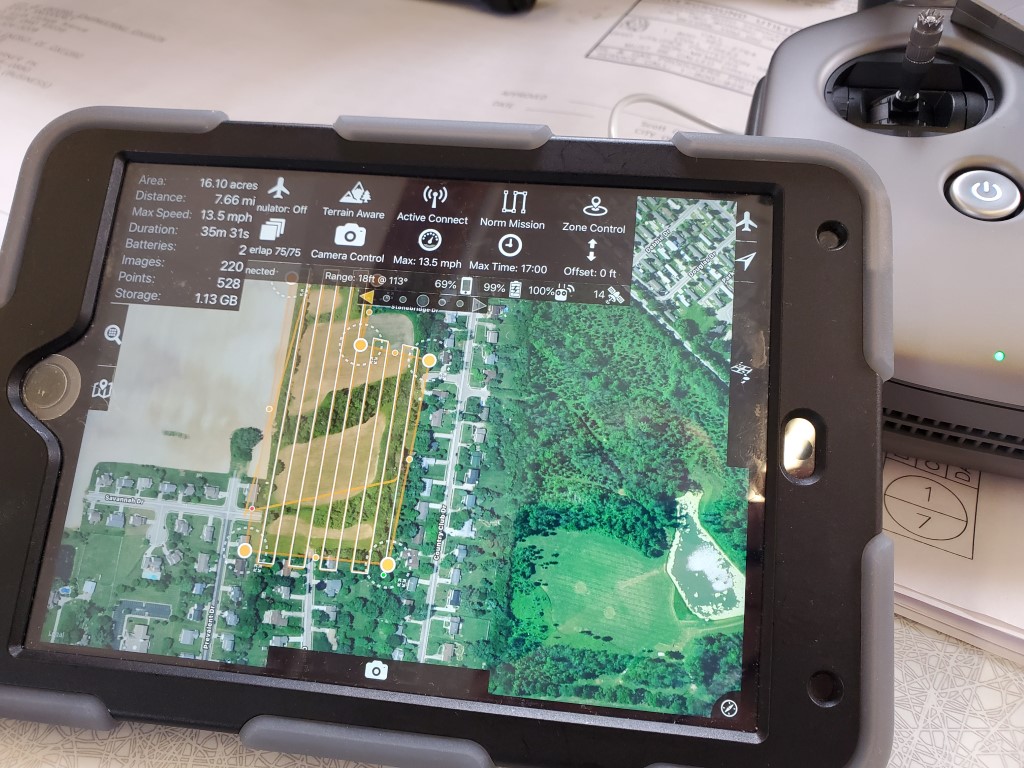
I know its still not under 500, but its connected to the Matrice with the X5s connected to it and its still saying 528, which is a lot closer than the 853 when I try to process it.  Overlap is 75/75. Am I still doing something wrong?

Dustin Huff 0 표
댓글 작업 고유 링크
0
Avatar

Ive had the same numerous times, and all I did was to delete the last few photos from the upload until it came just under the free limit. Generally the last few photos are on a boundary anyway so for me that worked.

Now I plan the route to be free but also go slighlty less photos so when it comes to upload I dont go into the paid service (although I do buy and use points).

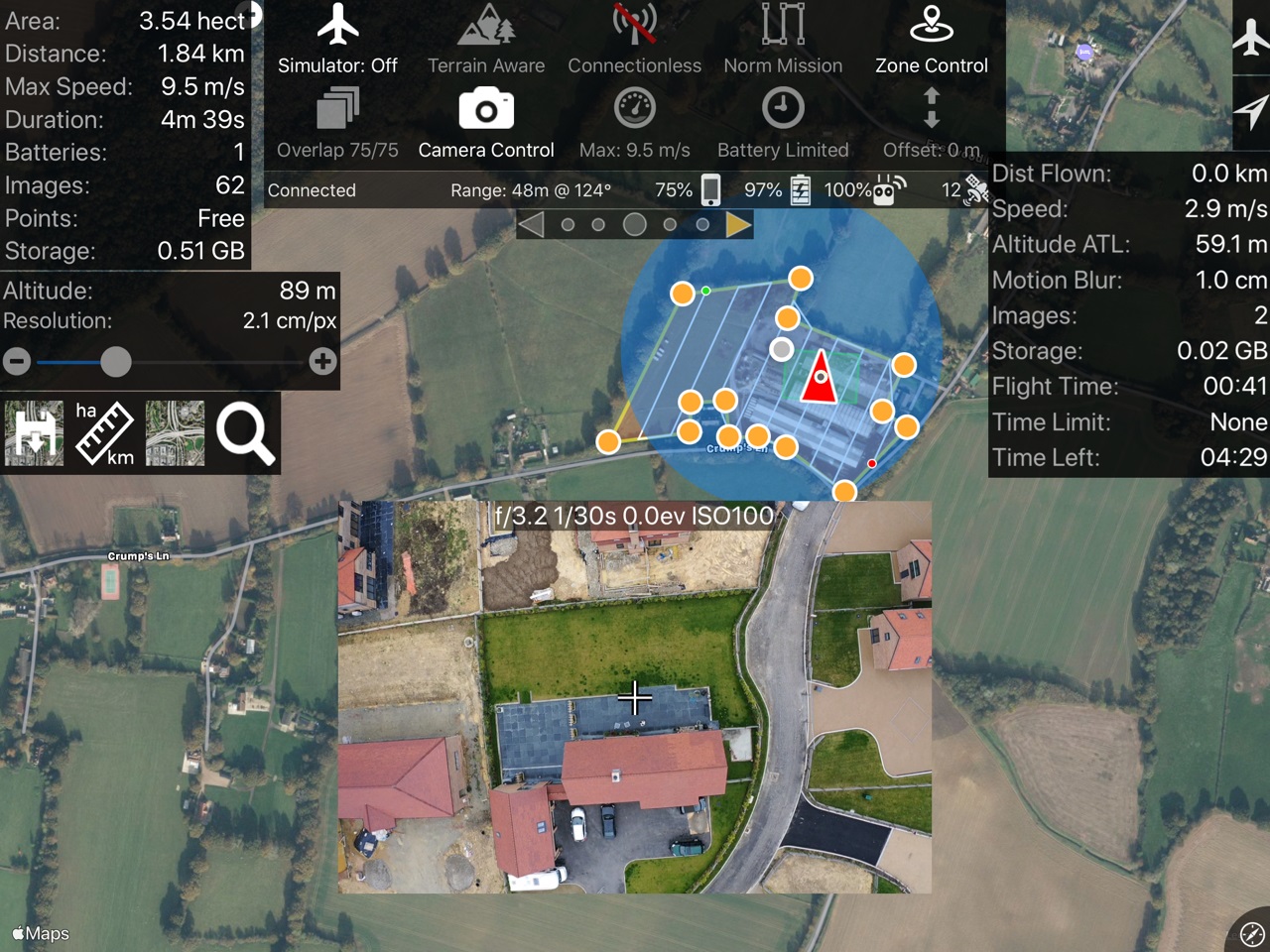
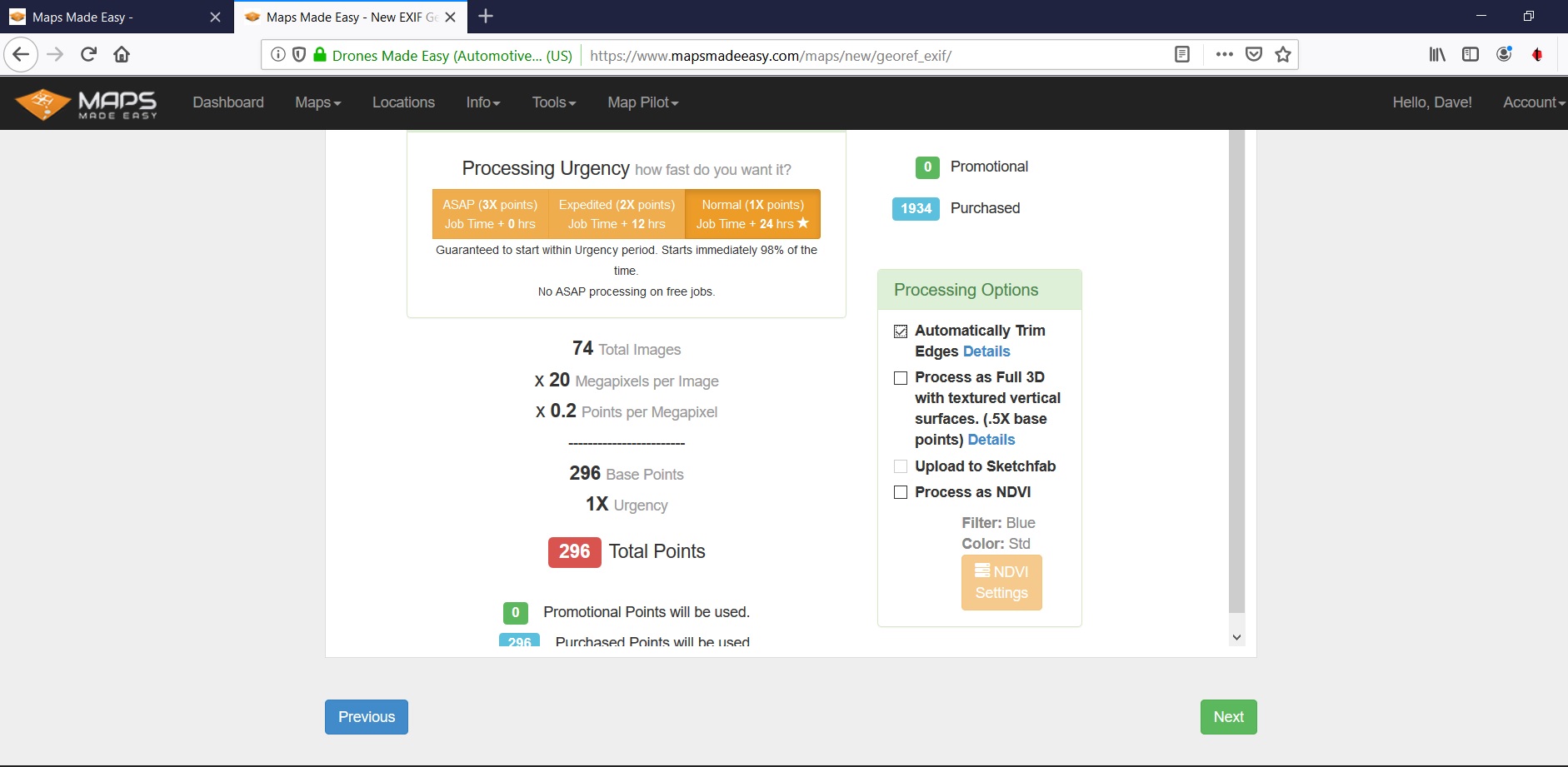
Here is a sample below of the estmate and the actual. I double checked to ensure I only picked the files form the flight etc and had to flick through and delete some to get below the free threshold


Dave Strand 0 표
댓글 작업 고유 링크