게시물

팔로워 2명 팔로우
0
Avatar

Strange Map Pilot error

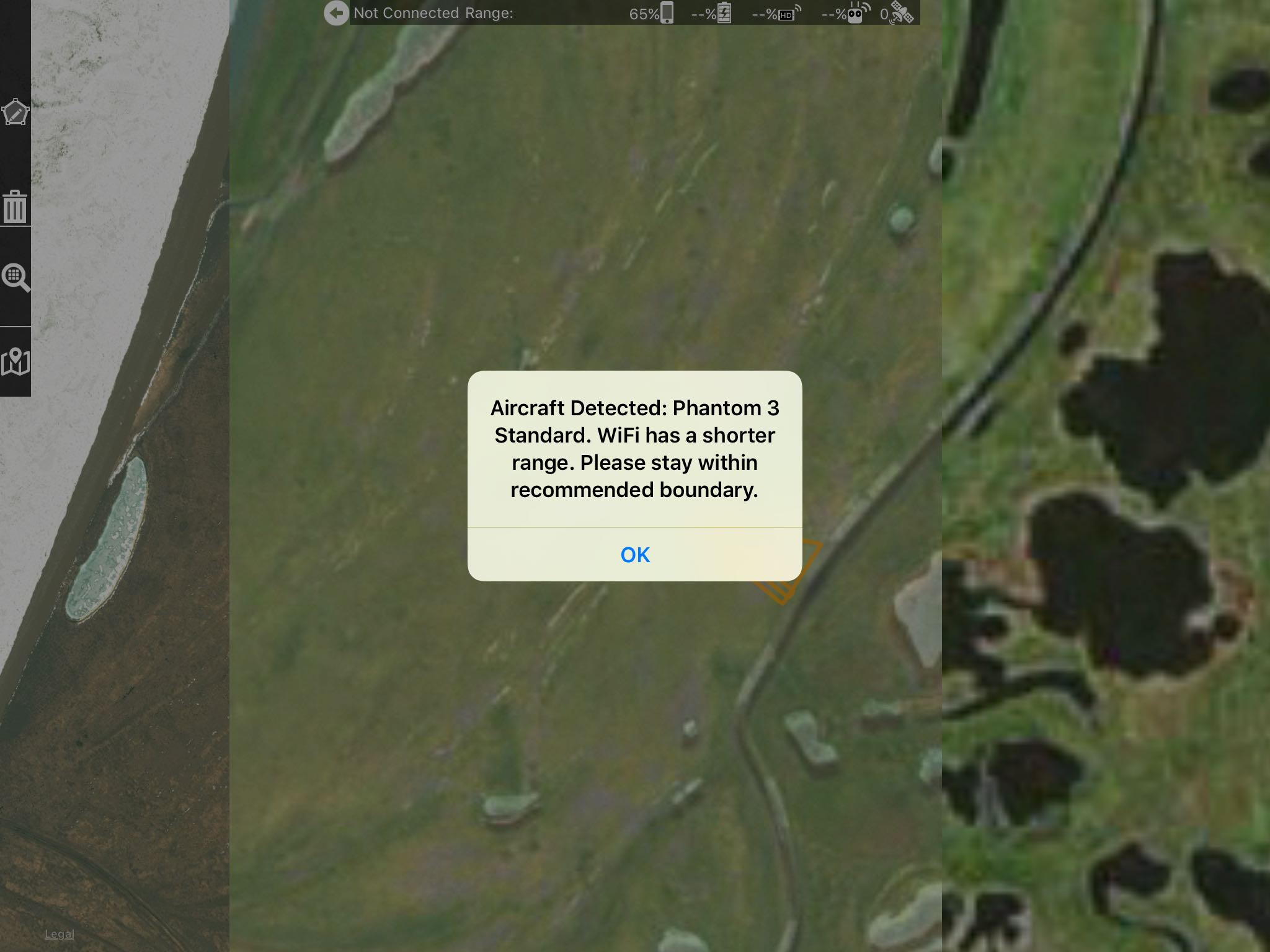
I am here at a remote field station where several people have been using drones in the past. On one of the local WiFi networks I keep getting this pop-up window, which keeps popping up all the time. Someone must have been using a Phantom 3 Standard on this network in the past, but definitely not now. The only way to get rid of this pop-up window is turning WiFi off, but then I don't have internet access. When I access another local WiFi the message does not appear. 

mheimann

공식 댓글

Avatar

Hmmm... That's a weird one. We will look into a way to fix that. We test within range of areas that lots of P3 Standards are used (our shop) and have never had this issue.

Is you WiFi actually connected to whatever network it is seeing? You might want to tell it to "Forget this Network" to keep it from auto connecting.

Jay
댓글 작업 고유 링크

댓글을 남기려면 로그인하세요.

댓글 4개

0
Avatar

The two networks are unfortunately in separate locations. When on the "faulty" network, the window pops up immediately when opening the Map Pilot app. When I click on OK, it immediately keeps popping up, effectively blocking the app. But when I go to the other location to use the other network, the strange message pop-up does not appear.  

mheimann 0 표
댓글 작업 고유 링크
0
Avatar

DJI Go works as expected. It does not try to connect to a P3 Standard, but only to my P3P.

mheimann 0 표
댓글 작업 고유 링크