게시물

팔로워 2명 팔로우
0
Avatar

map not aligning

https://www.mapsmadeeasy.com/maps/public/914d28fbdef1444da065b92055dca9ca/

Any suggestions as to what went wrong here? Yes, I am sure I can realign using GCPs but this never happened before..

Luis Martinez

공식 댓글

Avatar

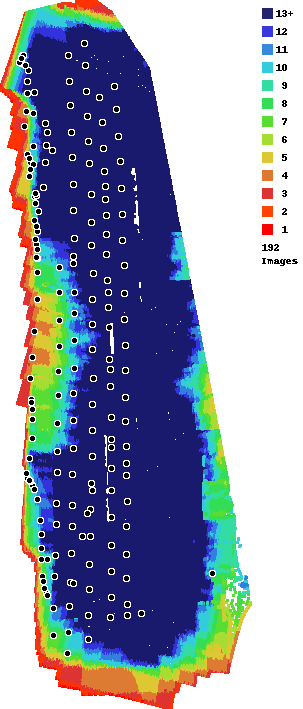
It appears that your model was rotated. If you look at the elevation layer you can see that it is tilted to one side. This was likely caused by the inconsistent speed at which the images were taken. In the overlap report you can see that there we some images that appear to have been taken under app control and then that whole line to the west was likely taken under free flight. This will throw off our computer camera calibration and cause some strange effects. This is the main reason why we attempt to take all images while traveling at the cruising speed.
 

Jay
댓글 작업 고유 링크

댓글을 남기려면 로그인하세요.

댓글 4개

0
Avatar

Thanks Ryan, I guess I should leave well enough alone and not mess with the app during flying. On another issue, for some strange reason the app saved over previous files, any idea what may have caused this?

Luis Martinez 0 표
댓글 작업 고유 링크
0
Avatar

We have heard of this happening with certain models and types of SD cards but haven't boiled it down enough to report it to DJI. This isn't something we can change as it is being done inside the camera. We say take a picture and it takes a picture. No file naming controls are granted by the DJI SDK. Generally we like to start any day of mapping with a freshly formatted card which will keep this from happening.

Jay 0 표
댓글 작업 고유 링크