Komentar resmi
As shown in the Tool Tip:
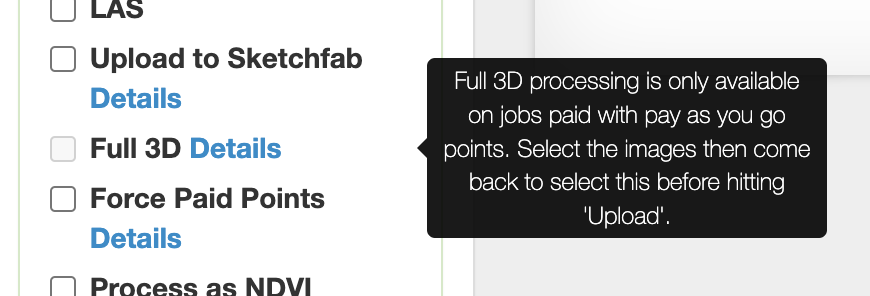
Full 3D processing cannot be done with the subscription processing allotment. That box will only be available to check if purchased points are being used.
Tindakan komentar
Hi, I was using my mtruitt@swccd.edu account with Maps Made Easy. I was trying to upload a project for Full 3D to test it out. I got to step 2, and clicked on Full 3D. The checkbox greyed out after I did it. Why wasn't it available as an option?
As shown in the Tool Tip:

Full 3D processing cannot be done with the subscription processing allotment. That box will only be available to check if purchased points are being used.
Harap masuk untuk memberikan komentar.