Posting

2 pengikut Ikuti
0
Avatar

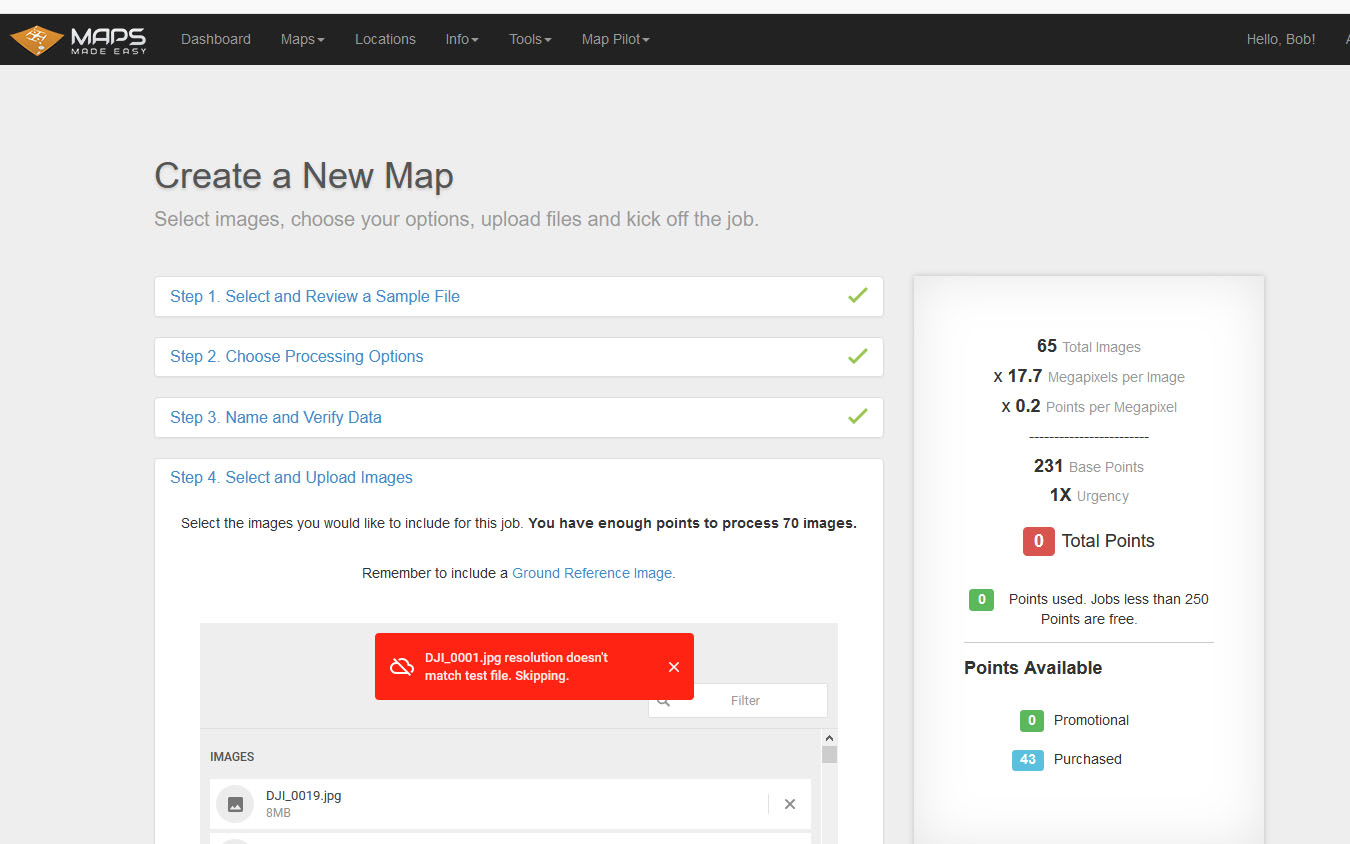
Resolution doesn't match Test file. Skipping

DJI_0001.jpg resolution doesn't match Test file. Skipping

I've been using the same workflow for a year but tonight I received the above error when trying to upload. When I tried uploading a portion of the files I had the same error but with a different filename.

When I tried using files that previously uploaded and processed (last month) I received the same error.

What could the problem be?

Thanks, Bob Lewis

Bob Lewis

Harap masuk untuk memberikan komentar.

3 komentar

0
Avatar

Found the problem.

The first image was cropped, probably from the aspect ratio in Go4 being set to something other that 4x3. From the second shot through all the rest they were the same. The set I did last month is the same but somehow I didnt realize it until just now...

I have no idea why MME kept saying that various files were off. The image I posted above happened to say 0001 but I saw others that said 065 and others were off.

Hope this helps someone else if they have the same issue

Bob Lewis 0 suara
Tindakan komentar Permalink
1
Avatar

Yeah... You have to be really careful with opening files on your computer. Sometimes just the act of opening the file in the standard OS file viewer can modify the file or the tags. This is likely what happens. It is really important to make sure you have a solid backup of all of the original files exactly as they come off of the SD card. 

That first image you test is looking at all the tags and checks the resolution. All of the rest of the images have to be the same as that test image. 

Zane 1 suara
Tindakan komentar Permalink
0
Avatar

I never had any trouble with the files being altered by opening them in a viewer and I even figured out a workflow that lets me open them in Adobe camera raw to make adjustments to exposure and then I can upload them to maps made easy. when I do that I get a warning but it still lets me upload the files. This issue that I had last night was completely different and it would not let me proceed. After I realized that the first file was 16x9 and the rest were 4x3 I had to wonder how I missed something so obvious but also why mme kept indicating that various other files were the problem.

Bob Lewis 0 suara
Tindakan komentar Permalink