Posting

2 pengikut Ikuti
0
Avatar

Map Pilot Business v4.05 ERRORS

Hello,

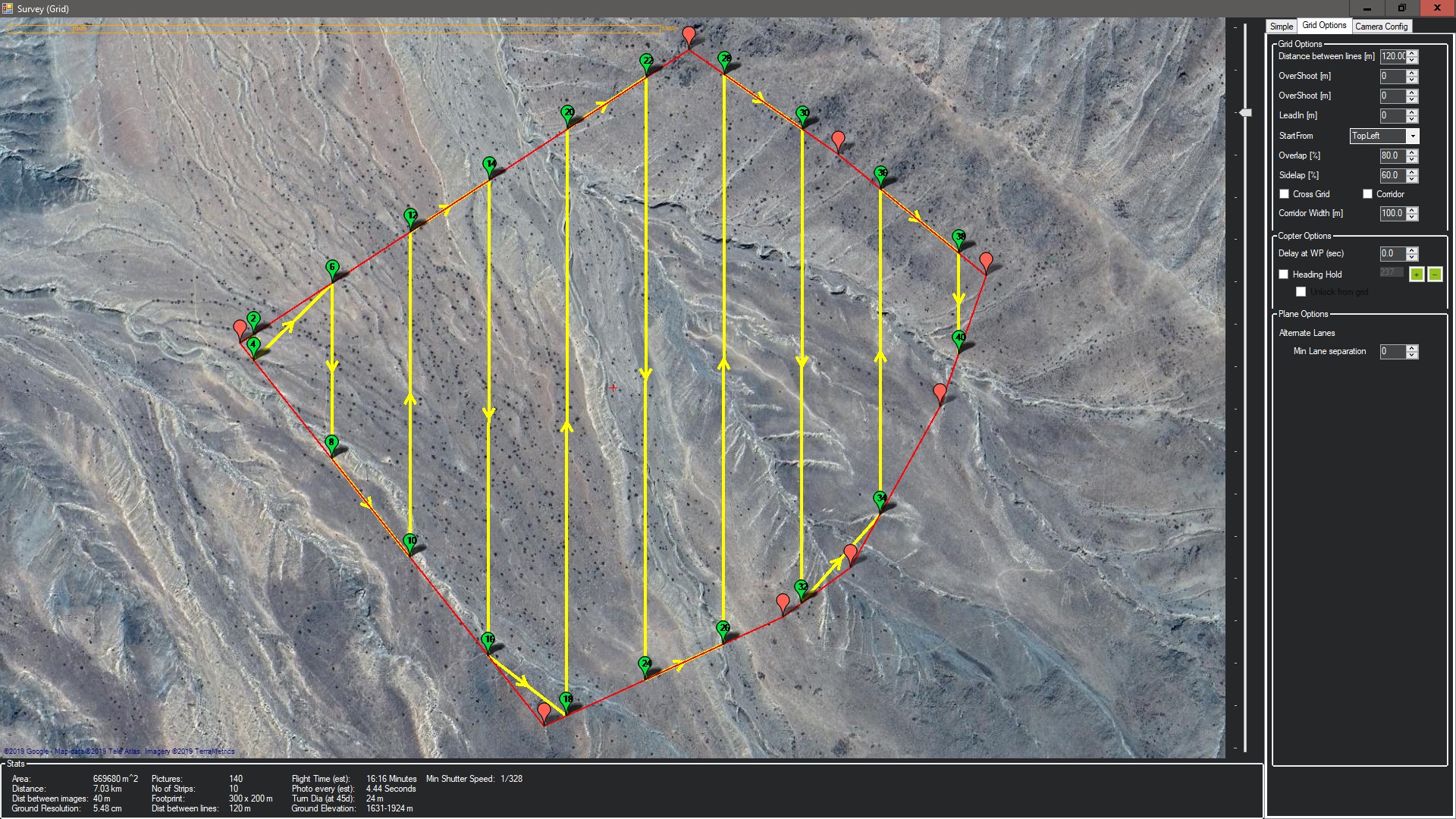
I'm currently using Map Pilot Business v4.05 for my P4P drone missions. I've use the Map Pilot Business for more than 2 years now (never had a single issue). Recently I've updated previous 4.04 version to this latest (4.05), and now I have problems with my missions. I have one 200Ha mission in Peruvian mountains, and I need to use Terrain Awareness mode (is not my first time using it), I divide the mission in 3 smaller ones (single battery flight). Draw the polygons into Goggle Earth, exported as KML and imported them in MapPilot. The first 2 are OK (single battery Flight and terrain awareness profile), but when I start to prepare the 3rd one I have the error that mission need 2 batteries for 66 Ha with AGL 200m and Flight Speed 9m/s  (same settings for 2 previous ones), see pic below:

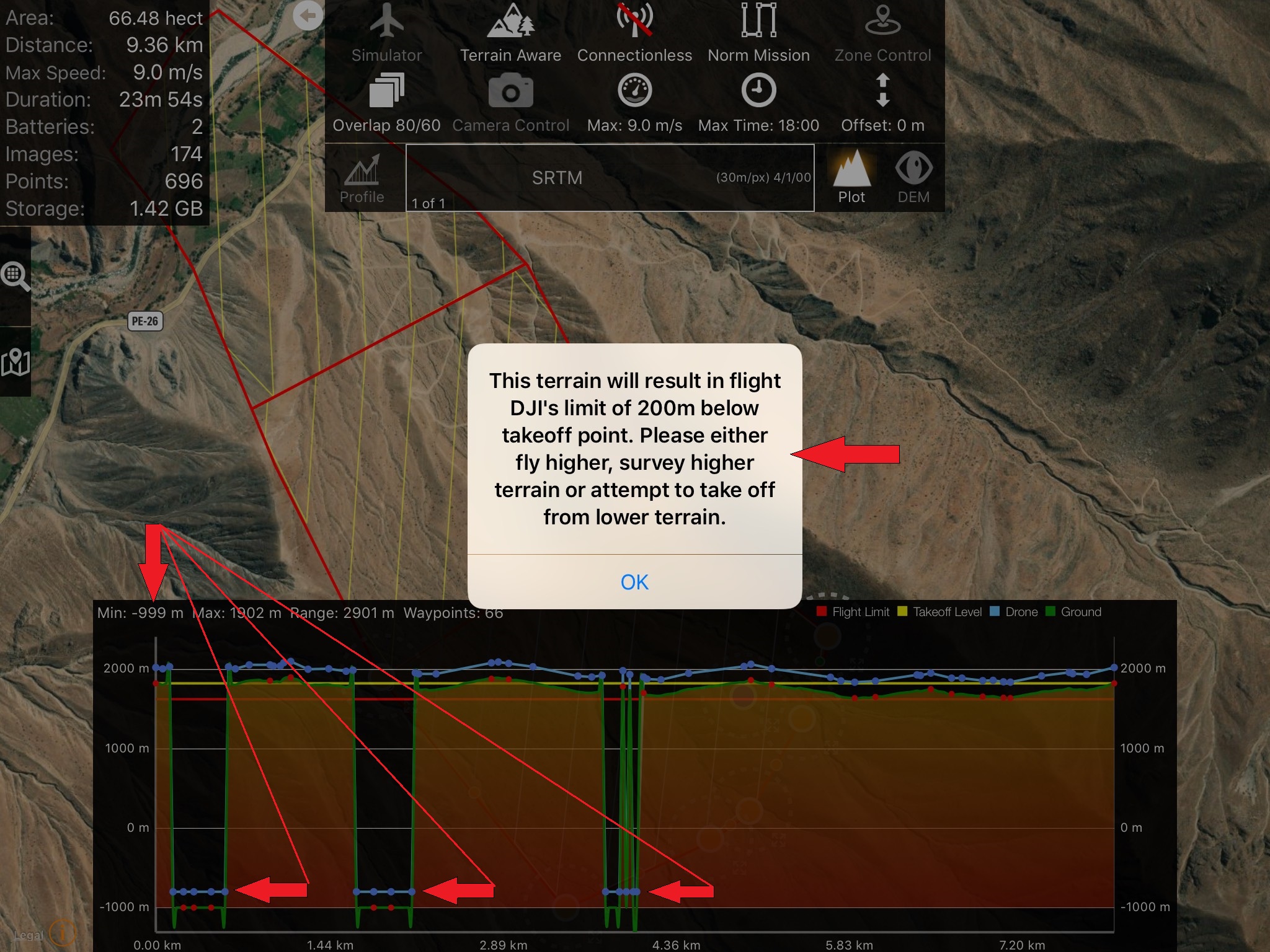
Second error occur when I activate Terrain Awareness Mode and draw the profile, where the popup message appear telling that  the drone will flight bellow 200m of takeoff point, also showing the profile with some points with negative elevations (-999), see pic below. How is this possible. I have never had a single problem, and this is not my first flight in Peruvian Mountains. Please Help (is this some bug in application or what?).
Ivan Matasic

Harap masuk untuk memberikan komentar.

5 komentar

0
Avatar

This isn't a version issue. It is a data coverage issue. Those low points are areas where there appears to be no SRTM terrain information. The globe is covered 99.9% within the covered latitudes but the missing areas do tend to be in high altitudes mountains. Or you are just missing a tile. Either way, we would a like to give it a look. 

Please let us know the coordinates so we can check it too. Email us the .mme file from your Mission Management screen. 


Zane 0 suara
Tindakan komentar Permalink
0
Avatar

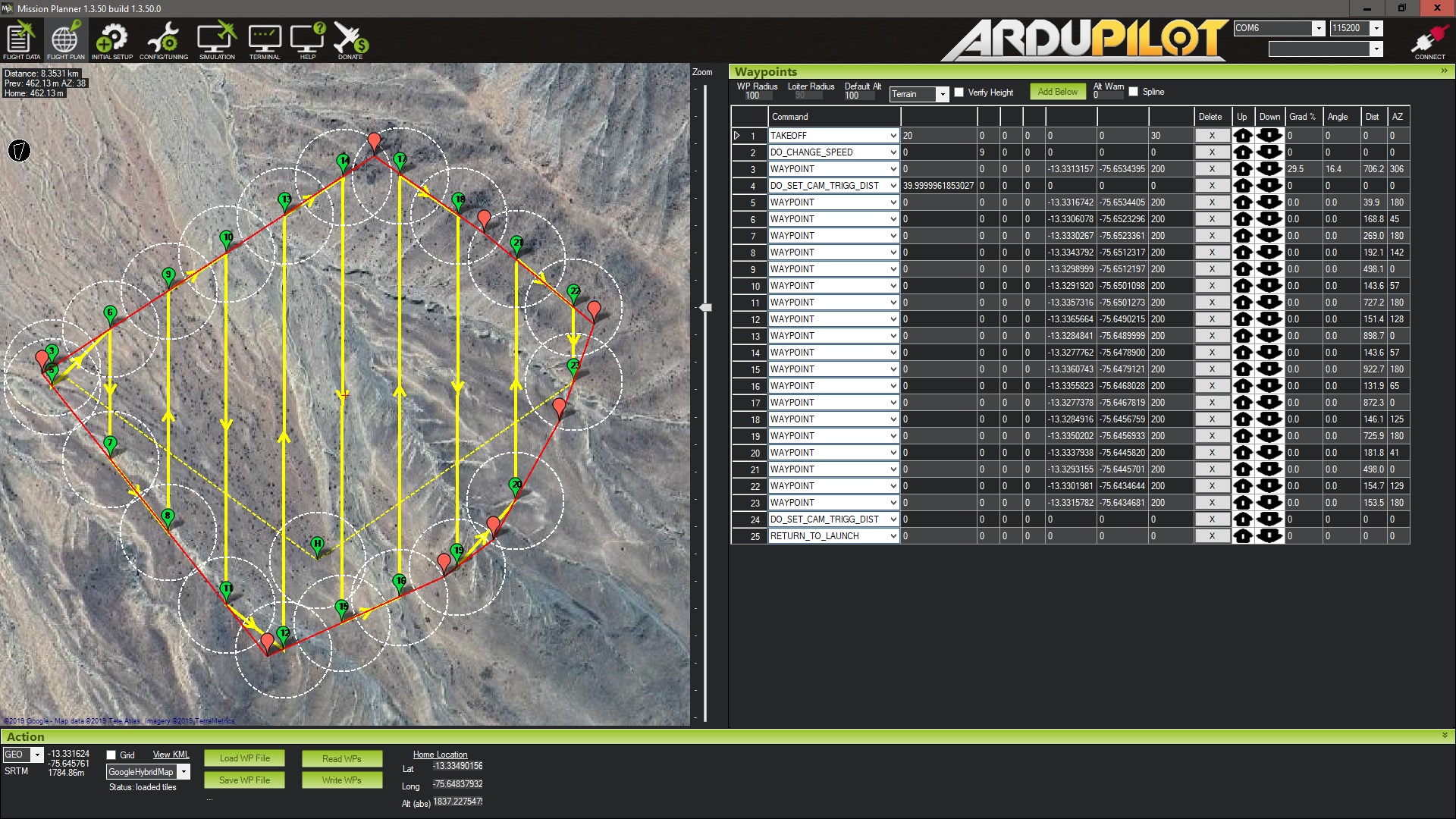
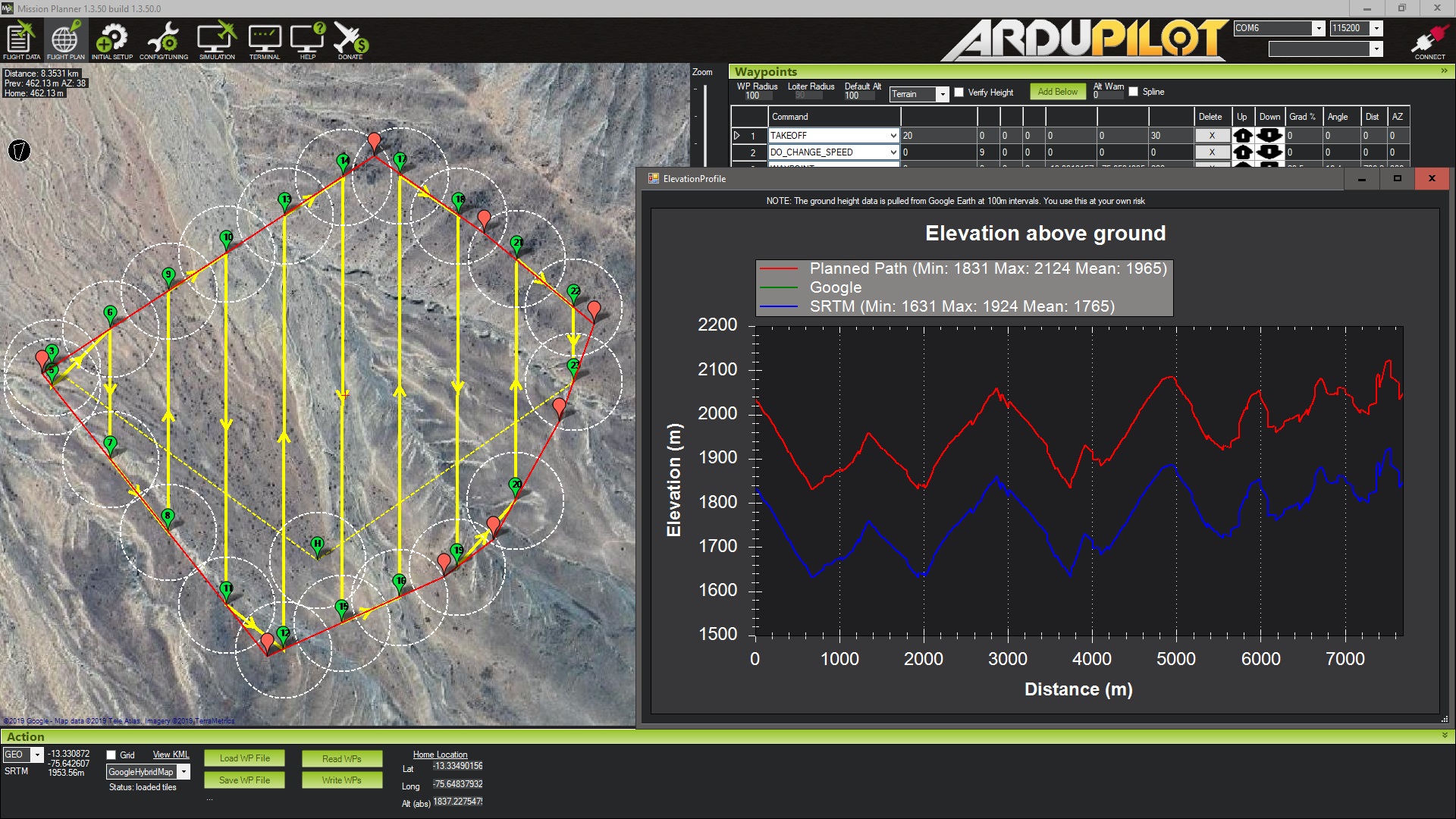
I'm not sure that this is SRTM error, because I've prepared the same mission (polygon and flight lines) in two different programs.

Mission Planner see below:

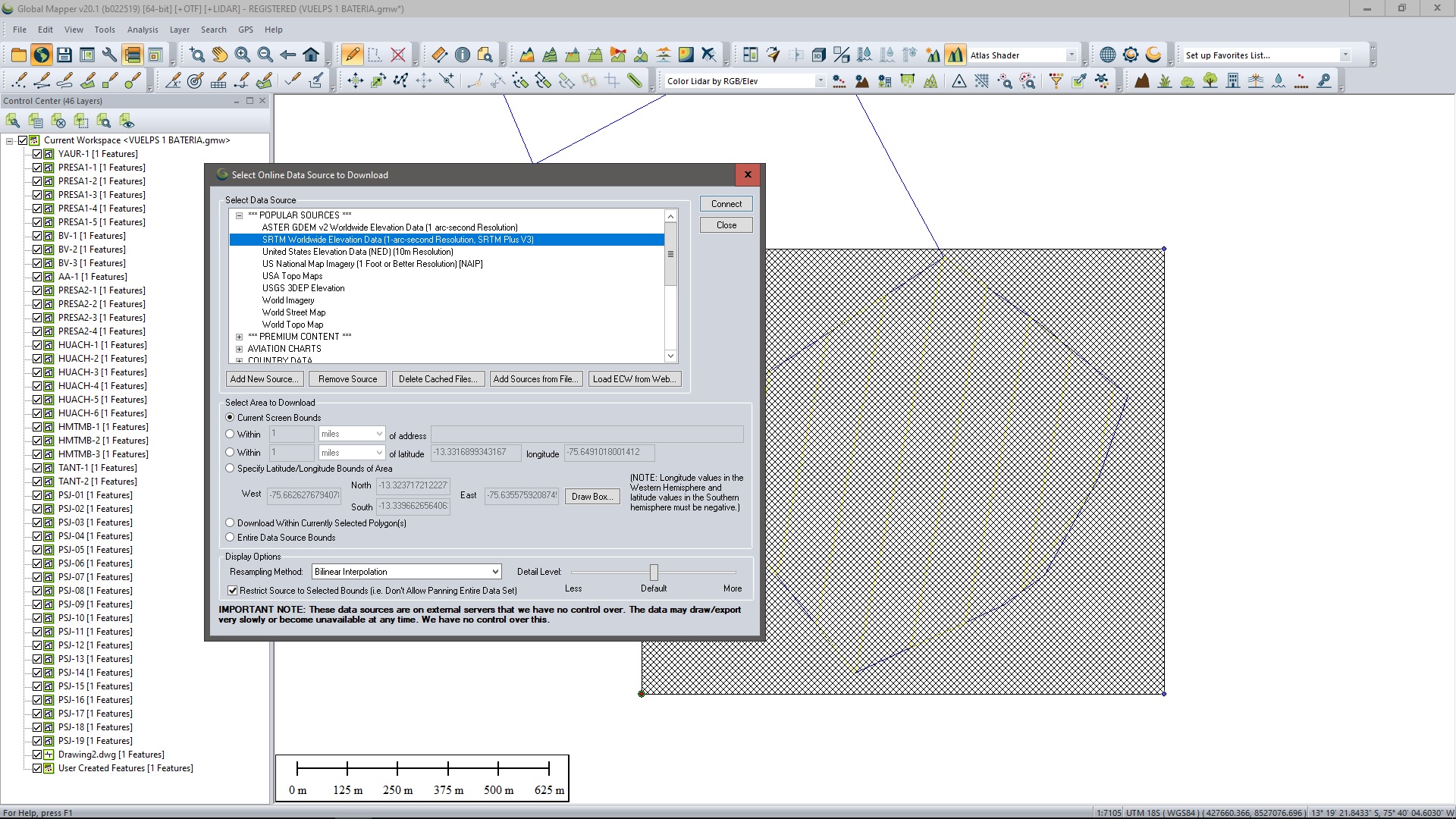
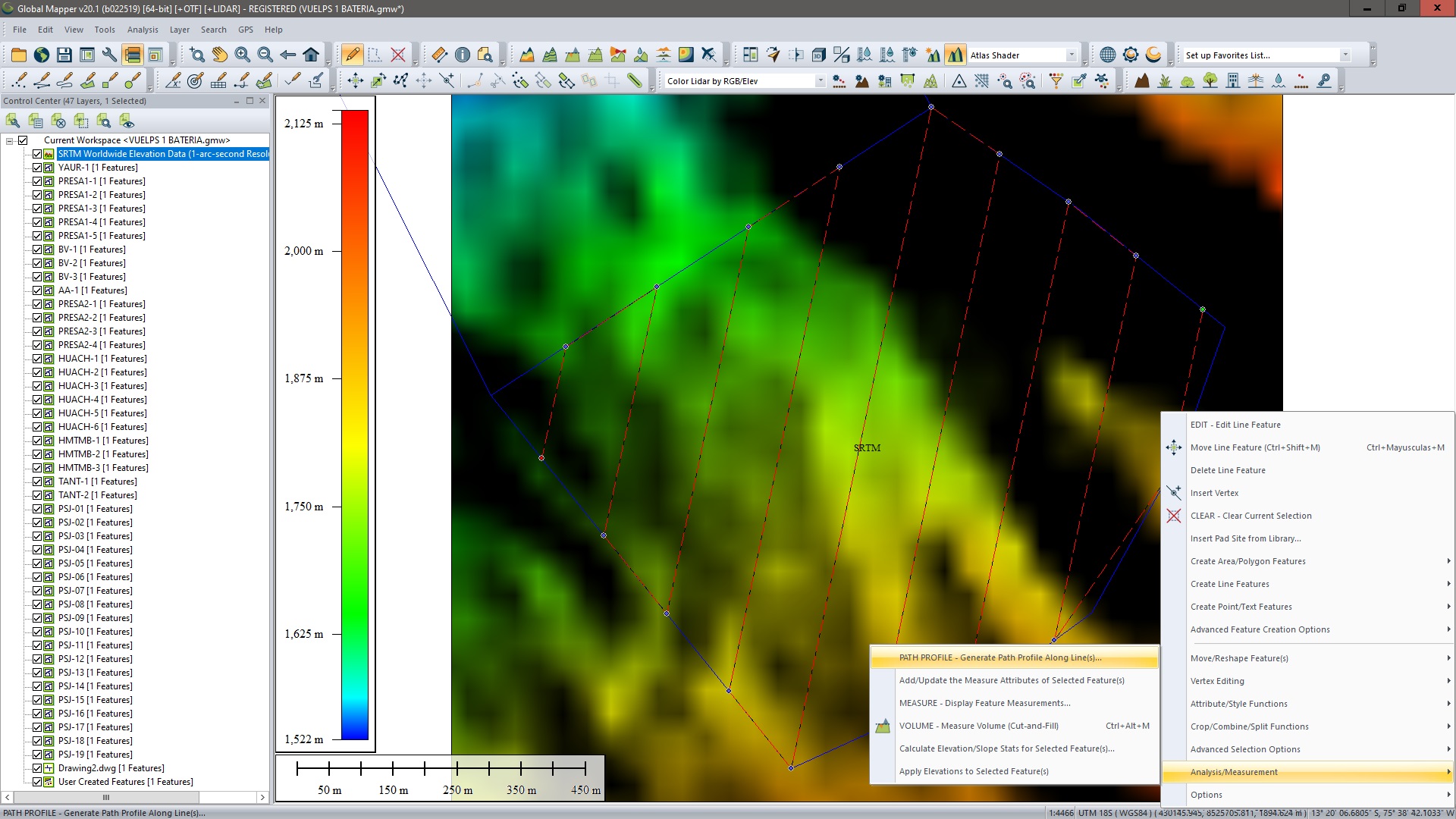
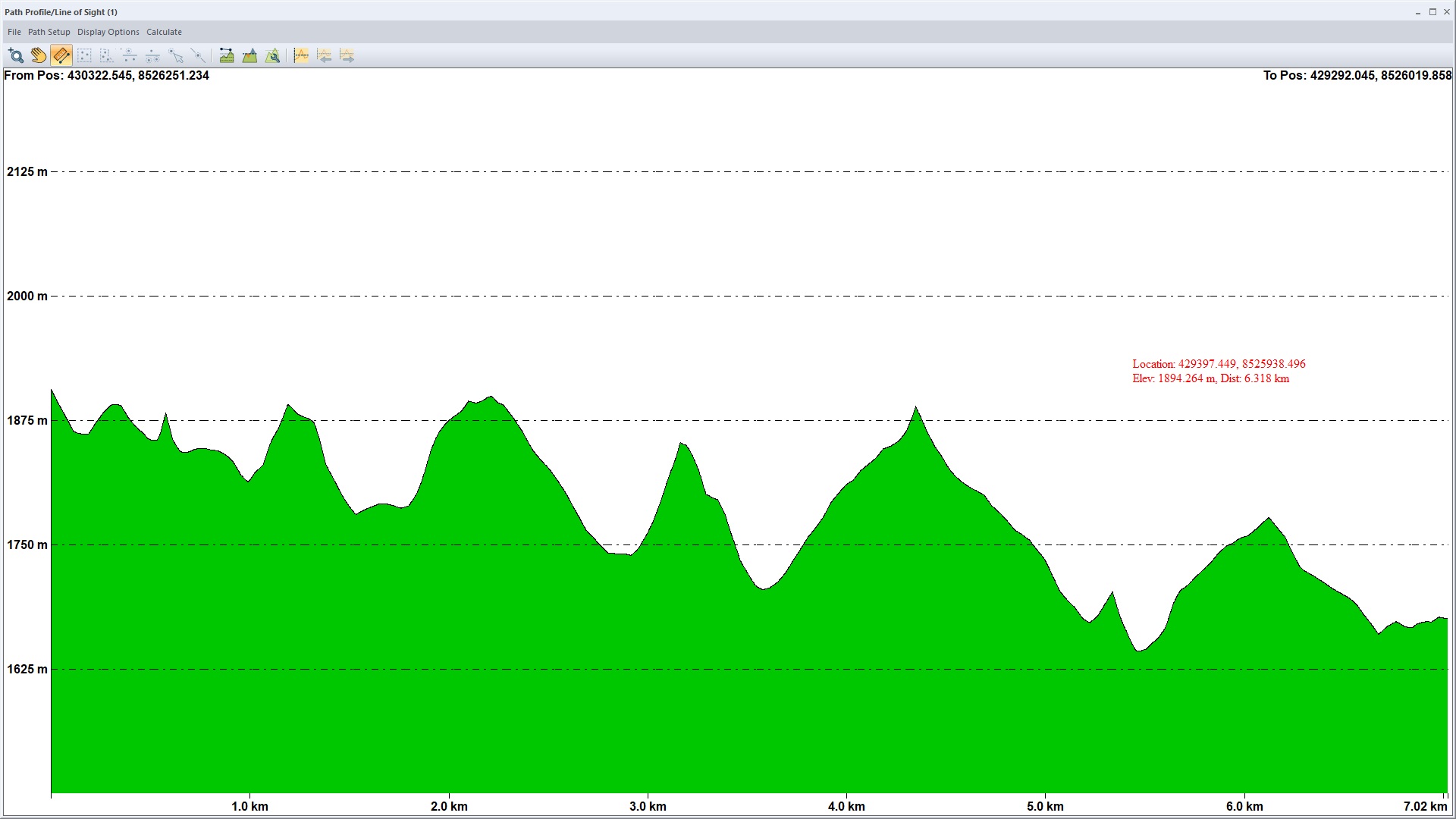
And also manually draw the flight lines in Global Mapper, imported SRTM and draw the profile (see pics below):

neither one shown negative elevation, both using the same SRTM as Map Pilot.

From the link below you can download the polygon of the mission (KML file):

https://drive.google.com/file/d/1uQX2lN_OeRQvWxiHtBDlzS5ngqhn6WTN/view?usp=sharing

Sorry, I don't know where to find .mme file from Mission Management.

Ivan Matasic 0 suara
Tindakan komentar Permalink
0
Avatar

It may be an issue of a missing tile on your end. You can either try to save the mission and try it again to see if it fills it in or save the mission and then email it to us by pressing and holding the mission in the Mission Management screen. 

Zane 0 suara
Tindakan komentar Permalink
0
Avatar

Starting with Android version 1.4.0 and iOS version 5.5.0, Map Pilot Pro's Terrain Awareness feature will have options for ASTER, Copernicus, SRTM and any other datasets we can add as built-in Terrain Awareness Data Sources. Copernicus is 30 meter data and is essentially global at 89 to -89 degree coverage (everything but the poles). US users now have access to 10m data from 3DEP/NED.

Having multiple independent terrain data source choice makes it so you have options if one data source has missing data in your operating location. 

We recommend using Copernicus for most work. 

You can read more about the Terrain Data Sources that are currently available here:

https://support.dronesmadeeasy.com/hc/en-us/articles/14697118095380-Built-in-Terrain-Data-Sources

Zane 0 suara
Tindakan komentar Permalink