Hello,
I need to survey an area of about 1500 hectares, yesterday I did almost 500 hectares, and I had a few issue, I will post each issue in a different post.
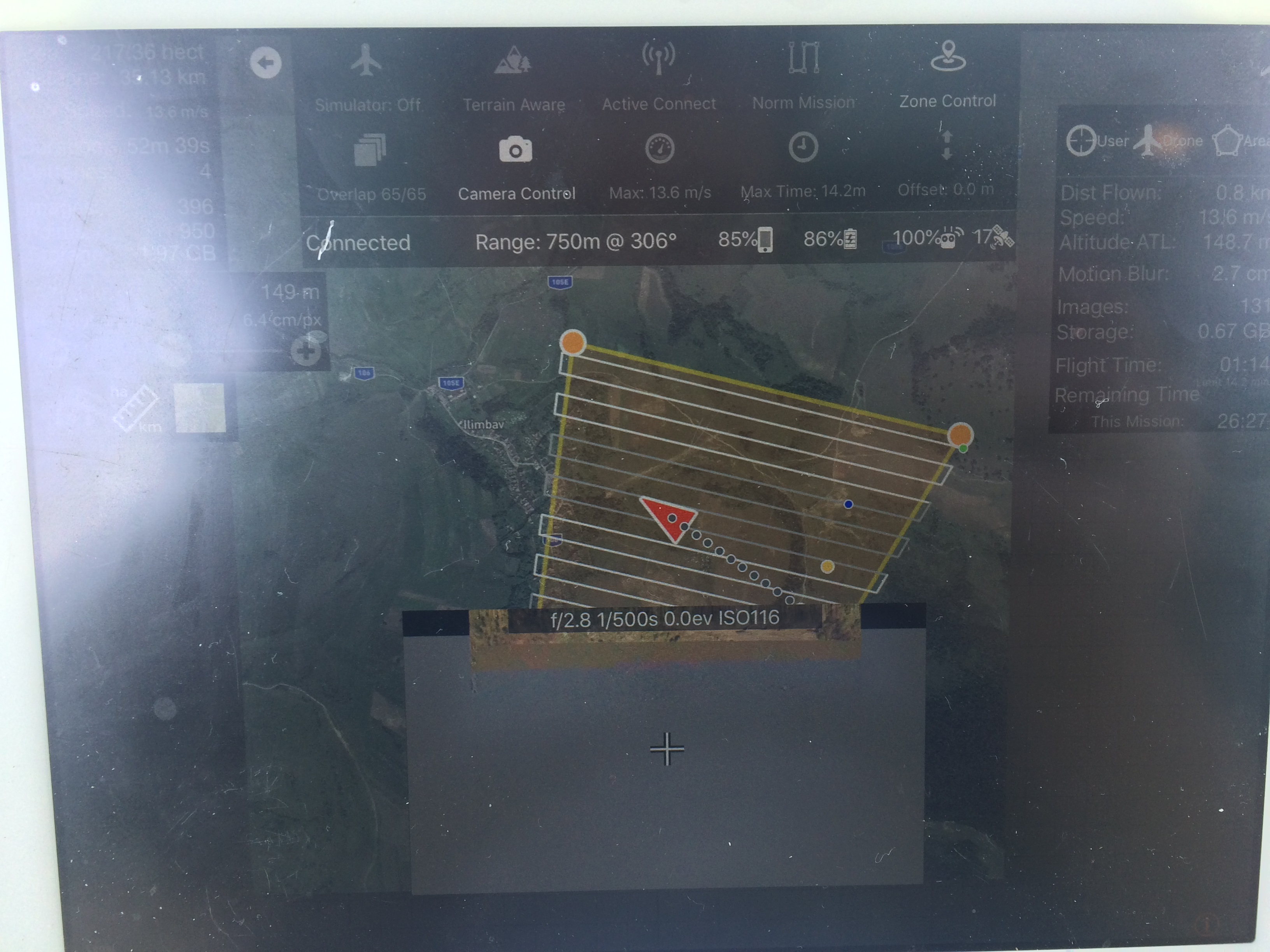
This post is about returning back for battery change, the white and grey lines as I think mean each battery, I'am right ?, but as you seen in this photo, the first flight should have finish after the 4th line, in the right side. The drone continued flying untill the blue dot, where I hit STOP and switched to P mode, and flown it back to me (very rarely I let the drone land itself - in fact I never let it land by itself).
The timer was set to ~15 minutes, and the flight time of current mission didn't reached that, but the battery was not enough to finish the line and come back safely.
I expected the drone to come back but it didn't, when I manually flown the drone back to my location, something weird also happened, this is the first time this happens and I think is somehow similar to what happent here https://support.dronesmadeeasy.com/hc/en-us/community/posts/360001301146-Emergency-takeover-in-P-Mode-didn-t-work-Guess-what-happened-next-
I don't think it's Map Pilot fault, but still, there should be some more informations displayed on the screen because this thing is happening and is freaking scarry! I was manually landing the drone, and when I was very close to the ground, I think just a few meters above, the drone was in P mode, it started climbing!!! I had some sort of control, but not altitude, now somehow freaked out as I was in P mode, I should be in total control, but the drone was making something else. The battery was quite low, ~25% and I knew the drone should not start climbing again, I switched to F and then quickly back to P, and this is how I was again in control of the drone, and I could land safely.
The orange line is the KML log file, while landing.
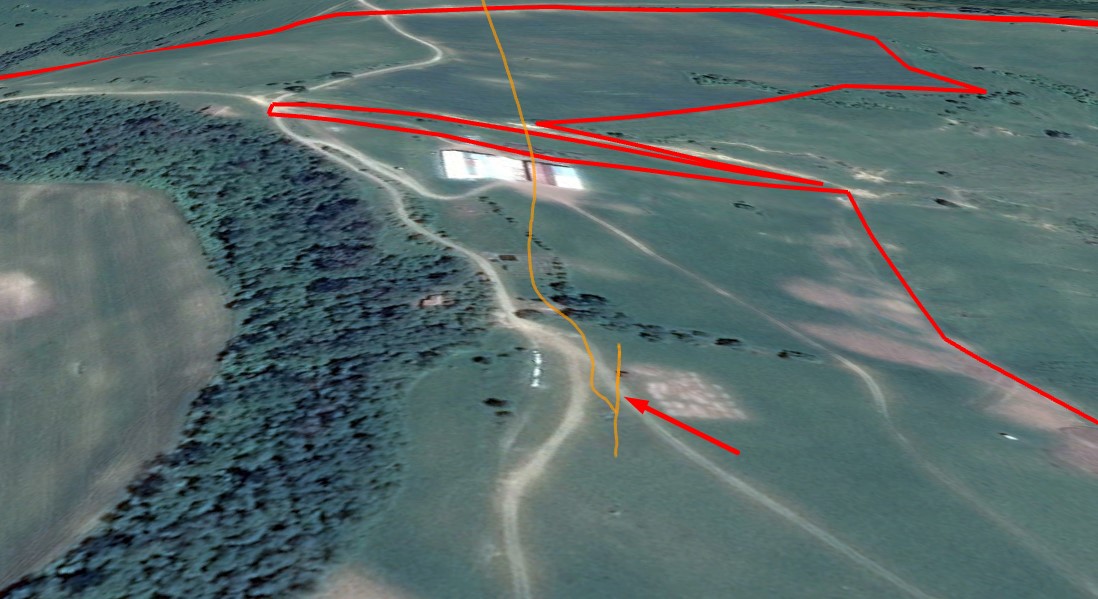
I don't know what was wrong, but I think the drone tried to go home by it's own, as the battery was running low, and I think it tried to climb to the altitude I set in DJI app, 80 m .. if I have let it do that the landing I'm sure was very dangerous or could be a fatal crash for my Inspire 1.
We should have some overlay , big OVERLAY on the screen with the information that can change a normal P landing into an automated landing - losing control of the sticks is quite scary. Also while I land I don't quite look on the screen, that information should be present when switching from F to P. So there is enough time to see it, I'm mostly looking at the drone, not at the screen, on the screen I just verify the direction of the drone, to be usre it's comming to postion, but than my eyes are mostly up. From time to time looking at the drone to check the battery.
In the photo bellow you can see where the 2nd flight started making photos, diagonally , on the drone way to the end of that incomplete line, but I think I found an similar issue on the forum, and it seem you may be already patching this issue :)
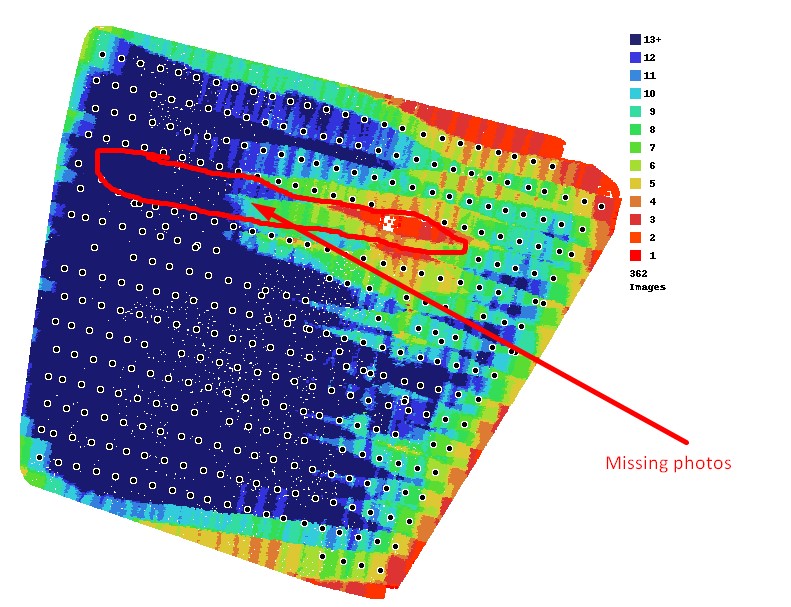
Here is the map finished, I think the client will be ok with it, there are just 2 small rectangles where the ortophoto is black because there ware to few points.
I will send you the logs by email.


