
Please post a screenshot so we can see what you are seeing.
टिप्पणी क्रियाएं

कृपया टिप्पणी करने के लिए साइन इन करें करें.
Please post a screenshot so we can see what you are seeing.
Can you please tell us where this is so we can test it?
Here is the location
https://drive.google.com/file/d/1pQpD5OCfb0cNNemUnkMdmx3VpJE9IRGD/view?usp=drivesdk
That area seems to work fine for me. Make sure you are on a solid internet connection when you are trying to do the Profile. It downloads the elevation data for the surrounding area and keeps them locally so you can make adjustments offline.
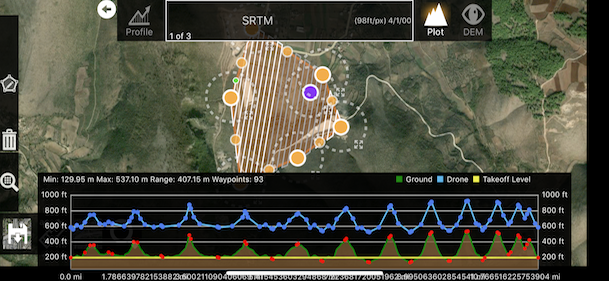
Solved!
Uninstalling and installing it again solved the problem.
BUT i dont know how to reactivate all my purchases again. 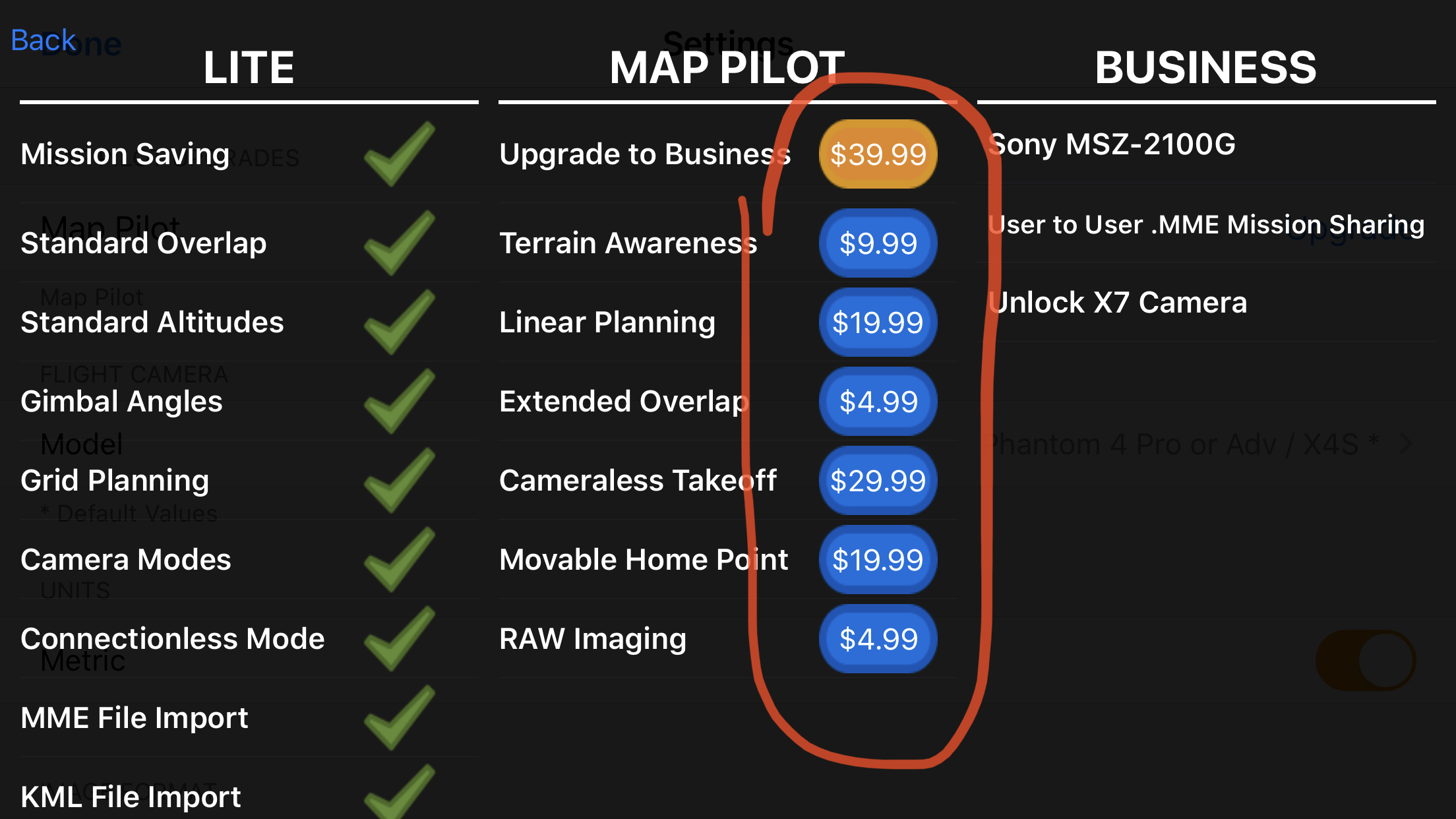
Select any of those features to purchase and select 'Restore'. This will reload all of the features you have already paid for.

Hello, same problem in my area, Zane can you check the area if it is a software problem or a NASA problem? Thx
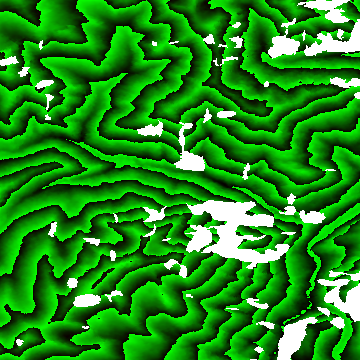
This is what that tile looks like. It has some sizable holes in it. It is hard for us to give an accurate terrain solution when the source data looks like this (Thanks NASA! Just kidding).
The way we have it set up currently is to ride over small gaps but riding over larger gaps just gets dangerous.
We will add some more descriptive text to the warnings so what is happening is a bit more clear.
The short term solution here is for you to find a terrain data source for that area and add it to your account. Maps Made Easy Pro subscribers get 1000 acres or terrain processing every 30 days. And more can be processed at a rate of 2 points per acre.

Getting this issue now that I've moved over to MPP, I even skipped the trial of pro thinking it was a problem and have signed up for a monthly subscription but still getting the "Terrain data only available between 60°N and 54°S"
I've uninstalled and reinstalled, restarted the ipad, all that jazz and nothing, what's the solution now?
Cameron: Where are you trying to do the layout? Is it within the valid bands? If it is a super mountainous region it can have gaps in it like the sample above.
Yeah is well within the bounds and not mountainous. I ended up redrawing the missions in questions and it worked.
The flying back to the home point before flying to the mission start point is a bit annoying, and gone is the text telling you if the double tap focus, or even the auto focus before the mission starts worked?


