
आधिकारिक टिप्पणी

We have not updated our documents on the new features yet but you need to have maps for the area you are planning on operating within on Maps Made Easy.
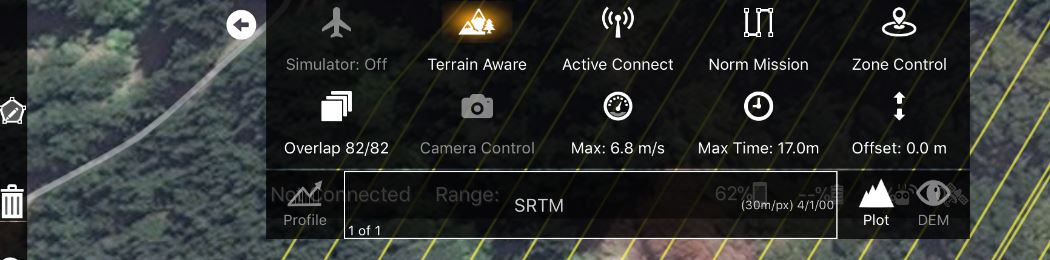
When you double tap on the map to draw your anticipated takeoff point and have a valid Maps Made Easy Access Token in the settings Map Pilot will attempt to get a list of all of the maps with centers within .5 miles. Their names will then be selectable in the list that currently only says SRTM.
The Profile button is used to calculate a profile for the currently designed flight path. The Plot button shows/hides the plot window. The DEM button shows and hides the custom terrain view if present.
टिप्पणी क्रियाएं

