पोस्ट

5 अनुसरणकर्ता अनुसरण करें
0
Avatar

No Fly Zone

Using the MapPilot ios app I cannot start a mission in a no fly zone at an airport.

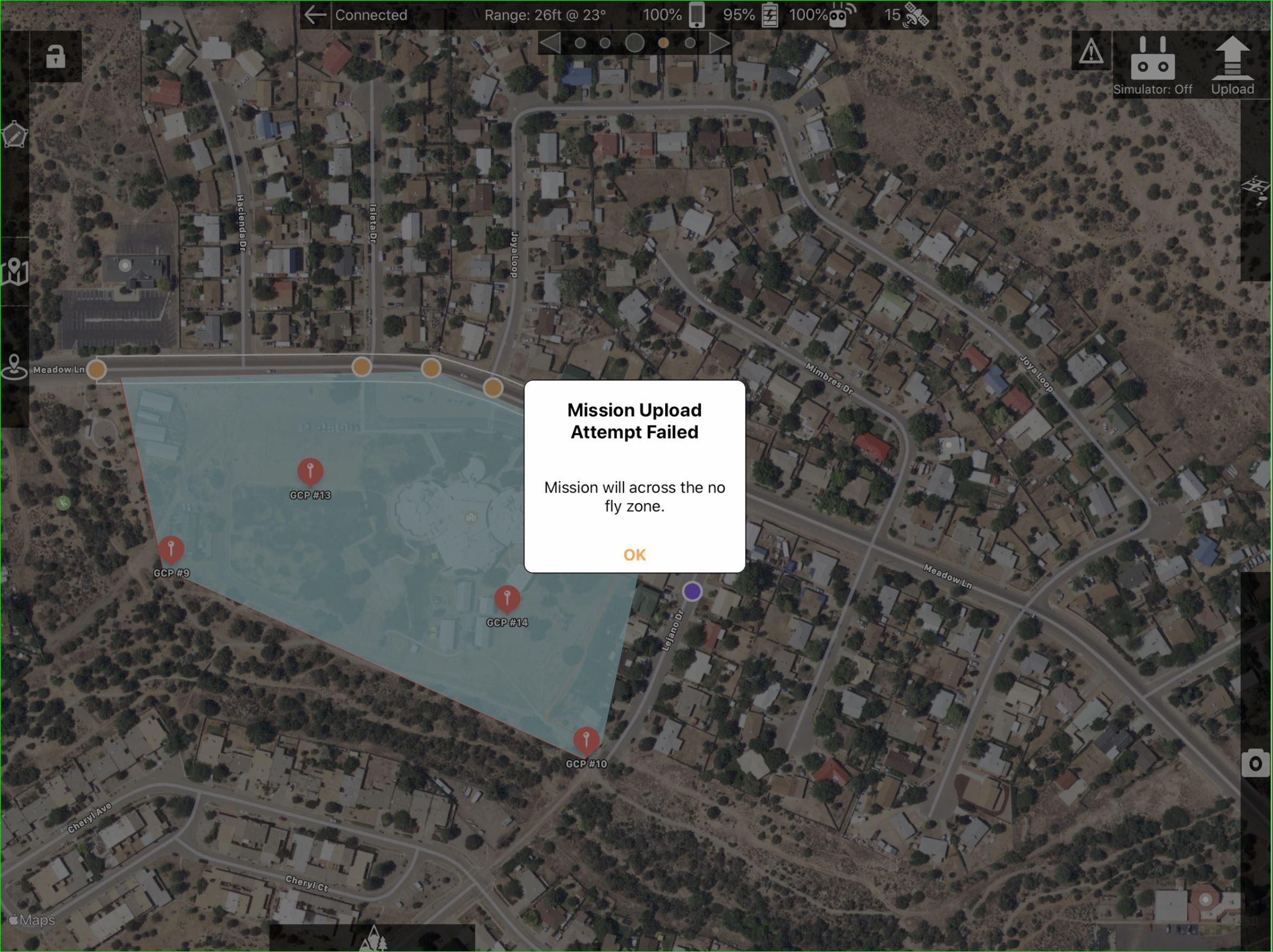
I have gone through the process with dji and have the ability to unlock and fly using DJI Go Unlimit app. After I unlock in dji go I can upload a mission in MapPilot but the start button does not illuminate and I get the warning "Mission Upload: Mission will across the no fly zone".

Note that if I don't unlock in dji go I can't even upload because I get a warning "Mission Upload: Aircraft is in the no fly zone"

How can I fly a mission in a no fly zone?

Thanks


Nathan Conroy

आधिकारिक टिप्पणी

Avatar

DJI has just started adding the GEO system stuff to the SDK. It is currently in beta. When it is released we intend to add the No Fly Zone exception stuff to Map Pilot. For the time being, there is no way to take off in a No Fly Zone using a 3rd party app.

Tudor
टिप्पणी क्रियाएं Permalink

कृपया टिप्पणी करने के लिए साइन इन करें करें.

5 टिप्पणियां

0
Avatar

Thanks for the reply.

Nathan Conroy 0 वोट
टिप्पणी क्रियाएं Permalink
0
Avatar

any news about this feature? litchi added setting to enable/disable GEO system, in October 2016

Bernardo Martignoni 0 वोट
टिप्पणी क्रियाएं Permalink
1
Avatar

We encourage all users to use DJI Go to do a test flight before using Map Pilot to make sure any aircraft related errors are clear. This is also a great time to handle the No Fly Zone cases within DJI's app. We could do it, but DJI's version is better supported and you should basically already be in there doing your test flight.

Zane 1 वोट
टिप्पणी क्रियाएं Permalink
0
Avatar

On a recent job I received the same error message from my P4P Obsidian:


Fortunately, I have a second P4P with hacked firmware and ergo was able to fly my missions, which involved many people who traveled almost 200 miles 'round trip to set GCP's, several engineers, etc....all centered around these aerial mapping photos.  Needless to say the egg on my face would've been HUGE.  This is one reason I have job security.  Anyway...

The "lock out" is in the firmware.  Hack the firmware and you'll be golden against all these erroneous DJI SDK limitations that don't rear their ugly head until you are actually on site.  Maddening. 

What sense does it make that these limitations aren't purported to the pilot while BUILDING the mission????  Instead, waiting until we're out on the jobsite.  Makes no sense at all.  This is how you know for sure that the limitations are in the firmware and not in the software.  You have to actually be connected to the drone to be told you can't fly in a given location.


Donnie 0 वोट
टिप्पणी क्रियाएं Permalink