पोस्ट

2 अनुसरणकर्ता अनुसरण करें
0
Avatar

P4 RTK Camera - Distortion Correction

Hi Zane,

Is there any chance to pass this parameter through the GUI?

Distortion Correction seems to be on by default and there needs to be a way to turn it off in order to use the camera calibration parameters in the XMP.

Thank you!

Dave

Dave Pitman

कृपया टिप्पणी करने के लिए साइन इन करें करें.

12 टिप्पणियां

0
Avatar

Please be specific very about what you are seeing here. We are not touching that setting on the P4 RTK as far as we know. 

What version number of Map Pilot Pro are you using? 

Are you saying that you want that setting off but the images you are collecting with Map Pilot Pro have the dwarfing applied?

We will not likely be adding a switch for that but we would like for that setting to be active/inactive as set elsewhere. 

Zane 0 वोट
टिप्पणी क्रियाएं Permalink
0
Avatar

Okay, I thought maybe you were more up to speed on DJI RTK drones in this regard. 

In summary, the drone applies a filter in camera to dewarp (Distortion Correction) the otherwise distorted image that is collected on the sensor.  If you are shooting typical photography, that is fine.  However, when the images are going to be processed precisely with SFM, you need the images without the in-camera dewarp (Distortion Correction) because it is not super precise.

The image xmp data includes precise information regarding the distortion in the image on that particular drone's camera, typically called a camera calibration.

If the images are processed with the in-camera distortion correction, which is probably what your processor does, it comes out okay.  But if processing in other engines going for true centimeter global accuracy, that in-camera correction plays hell with the results and is not best practice.  I'm not making this up. You can do a quick search and find lots of chatter about it.

If you look at an image exif with and without this in-camera correction applied, you can see that there is a "dewarp flag" and it is set to 0 if no correction has been applied. And there will also be precise parameters for the SFM engine to use.  If the dewarp flag is set to 1, then correction has been applied, and the parameters are not there aside from a focal lengh.  I can send you examples if you need them to look at.

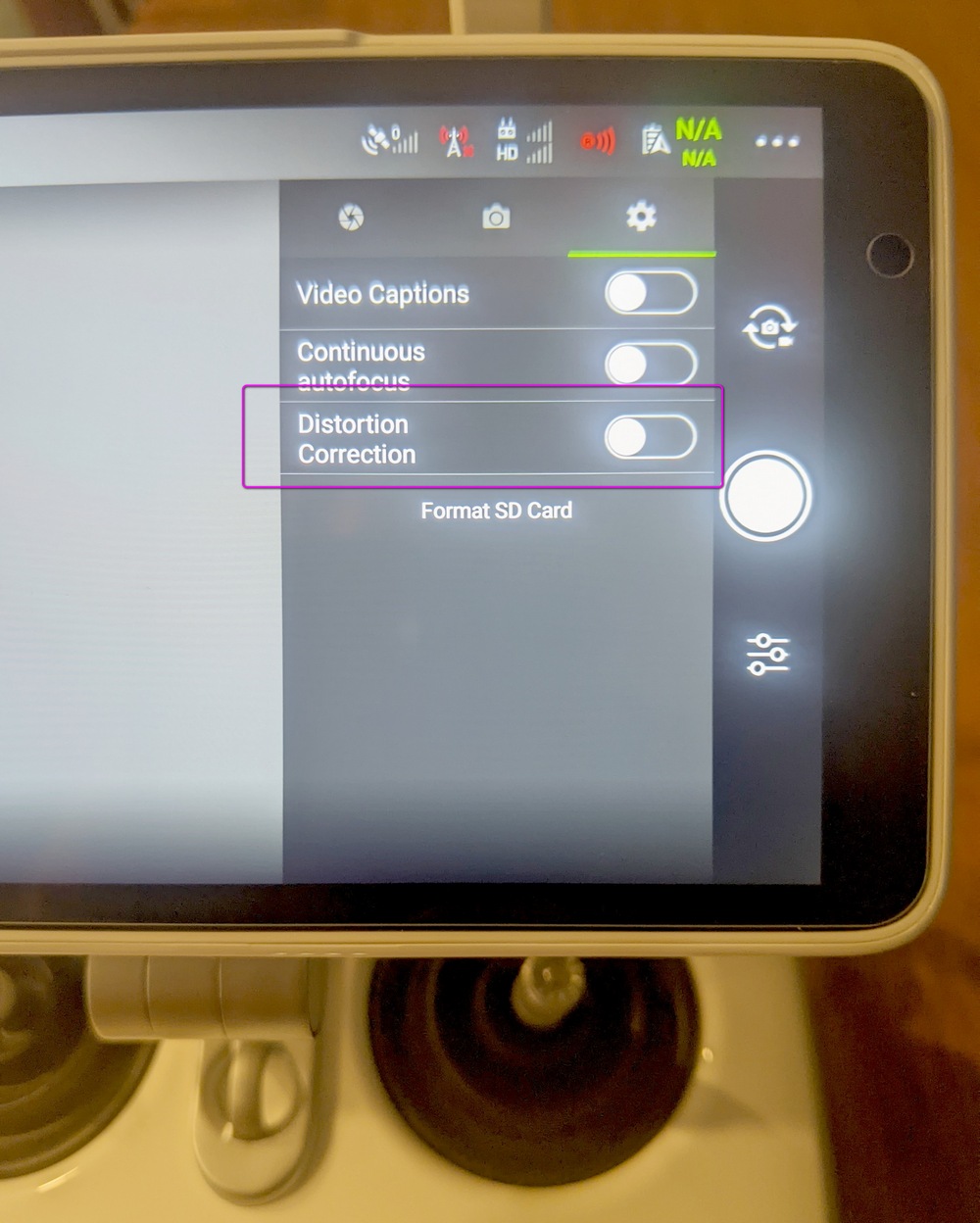
So, for processing to centimeter level results, that in camera distortion correction needs to be turned off and there is no way to do that currently. That screenshot is from the GS RTK app where you can turn it on or off in camera settings. If you are afraid that having the images be uncorrected won't work as well in your processor, you could have it off by defaut (as it is now) but let the user turn it on if needed.

I am using Map Pilot 5.4.15

Thanks,

Dave

Dave Pitman 0 वोट
टिप्पणी क्रियाएं Permalink
0
Avatar

No no, sorry. We know what it is and what it does. We just don't think we are making any changes to that setting. 

We were asking you to be specific about your setup and what behavior you were seeing vs what you expected. 

Based on that picture we weren't sure what you were doing. Android, iOS, regular, enterprise. So it sounds like you are using the P4RTK with the SDK remote and the latest iOS version. 

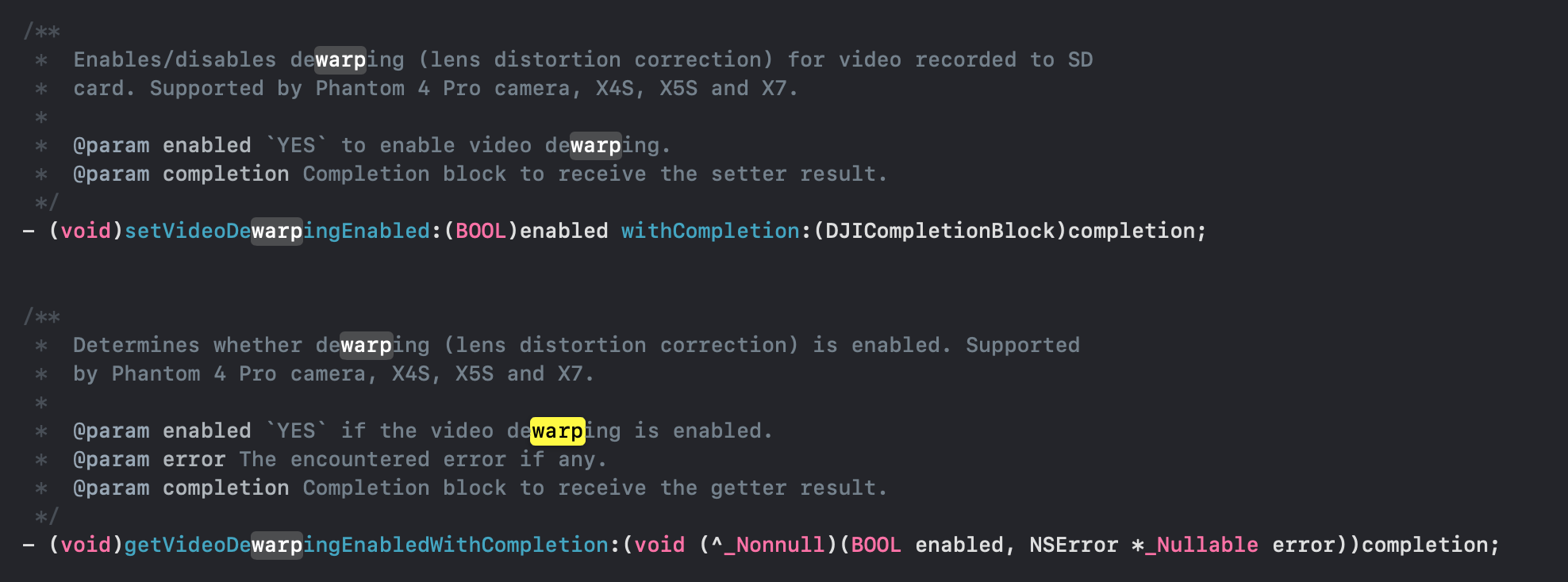
We definitely don't touch that setting in iOS because it isn't available. There is a dewarping for video but we don't even touch that. 

This is from the DJICamera.h file:

We would recommend making sure the setting is whatever you expect it to be using the DJI app and that value SHOULD stick during Map Pilot Pro use. If it doesn't there isn't anything we can do about it. 

We DO currently touch that setting for the M3M in the enterprise version of the Android app just because we don't like the black corners but we realize that. may not be suitable for some users so it will untouched in the future versions for Android. 

Zane 0 वोट
टिप्पणी क्रियाएं Permalink
0
Avatar

Yes, ios version.

I have always run it in the off position with the dji remote.  So, I don't think it sticks when moving to the sdk remote, but I will be very careful and check to make sure.

Is this parameter available for the P4R in the android sdk?

Dave Pitman 0 वोट
टिप्पणी क्रियाएं Permalink
0
Avatar

That will certainly do it. The setting might be being made on one remote and it is saved as a different value on the other remote. 

The bottom line here is that we don't touch it. Even in Android now. We do not plan on touching it either. Basically get that set in the DJI app and it will be that setting in Map Pilot Pro. 

Zane 0 वोट
टिप्पणी क्रियाएं Permalink
0
Avatar

Okay, cool.  I just tried it and it seems to be holding the setting.

This will work!  Thanks for the chat.

Dave

Dave Pitman 0 वोट
टिप्पणी क्रियाएं Permalink
0
Avatar

Digging further, we discovered that the GS Pro app for iOS does not have that setting even though the Android app on the remote does. 

Zane 0 वोट
टिप्पणी क्रियाएं Permalink
0
Avatar

That is correct.  DJI can be kind of sucky at programming. (I think you've noticed)  With GS Pro, they don't even write the .mrk and .obs files necessary for ppk workflow, super lame and on their own app. 

I suspect that there is no way for you to trigger the writing of those files in the sdk either?

Dave Pitman 0 वोट
टिप्पणी क्रियाएं Permalink
0
Avatar

DJI is not as bad as Autel, lol.

Dave Pitman 0 वोट
टिप्पणी क्रियाएं Permalink
0
Avatar

Well, celebration was short lived.

When you reboot the aircraft, the setting reverts to back on.  You would have to bind the aircraft to the dji remote, turn Distortion correction off, bind the sdk remote and fly.  Then repeat for every battery change.  

Any ideas for a workaround, Zane?

Dave Pitman 0 वोट
टिप्पणी क्रियाएं Permalink
0
Avatar

The obs and mrk files get written by the hardware usually which is why they end up on the SD card in the normal RTK remote. That information isn't exposed via the SDK at all. 

That sounds like a painful process to keep up with after every reboot. Sadly, the P4RTK was not the best thought out DJI product ever released. It is good if you are using their ground station and their app but going outside that box leads to pain. The newer stuff seems to have benefitted from some of the lessons learned there. 

Zane 0 वोट
टिप्पणी क्रियाएं Permalink
0
Avatar

re: files, that is what I thought.

DJI has always been goofy with camera settings.  Some of them persist through power cycles, and some don't .  It's a crap shoot.

It looks like to get the uncorrected images, it's GS RTK or nothing, practically speaking.  It sounds like the M3E is the same in this regard.

Dave Pitman 0 वोट
टिप्पणी क्रियाएं Permalink