Publication

3 abonnés S’abonner
0
Avatar

Dropbox (server integration)

Hi Zane.

I just did my first upload using Dropbox integration. It seemed to work just fine, but..

I don't think full dropbox access is a good idea from the user perspective and maybe not great for DME either.

I set up MME access to the App Folder a long time ago for MME download files.  I would prefer that MME, or any integrated app for that matter, only have access to a specific folder.  I have no problem placing my image files within that folder so MME can access them.  If someone can't figure out how to do that, they need to find another hobby.

While I believe DME is a trustworthy company, it's just not good practice IMHO.  Plus, regardless of releases and TOS, wouldn't it open up DDE to unnecessary liability questions.

It's quite possible that I don't understand the actual connection, but Dropbox throws up some strong warnings before making the connection, FWIW.

Anyway, I know no one is forcing me to use the connection.  But I think if is a good idea IF I was able to specify a specific folder and not carte blanch access.

The old process still works for me if this is technically not possible to pull off.

Thanks!

Dave Pitman

Commentaire officiel

Avatar

You are in charge of what files are selected during the very short authorization period. This is Dropbox and Filestack's system for allowing third party access. If you have other ideas on how it should operate I would recommend taking it up with them. 

If you don't like how that works you could also set up a free user account and share things with that account to control your data. 

Zane
Actions pour les commentaires Permalien

Vous devez vous connecter pour laisser un commentaire.

4 commentaires

0
Avatar

This is generally how Dropbox (and all other cloud data services) 3rd party integrations work. 

We are using Filestack.com's uploader to our storage. In order to get the files we created a Dropbox app (named 'Maps Made Easy Upload') that has access to the directories so you can find previously existing files you want to upload.

We could make it 'App Folder' only but then the user would have the place the images in that folder to upload them to us which doesn't likely fit in their overall file management scheme and would then be incompatible with other services/software. 

You certainly don't have to use it if you are not comfortable with it. 

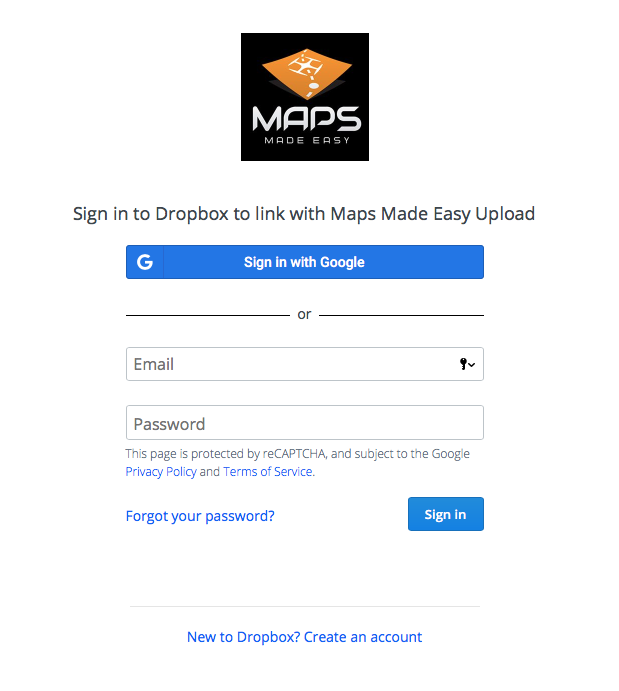
Below is a screenshot of the OAUTH login screen that is on the Dropbox site:


Zane 0 votes
Actions pour les commentaires Permalien
0
Avatar

As I said, I used the service so I went through the login you posted.
If putting files to be shared /uploaded into a specific folder is not a reasonable trade-off to make one's entire cloud storage more secure then okay. Please don't drop your classic upload then. Even though the Dropbox integration is superior, I have to choose security when given a choice.
Thanks.

Dave Pitman 0 votes
Actions pour les commentaires Permalien
0
Avatar

Hi there, I'm a new user evaluating MME prior to using it to map a very large (700 acre) property. Due to bandwidth issues am very intrigued by uploading images to Dropbox first. But just like Dave, rather concerned with the DDE/MME Dropbox uploader app wanting access to all my Dropbox folders. No one else except me has access to *all* my dropbox folders for security reasons. Would much prefer a solution -- or the option of a solution -- where I only grant MME read access to files in a specific dropbox folder, or where I need to move/copy my files to the Apps/MME folder you are using to send outputs to me.

Just like Dave, I trust (i.e. want to trust!) DDE/MME with your intentions, but I am uncomfortable with excessive access. Who am I to be sure that you (resp. your Dropbox integrator) don't get hacked and your read access doesn't get exploited?

Thanks for creating a good service -- and for providing a good way for us to try it out.

Martin Pergler 0 votes
Actions pour les commentaires Permalien