Publication

2 abonnés S’abonner
0
Avatar

Advice on Mapping Very Tall Building(s)

Dear All,

Hello and kindly asking for any advice on mapping a block of very tall buildings in one go with a Phantom4. Shareable URL

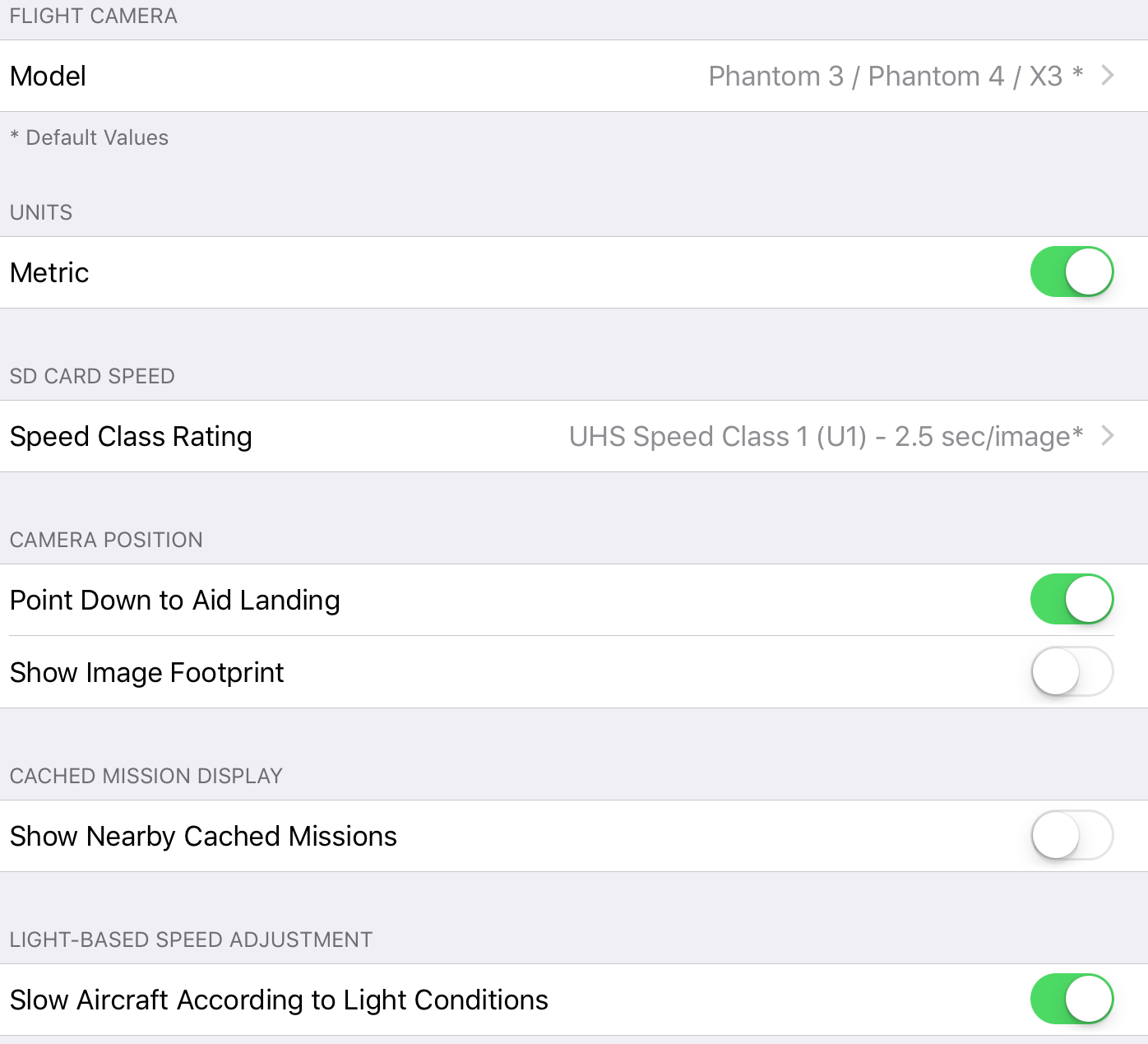
FYI I'm on the latest ios 9 ipad Air2 (not ios 10 yet), latest Map Pilot and DJI Go versions, and on the second-last P4 firmware (I don't want to update yet as there haven't been much testimonies on the net on how the new one goes). The micro SD card I used was Sandisk Extreme Pro U3 SDXC.

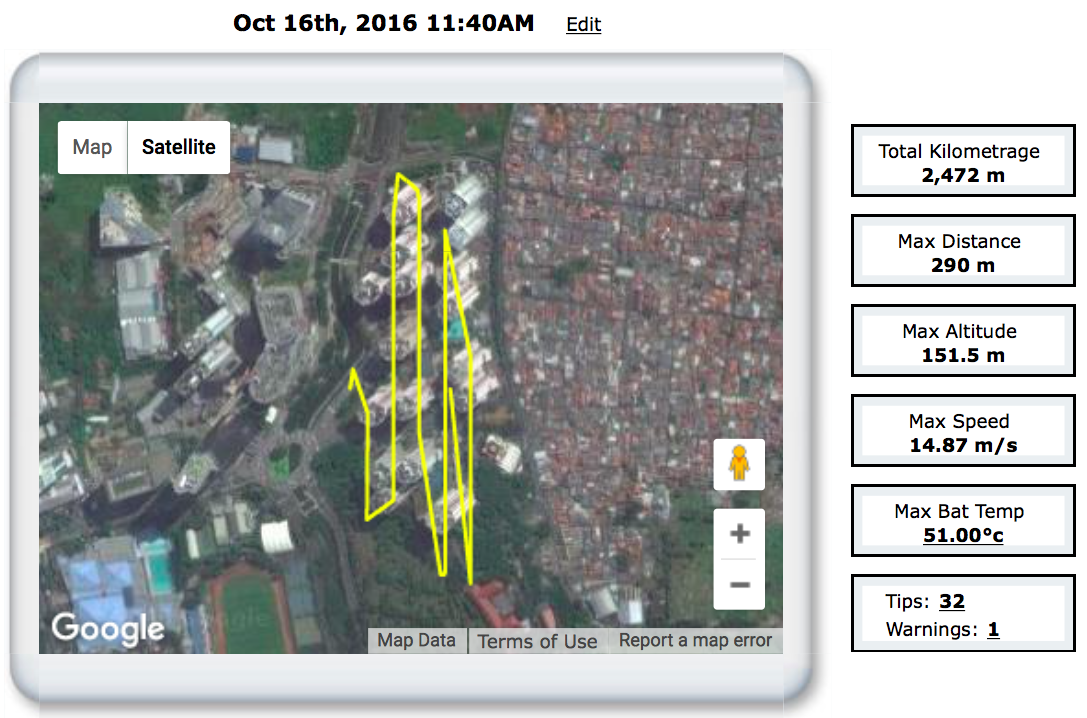
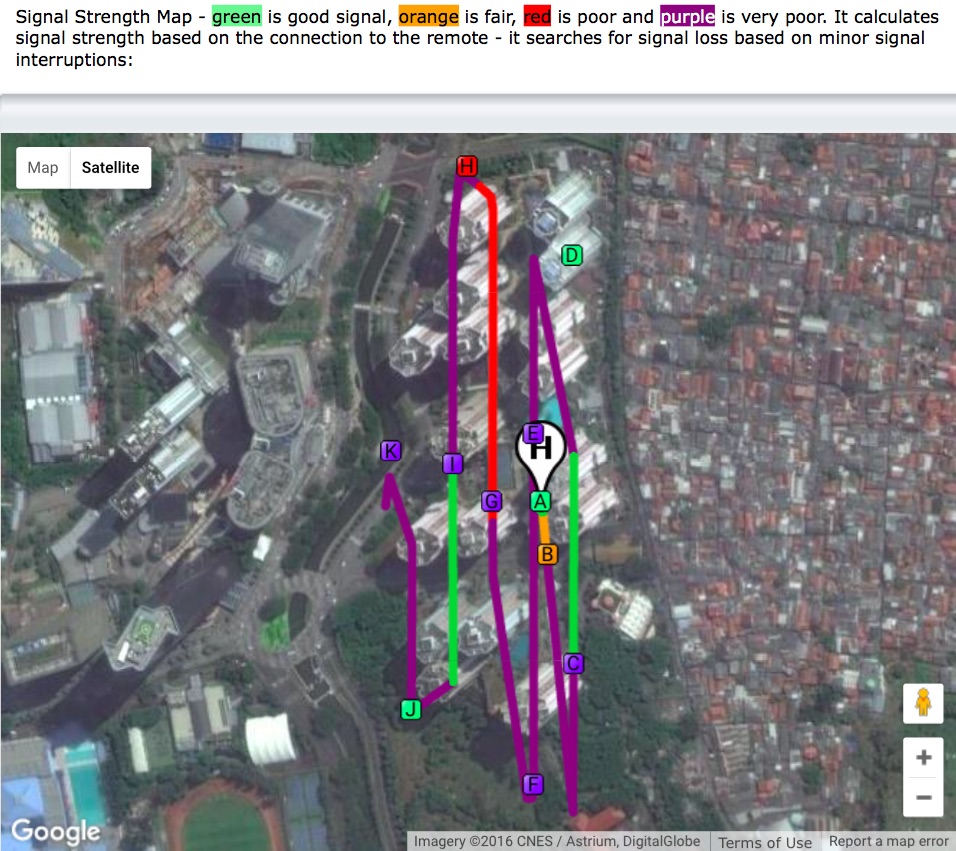
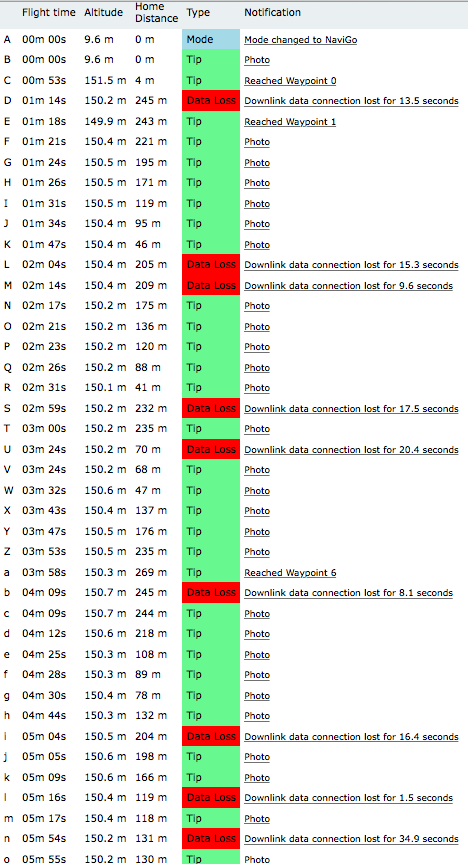
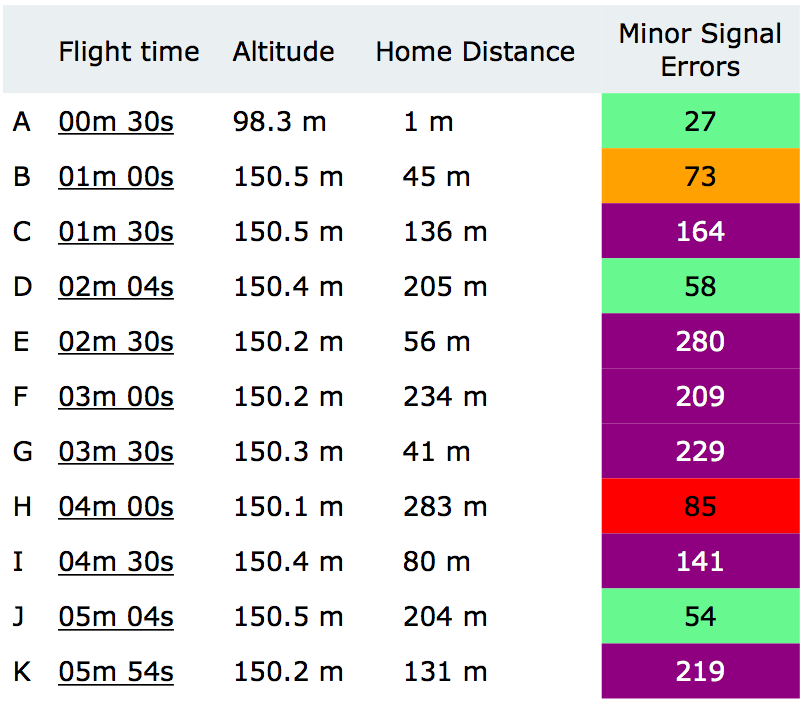
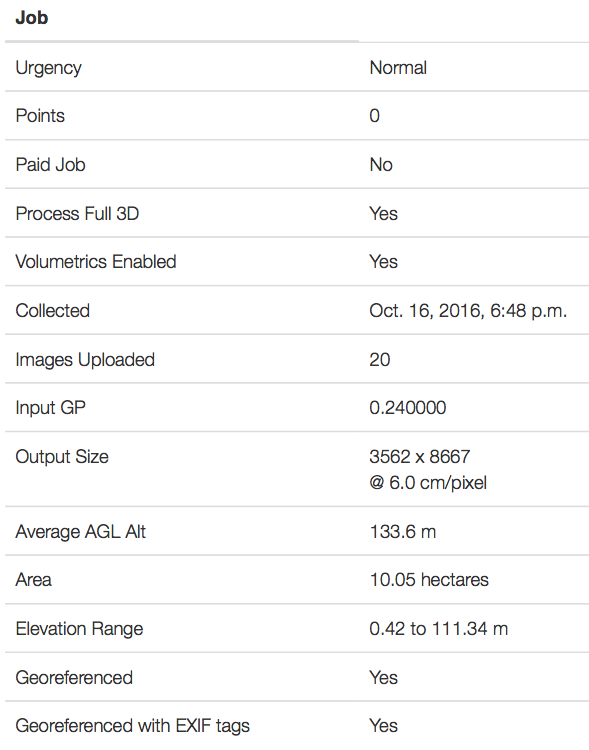
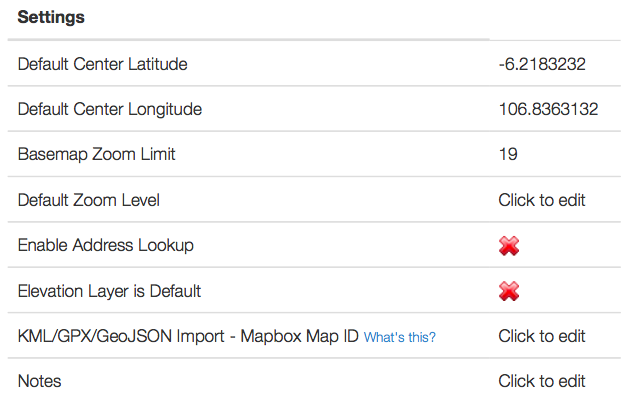
Please consider the following details and attached screenshots:

1. The buildings are roughly 100 meters tall from the ground (lobby level).

2. my take-off point altitude was around 15m from the ground.

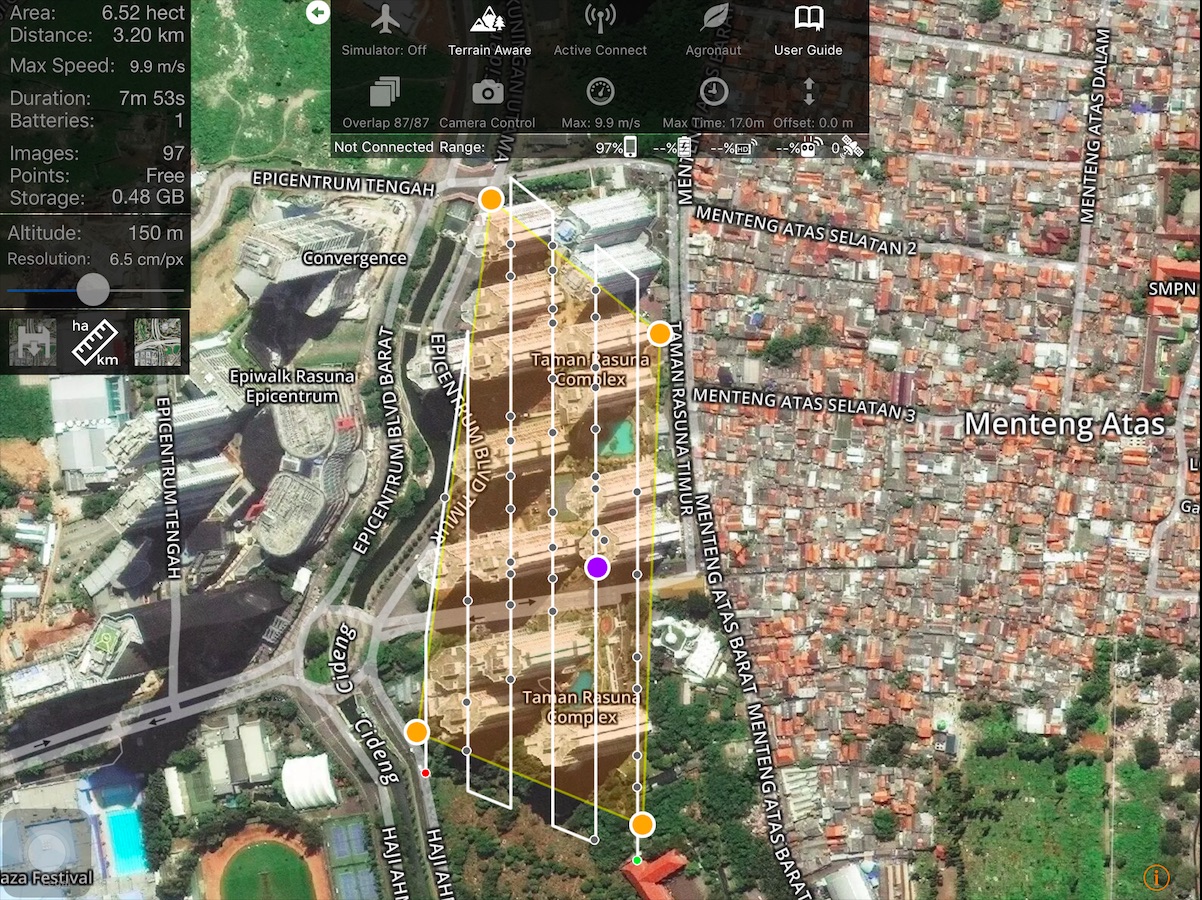
3. Set the Map Pilot app to fly at 150m AGL, the maximum altitude I can reach here on this side of the globe.

4. Set the Map Pilot app with 87/87 overlaps.

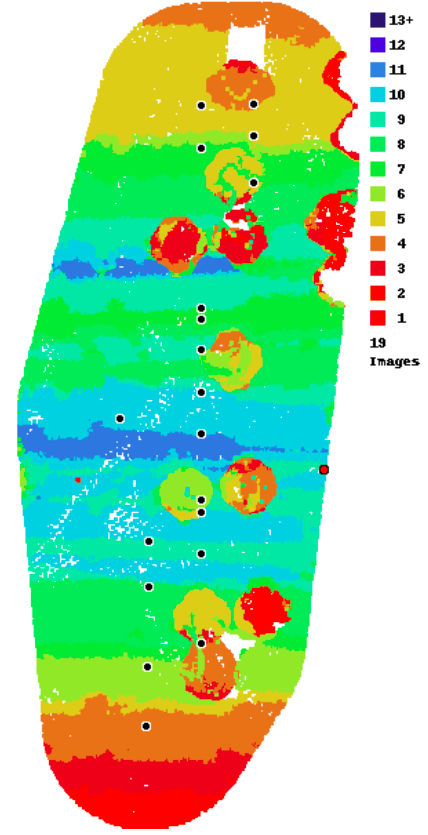
5. Had lots of RC disconnects resulting in the bird only taking less than 20% of the supposed pictures taken (97 pics in-app vs 19 actual), most probably due to humongous interferences like enormous buildings and telecommunication towers on their tops.

6. Horrible 3D structures. Public 3D Preview


And my questions, please:

A. Would it be better to take-off from one of the rooftops? (building 100m tall)

B. At which Altitude and overlaps should I set the bird to fly if it should take off from the rooftop?

C. I noticed that on the Data Collection section of MME that I should fly 4-5 times higher than the tallest structure on the map. Would it be considered illegal to take-off from a rooftop of a 100m-tall building to fly at 400m AGL? Or should I try to fly at 150m AGL or even lower by taking-off from a rooftop and see how good the data get collected and processed? I guess flying at both 150m or 400m from the rooftop will result in a very little map details (I mean I won't be able to zoom-in much on the processed ortho and 3d maps).

D. Should I take oblique images? I tried once to tilt the P4 camera upwards (30-45 degrees angle) while in a mission but the camera would somehow somewhere re-tilt automatically straight down. Any ideas on this?

E. Should I adjust more settings on the Map Pilot app or on the DJI Go app?

F. Should I adjust more settings on the MME Map Detail page?

Any inputs will be very much appreciated, and my apologies for the many questions and lots of screenshots. I am quite baffled here myself.

Cheers, All :)

Hans


Hans van Druten

Commentaire officiel

Avatar


This is a pretty interesting (hard) case to do properly. You definitely want to be taking off from the roof simply to be able to maintain line of site. That will keep the signal from dropping out and missing most of the images. Another option would be to take off much further away from the bases of the buildings. 

We would recommend flying at 80+% overlap in a crisscross pattern over the area with the gimbal manually adjusted up about 30 degrees or so. That will get better detail on the vertical surfaces.

If you take of from the roof I would suggest flying at around 50 m or so. We do offer the ground offset adjustment but that won't work 100m off the ground below.

Zane
Actions pour les commentaires Permalien

Vous devez vous connecter pour laisser un commentaire.

6 commentaires

0
Avatar

Hello, Zane. Thank you for the feedback.

I just realized that should I take off from the roof at 50m altitude it would cost me lots of points and dollars but I wouldn't mind as long as the result will be acceptable. Would you recommend for me to give it a go? Should the result is unacceptable would I be able to re-fly the mission with minor adjustments (such as camera angle) without costing more points?

I'm still hoping to get more inputs though :)

Cheers.


Hans van Druten 0 votes
Actions pour les commentaires Permalien
0
Avatar

Flying at 50m from the roof won't need that much overlap and should actually be much cheaper. We almost NEVER say this but since you are taking off at the highest point and the 'terrain' is all much lower you can probably safely use 60/60 overlap.

The layout you have shown below only uses 504 points which is not very expensive at all. 

Zane 0 votes
Actions pour les commentaires Permalien
0
Avatar

Hello Zane,

The layout I gave you was actually for flying with 150m altitude taking off from the ground level of the apartment complex.

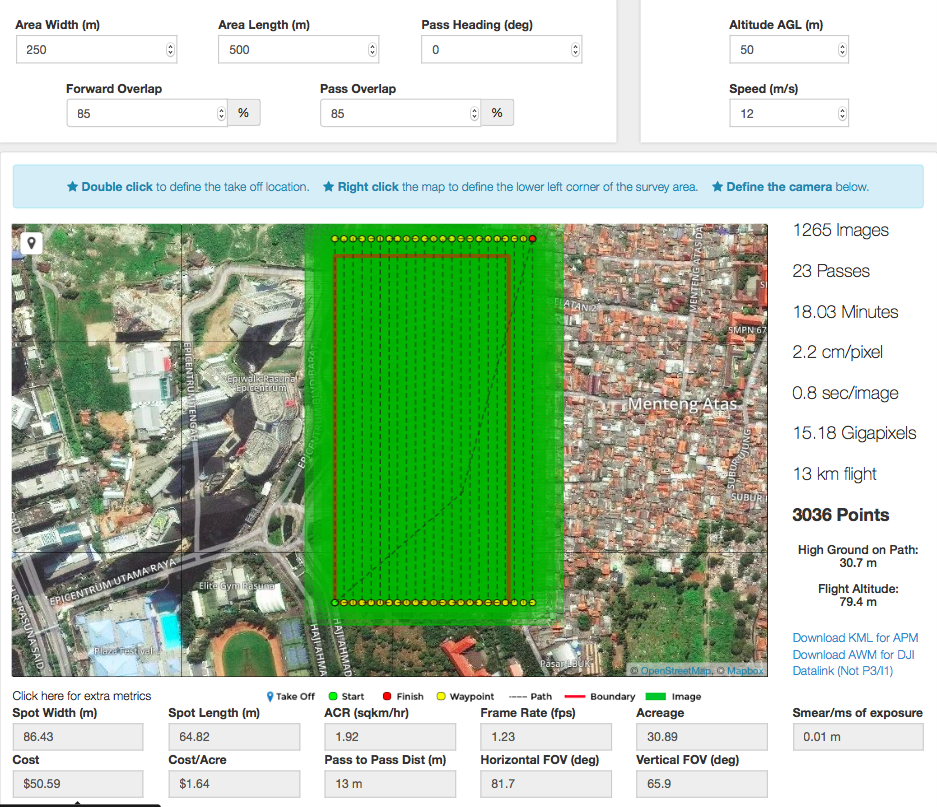
Here's the layout with 50m AGL from the roof, with 85% overlap, around 3036 points. (Gosh I hope that 18 minute flight will suit the P4 battery especially under windy conditions).

So from my understanding is that I should fly two missions, one nadir and one oblique, perpendicular to each other, at 50m altitude taking off from the roof. The two missions will cost 3036 points X 2, then will be multiplied again by the factor of 3D processing and process time. Would this be correct?

Thank you so much for the inputs!

Hans van Druten 0 votes
Actions pour les commentaires Permalien
0
Avatar

As noted in our previous post, you don't need 85% overlap if you are taking off from the roof. 50m above takeoff and 60% should be OK in that very specific case. I would do both flights with the gimbal angled up slightly. There was no instruction about one being nadir and one being angled up.

Zane 0 votes
Actions pour les commentaires Permalien