Publication

2 abonnés S’abonner
0
Avatar

DJI Air2S Focus Not Applicable

Map Pilot Pro. Once the drone is connected with the mission ready, the camera settings show the AF/MF option greyed out.  The drone takes off and heads to the start point, then stops and hovers.  There's an error message 'Focus Not Applicable'.  And I couldn't resolve it.  Tried multiple times.  I didn't see anything in the 'article' where the AF/MF option was greyed out like it was for me.   

This is not my first mission.  This has never been a problem.  

The mission failed and I look like a tool coming home with nothing.  

Max Benjamin

Vous devez vous connecter pour laisser un commentaire.

15 commentaires

0
Avatar

We are sorry to hear you are having issues with the app. What exactly didn't work here?

The "Focus Not Applicable" message gets fired when we ask the camera if it is capable of being focused. If it says it doesn't need to be focused we don't focus it and grey out the focus mode switch. None of that should be blocking actual flight. The focus might be off, but not much else should be different. 

The Air 2S should probably be focusable, so that is a problem.

What version of the app are you using? What remote? What firmware versions?

Zane 0 votes
Actions pour les commentaires Permalien
0
Avatar

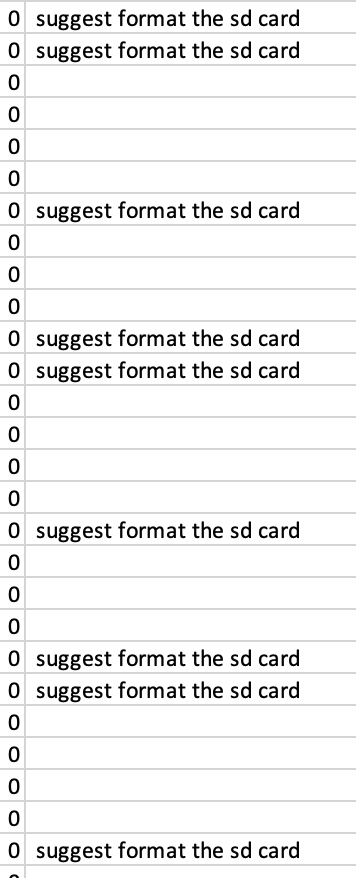
Looking at your log file it is showing you are getting a TON of " suggest format the sd card" messages. These would be shown in the Aircraft Errors panel. We always recommend using the DJI app to check the aircraft out when you get to a new site so you can fix any errors it finds. I would say you need to fix that SD card issue first and go from there.

Zane 0 votes
Actions pour les commentaires Permalien
0
Avatar

That error is coming out at about 5 times per second so it is pretty serious. 

Zane 0 votes
Actions pour les commentaires Permalien
0
Avatar

I reinstalled the app and formatted the card on site before my first post.  The new version is 1.6.2a build 090620231 downloaded today.  Not sure what I had before that. 

I flew a mission about a week ago on a different card, but I've used this card too. 

Then it flew through the error and began taking photos but stopped and hovered on it's second lap. 

In DJI App, autofocus worked when tapping between far-away and closer objects. 

The controller says RC-231 on the back.  When I plug it into the computer it says RC-N1.  Version 04.12.0100

Drone Version 02.04.2500

Using my Tripltek tablet.

Thanks!!


Max Benjamin 0 votes
Actions pour les commentaires Permalien
0
Avatar

We found a bug in the DJI SDK. It returns False for the Air 2S when we ask it if it needs to be focused. So we don't focus it. We will fix that in 1.6.3. 

I don't think what you are seeing is related to that though. Please make sure your flight logs are synced with the system and send us the link for the flight that had the issues so we are all on the same page. 

Zane 0 votes
Actions pour les commentaires Permalien
0
Avatar

Please hit the 'Sync' button at the top of your File Manager screen and then go to your Maps Made Easy account. Get the link for the affected flight and send it to us so we can see what you are talking about. I see your most recent mission has roughly one and a half passes with imagery. That one does not have all the errors.

Then it looks like you tried to pause the mission a few times and then switched the aircraft out of programmed flight mode. Possibly by hitting the sticks.  

Zane 0 votes
Actions pour les commentaires Permalien
0
Avatar

I'm on the desktop browser.  I saw all the flights.  I just saw download kmz and csv for all the flights.  i don't know how to send a link.  I could've sent the link to that page, but now it's gone.  I changed them all the public.  Now I can't see the flight detail screen anymore or those download links.  It's just showing me the flight and flight plan on the google basemap. 

https://www.mapsmadeeasy.com/map_pilot/flights/detail/138F6187-E1C1-4A00-8CA4-F1D9A4051B1B/

https://www.mapsmadeeasy.com/map_pilot/flights/detail/CF46829B-71E9-40A8-8071-B7C7292ADE39/

https://www.mapsmadeeasy.com/map_pilot/flights/detail/E96F1794-DD66-4823-9F28-E8C79E8C4087/

https://www.mapsmadeeasy.com/map_pilot/flights/detail/63E4F63F-B65B-4DC5-BA8B-7AB164CE1AF1/

Max Benjamin 0 votes
Actions pour les commentaires Permalien
0
Avatar

Yep. Those are the links. They don't have to be public. We can see them anyway. 

The missions will show all of the flights that are associated with that mission. 

This is likely the flight you are talking about:

https://www.mapsmadeeasy.com/staff_admin/missions/detail/07E9827E-9B44-4CA9-BC20-86D28AB89D31/

With this flight being the one in question:

https://www.mapsmadeeasy.com/map_pilot/flights/detail/05E89191-3264-45A6-95FB-E10C4226F411/


Zane 0 votes
Actions pour les commentaires Permalien
0
Avatar

We could see the following that we posted previously:

"I see your most recent mission has roughly one and a half passes with imagery. That one does not have all the errors.

Then it looks like you tried to pause the mission a few times and then switched the aircraft out of programmed flight mode. Possibly by hitting the sticks."

Aside from that, we hope to have the Air 2S focus issue fixed with our 1.6.3 release later today. 

Zane 0 votes
Actions pour les commentaires Permalien
0
Avatar

I flew a mission successfully yesterday with the new app version.  (I haven't had the map processed yet)  No apparent trouble with the focus.  I still had a high frequency message for formatting the SD card.  

Thanks

Max Benjamin 0 votes
Actions pour les commentaires Permalien
0
Avatar

Did you format the SD card in the DJI app? 

Make sure your DJI app and firmwares are all up to date (in that order).


Zane 0 votes
Actions pour les commentaires Permalien
0
Avatar

Hi Zane, 

I returned to that same site Thursday I think.

First flight: Drone stopped to hover on its way to start point.  I'm guessing this had to do with steep dropoff down to a canyon/valley.  I was trying to fly with terrain following.  

I turned that off on next try and the mission started.  

After first battery change, flight lines disappeared, drone started around point of abandonment and took off in a wonky direction.  I brought it back.

I modified the mission to fly what was remaining. Next battery change was fine and the mission finished.  

The whole while, I think, was a high frequency error about flight encoder, or something like that.  

Maybe you could take a look.  Thanks.  

First mission flight:

Maps Made Easy - Mission Detail

Hovered on the way to start:

Maps Made Easy - Mission Detail

Second mission flight:

Maps Made Easy - Mission Detail

The final flight to finish it, I don't see a log.  

Thanks!!

Max Benjamin 0 votes
Actions pour les commentaires Permalien
0
Avatar

There is actually no indication in the log file as to why it paused, which is weird. 

The encoder error things is something being reported by the aircraft. We see that from time to time and don't really know what it is. It doesn't seem to harm things. We think it has something to do with video feed errors. 

If you have Mapbox selected as the basemap that might explain the flight lines disappearing. We have a fix for that in 1.6.6. 

Zane 0 votes
Actions pour les commentaires Permalien