Publication

4 abonnés S’abonner
0
Avatar

Waypoint time-out

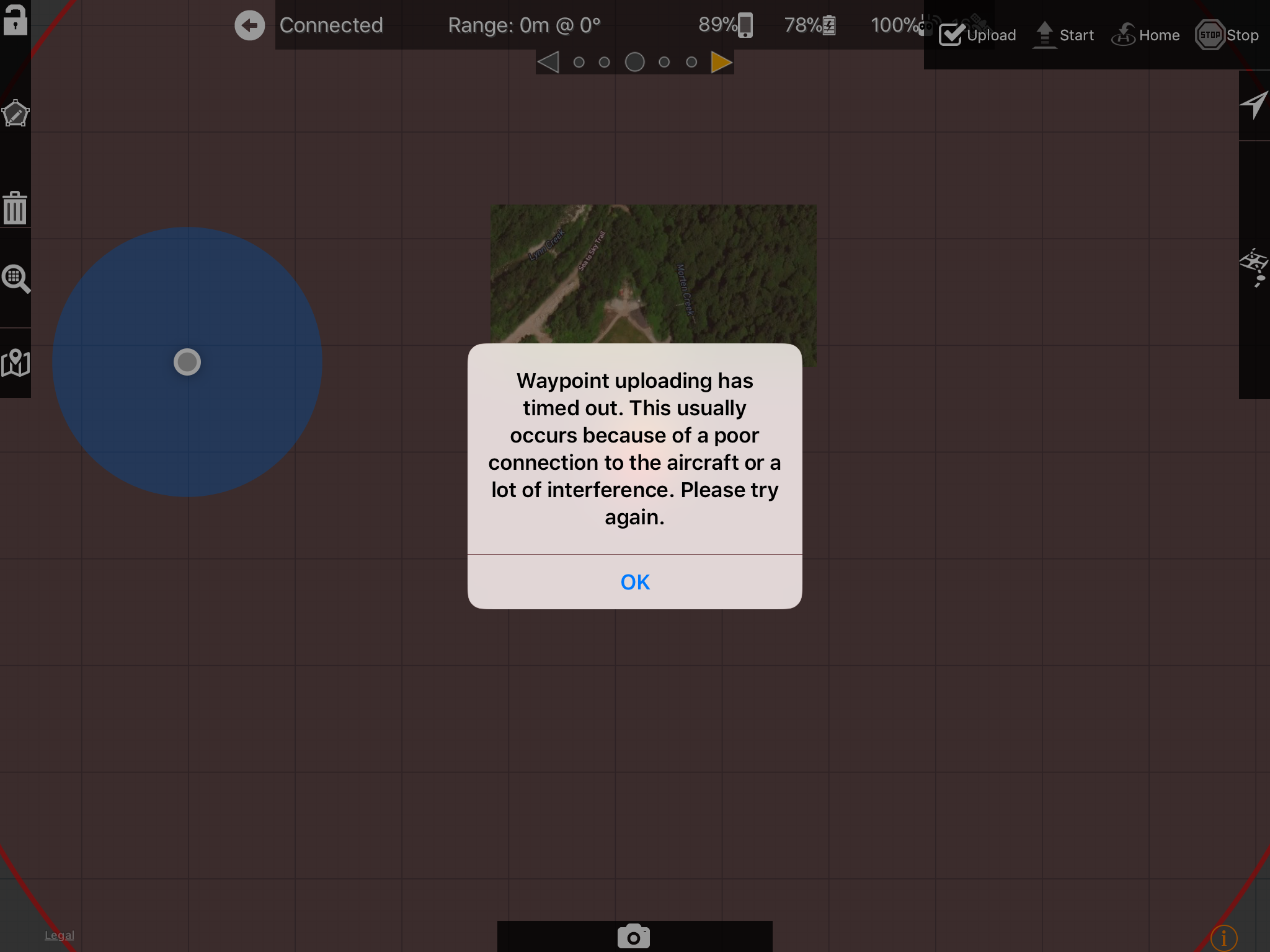
I am having a very annoying problem. I am now unable to upload any mission before I get the time out error. I am on the latest iPhone 8+ running the latest iOS. I have the latest firmware running in my P4P and the same problem is replicating on all of my iOS devices whether or not they have a Sim card. It can not be interference as I have tested this in numerous virgin country locations with the same results evident. I am having no reception problems when interfacing through DJI GO4 so transition/reception can’t be the issue.

I have always had an intermittent issue with this but recently it has become impossible to upload a mission at all. I have re-installed Map Pilot and everything is up-to-date. The curious thing is that everything was working well-ish during a recent trip but halfway through everything stopped working and no matter what I do I cannot revive the program to a point where it will upload.

I see that this is happening to other people I am wondering if anybody has found a solution or if someone from maps made easy can shed some light on this. This is a huge problem for me.

Paul Harmon

Commentaire officiel

Avatar

If it is happening ALL the time it may be a hardware issue. Have you tried other apps that load waypoints to rule out the hardware being the issue?

We do a ton of testing and have used an iPhone 8+ and a P4P for a lot of it without any issues. 


Zane
Actions pour les commentaires Permalien

Vous devez vous connecter pour laisser un commentaire.

3 commentaires

0
Avatar

I am having exact same issues, since October 2012, using ipad Mini 4 with my iPro1. Also have the flickering-tiles issue. I tested the same waypoint mission using drone deploy and the mission flew perfectly on same equipment (Except the focus control sucks on drone deploy, so that's why I'd prefer to use your app). Zane I know you keep pointing to hardware issues but my hardware was working perfectly with your app in Sep 2017 but since Oct 2017 with exact same hardware it has not been operational, can't even get off the ground. Even if the problem is ios11, well, it's not possible to downgrade so working with an ios10 machine is not a feasible option.

Attached are some of the error messages I get (I tend to get a different message every time I power cycle everything) (and no, there was no interference, this was tested at multiple locations in the middle of huge grassy soccer fields a long way from any interference sources). In the first image you'll also see the flickering tile problem, no red triangle, and a not even close to accurate GPS location of my position relative to aircraft (I was in the centre of the map).

Nicholaslamm 0 votes
Actions pour les commentaires Permalien
0
Avatar

I’m getting this error as well. It happens almost immediately upon pressing the upload icon.  It’s odd it says “time out” when it’s not been trying for more than a second or so. I’ve tried a 10.5 iPad Pro running 11.2.1 and an IPad Air 2 running the same software.  I borrowed an IPad running iOS 10 and map pilot works flawlessly with all the same hardeware, cables, etc.  Map Pilot appears to be up to date, running version 2.7.2.  Any other thoughts on this? Thanks guys!!

Matt 0 votes
Actions pour les commentaires Permalien