Publicación

3 seguidores Seguir
-1
Avatar

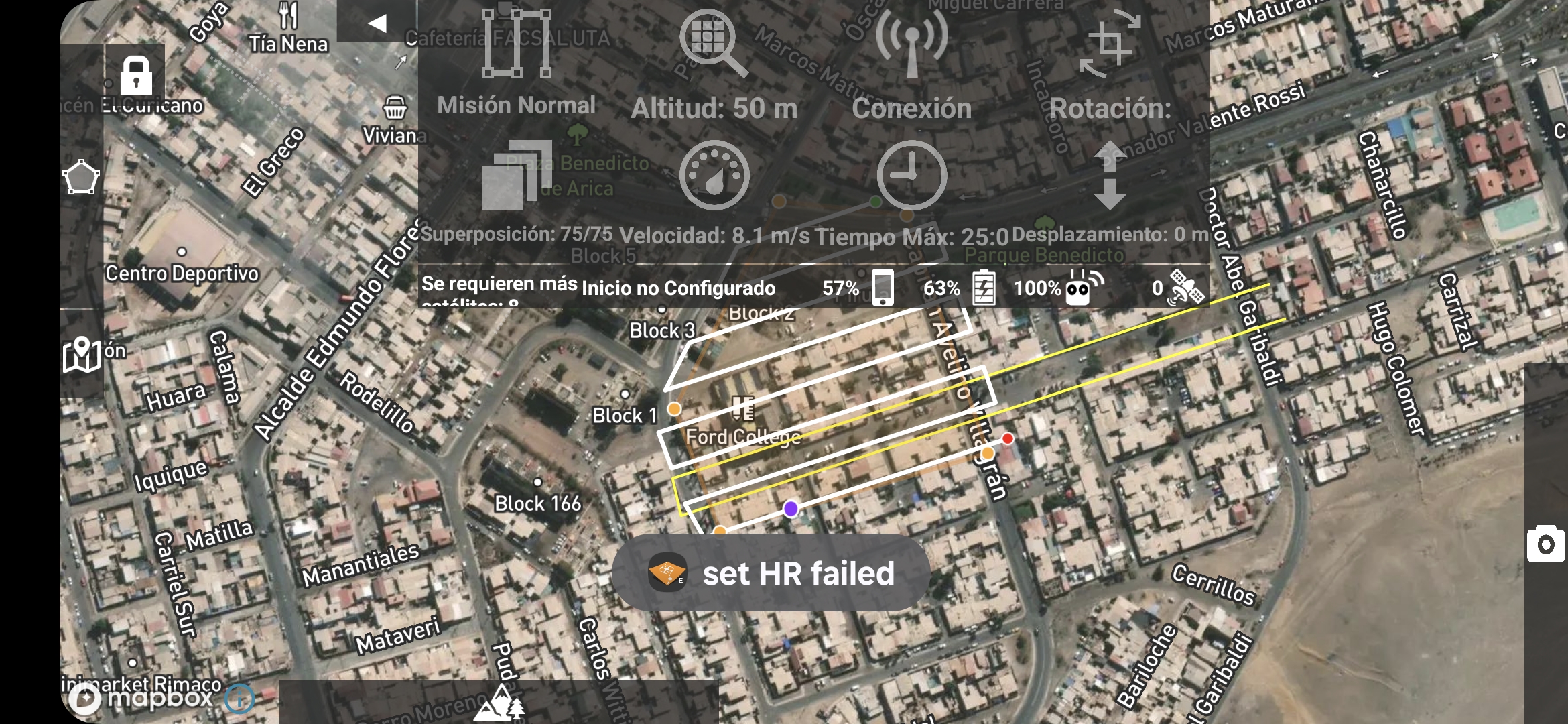
Error message " set HR failed . I have looked but cannot find what it means

Error  message  set HR failed 

Lachlan Wilson

Comentario oficial

Avatar

I am not actually sure what that means either! That isn't an error that comes from our software. It is likely a DJI error code that we are passing through. 

I would recommend power cycling everything and starting from scratch. Run the DJI app to make sure everything is up and running well before fully closing that app and and opening Map Pilot Pro. 

Zane
Acciones de comentarios Permalink

Iniciar sesión para dejar un comentario.

7 comentarios

0
Avatar

Good afternoon.
I'm also getting the "Set HR Failed" error with the Map Pilot Pro logo, and even though my Mini 3 drone connects, I can't initiate the flight. This happened suddenly a couple of days ago, and I haven't been able to clear it even though I updated the DJI Fly app and there are no errors in that app. Please fix it so we can continue flying. Thank you very much.

Álvaro Romero Guevara 0 votos
Acciones de comentarios Permalink
0
Avatar

Can you please provide a screenshot of this error showing?

Zane 0 votos
Acciones de comentarios Permalink
0
Avatar

Apparently this has to do with the setting of the High Resolution mode in the Settings. This is what makes it 48 megapixel instead of 12 megapixel images. We don't recommend the use of that setting anyway because it just makes things harder to process and doesn't add any extra actual detail. 

Are you on the Mini 3 or Mini 3 Pro?

Zane 0 votos
Acciones de comentarios Permalink
0
Avatar

No, that's not it. I have the drone set to 12 MP photos. I can't send the flight plan to the drone.

Álvaro Romero Guevara 0 votos
Acciones de comentarios Permalink