Comentario oficial


Hi,
lately I am experiencing severe lagging and sometimes unable to complete a mapping mission with Map Pilot Pro.
I am also having some error messages within the app but I think they are false positive because I have successfully completed some missions in the past.
The hardware is Phantom 4 Advanced, ipad mini 4 with iOS 15.5 and Map Pilot Pro 5.4.6
Is my hardware old and can't keep up anymore?
I think I shouldn't update to iOS 15 because after that update I think the problems started.
Iniciar sesión para dejar un comentario.
Thanks Zane,
hadn't noticed that article.
It seems time to upgrade the ipad mini 4.
Hi Zane,
can you comment on these errors?
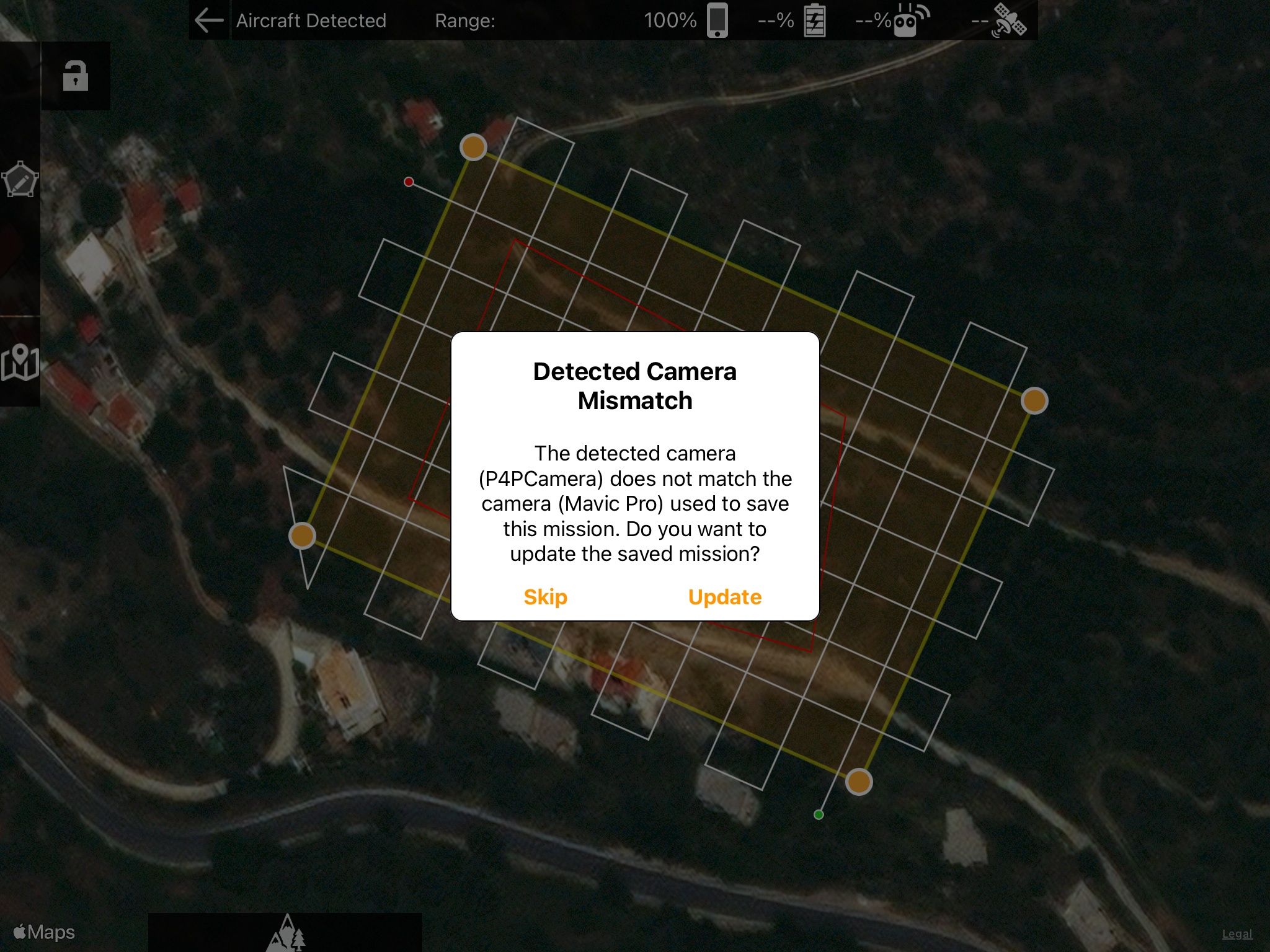
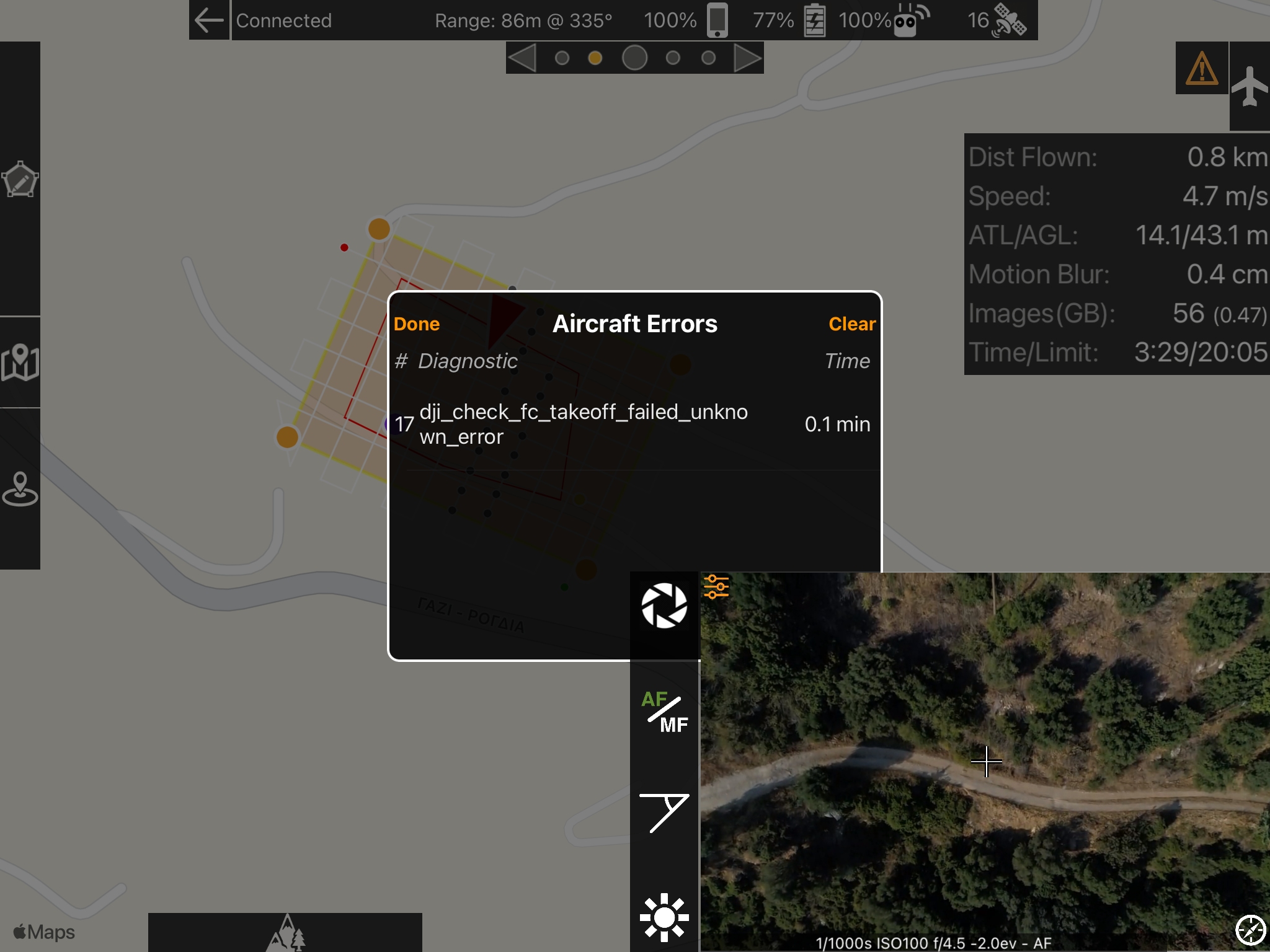
The first error is new to me, never happened before. I am sure I created the mission with P4P camera in settings.
The second error is more common and happens every time since some versions ago.
Do you think these errors are ipad related, drone related or app related?
Thanks in advance.
If you think the mission was created with the P4P connected but it is saying that please email it to us at mapping@dronesmadeeasy.com
The error is something being reported by the hardware. From the looks of the picture the takeoff did not fail...
Please verify that all other drone related apps are fully closed. This could be iOS device related which is really to say that the connection is just bad or highly latent.
The mission was created without the P4P connected.
All other apps are fully closed for sure.
The dji_check....error started some versions ago, I don't remember exactly but it seems false positive.
If you were not connected to an aircraft at the time you did the mission plan the app will use whatever the currently selected flight camera in the settings is. In your case it appears to have been a Mavic Pro. You can safely hit 'Update' and it will adjust the flight plan based on the P4P. The path will change.
There is a lot of junk reported in there. All of it comes from the aircraft and DJI hasn't published what any of it means. Some of it is self explanatory but other stuff leaves you wondering if there is an actual hardware issue or if it was a one-off runtime issue.
The detected camera mismatch happened again and although i was sure the first time that P4P was selected in the settings, I double checked that before creating the 2nd mission. But it happened again so it must be some bug of Map Pilot.
Anyway, do you still support/suggest Phantom 4 Pro with ipad mini 6 as a good solution or do you suggest Mavic 2 Pro these days?
If you can get a Phantom 4 Pro do it. If not, and you likely can't, get the Mavic Air 2S or a Mavic 2 Pro if you can.
We will support the iPad mini 6 for the foreseeable future until it because too old.
Unfortunately my P4A hit some powerlines so it fell like a brick in the ground. It is not fixable either.
Looking for a replacement and I am going for P4P v1. I will also upgrade the ipad mini 4 to ipad mini 6.
If you think there is a better alternative than P4P please advise me.
Thanks.


