Post

2 followers Follow
0
Avatar

Excessive light vs speed reduction on outward and return flight

Hi Zane,

With a DJI Air 2S I think I'm having good results with automatic light level  recalibrations slowing down flight during mapping. To be honest I haven't tried turning off the feature completely to compare, but the extra time isn´t too much of a problem.

But what seems to make little sense (and might make a nice improvement to the app, if it´s not just an error in my configuration) is that on the outward and return journey the drone also slows down to ajust/calibrate exposure even though no pictures are not being taken.

Thanks for any help you can give.

Christian Mc Mullin

Official comment

Avatar

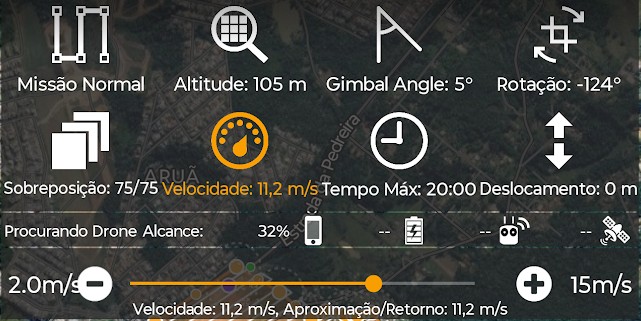
Sorry for the delay. This can be controlled by setting the maximum speed in the Options Menu. It should be traveling at whatever speed is set there on the way out and back and then just slowing down when it is imaging on the planned flight path. The speed setting will show the speed that it is limited to by your overlap settings and then show a different speed for the approach/return.

If you are not seeing this please provide a screenshot of how you have the speed set and a link to an effective flight so we can see what is going on.

Zane
Comment actions Permalink

Please sign in to leave a comment.

3 comments

0
Avatar

Hi Zane,

This isn't a new ocurrence, I believe it has been happening ever since I started using the Air 2s. I've linked below the last two flights but there are many at this location that should have similar things going on.

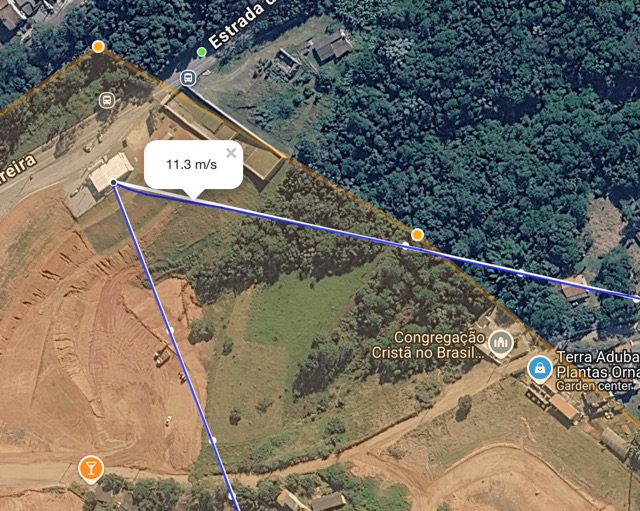
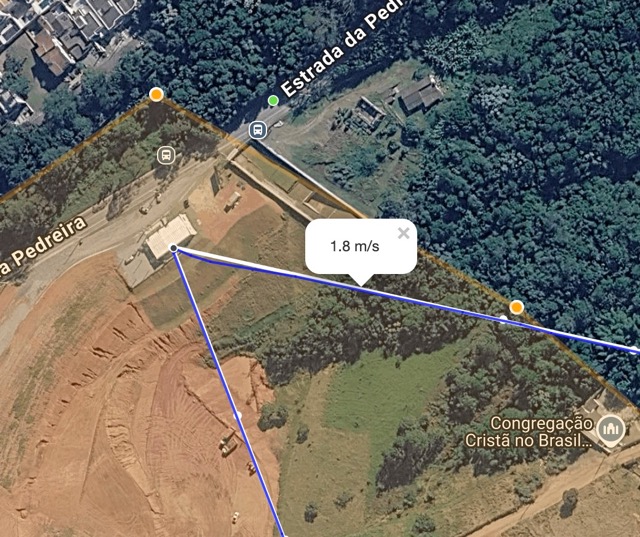
Whenever the Drone is going to the start or from the finish (be it on a first or second battery) it slows down to (exactly) 2m/s for a while before returning to the set speed ( 11m/s in this case ). I believe its ajusting the camera settings even though no pictures are being taken. I believe even with the low battery warning it is still slowing down which can be a little unnerving.

It seems to be the same behavior as when doing the foto runs, I believe this is a feature to correct for light/shade of clouds etc and seems to work well for that as I'm getting good results even if it ends up limiting the flight.

https://www.mapsmadeeasy.com/map_pilot/flights/detail/89959BDF-0C04-4F75-90A0-6ED496FCA903/

https://www.mapsmadeeasy.com/map_pilot/flights/detail/8EC9D969-E1A5-4A3F-94AF-D100C09E4B92/

Christian Mc Mullin 0 votes
Comment actions Permalink
0
Avatar

When the setting to slow the aircraft down depending on the amount of available light is enabled the average scene brightness is measured from the takeoff location to 70% of the way to the green dot and a speed adjustment is made if required. This speed is then used for the rest of the flight that is on the imaging portion of the flight. It should then use that return speed on the way back in. Then for all subsequent flights the new adjusted value will be used on the imaging path. 

If it is slowing down to 2 m/s that means the scene was really dark and that your exposure times were really long so the the aircraft is being slowed down to as slow as it can be flown. It should not be slowing down to 2 m/s on the way to the green dot. 

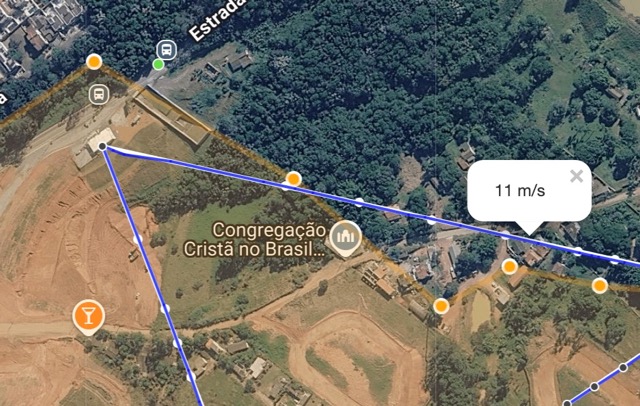
In your linked flight logs I can see that it actually started out going at the set speed but then slowed down as it either approached the green dot or the next waypoint. 

It looks it is flying more slowly because it is climbing up to that next terrain awareness waypoint. The speed gets back up towards that 11.2 m/s set speed once it levels out. 


Zane 0 votes
Comment actions Permalink