Try it again. We added a check of the M2E tags.
Aktionen für Kommentare

Hi team,
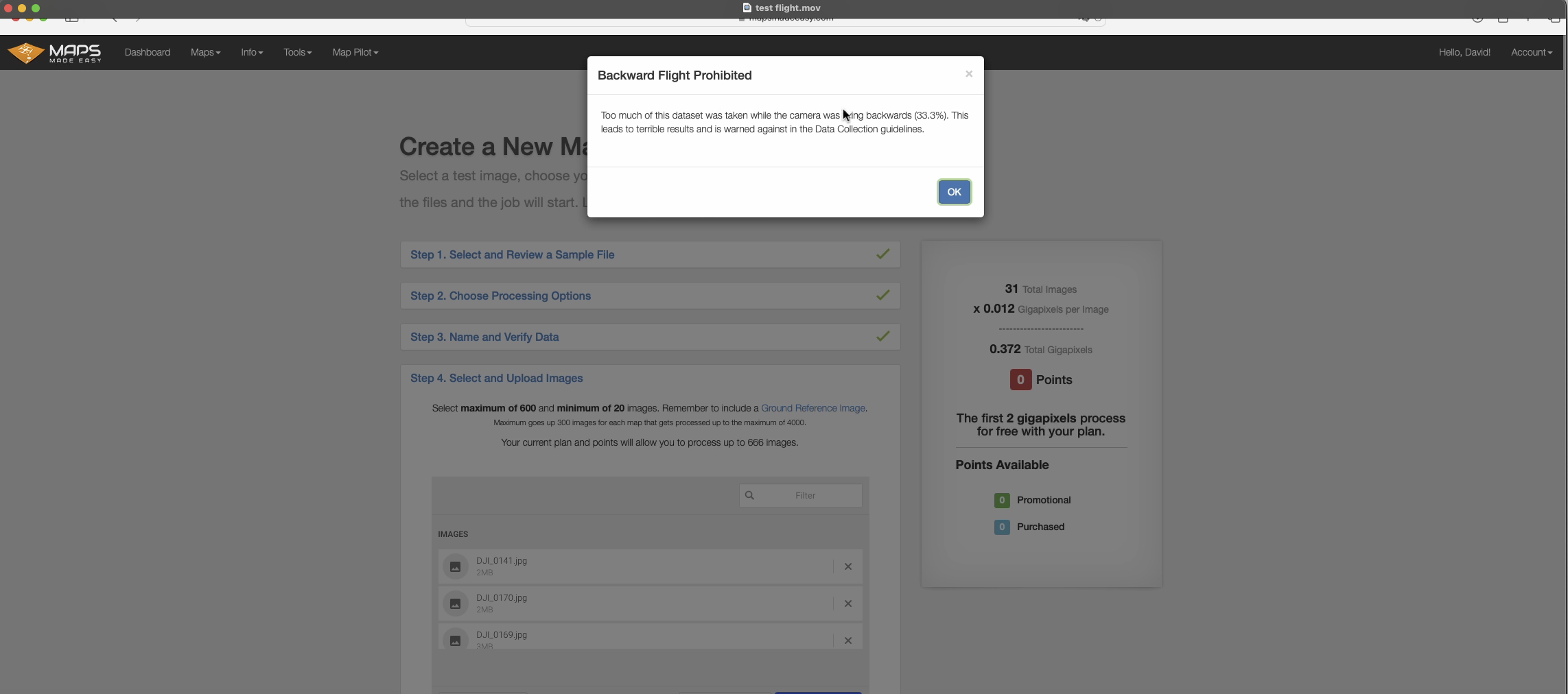
I am trying to create a 3D map using oblique phots taken from a Mavic 2E. Once uploading all the photos I am told that 17% of the data is from flying backwards and cannot be used. The screen resets after acknowledging this message and I don't know how to know which images need removing from the data set, are you able to advise on how to fix this please?
Bitte melden Sie sich an, um einen Kommentar zu hinterlassen.
Try it again. We added a check of the M2E tags.

I watched my mavic mini 2 fly forward and make 20+ photographs and then got the error that more than 33% were made while the Mini was flying backwards. First experience thus far with this application is weak. I've run two tests on the same field and the results are quite poor. I ran a five hectares test last week on Litchi app manually making the photographs and got better results. Im not so pleased and a bit perplexed at this moment. I can not figure out a desktop workflow as the online app rejects my original card and raw images as not being original. It all feels kinda buggy and i cant seem to find a flight to finished images workflow among your tutorial videos.
David: This isn't really related to the topic you are posting in.
Based on your flight logs it looks like the flying is occurring just fine. It sounds like your dataset may be too small to be used with the DJI workflow such that you have more turns than images. These images get classified as "Flying backwards" because they weren't taken while traveling straight. You can either just use the Classic workflow which doesn't have these checks or you can take a large dataset that isn't dominated by images taken while turning.
Thank you Zane,
I was using the Classic workflow because I had to convert qll the raw doing to jpeg prior to attempting the Classic workflow. Maybe i am doing something wrong?
Workflow is. Fly the mission. Close to home so i come back here to back up the card.
When i try the dji or the classic workflow i get errors.
I can not upload the dng’s in the DJI workflow and the jpegs give me the error message on the classic workflow.
Im not using the app to do this because there is no urgency and i don’t want to burn batteries doing workflow steps i can do at my desk. But if the app is the necessary or better route the i can try it that way.
Im definitely in a “testing the workflow stage” and i want to build out good practices as outlined in various places on your site.
David
Map Pilot Pro will allow you to collect RAW images but Maps Made Easy does not accept them. Change the format to JPG in the Map Pilot Pro Settings if you want to use Maps Made Easy for processing.
The problem is with converted DNG to JPEG images. Can I shoo raw and Jpeg. I like to have the raw as a BU.