Post

3 Follower Folgen
0
Avatar

Map Pilot waypoints error

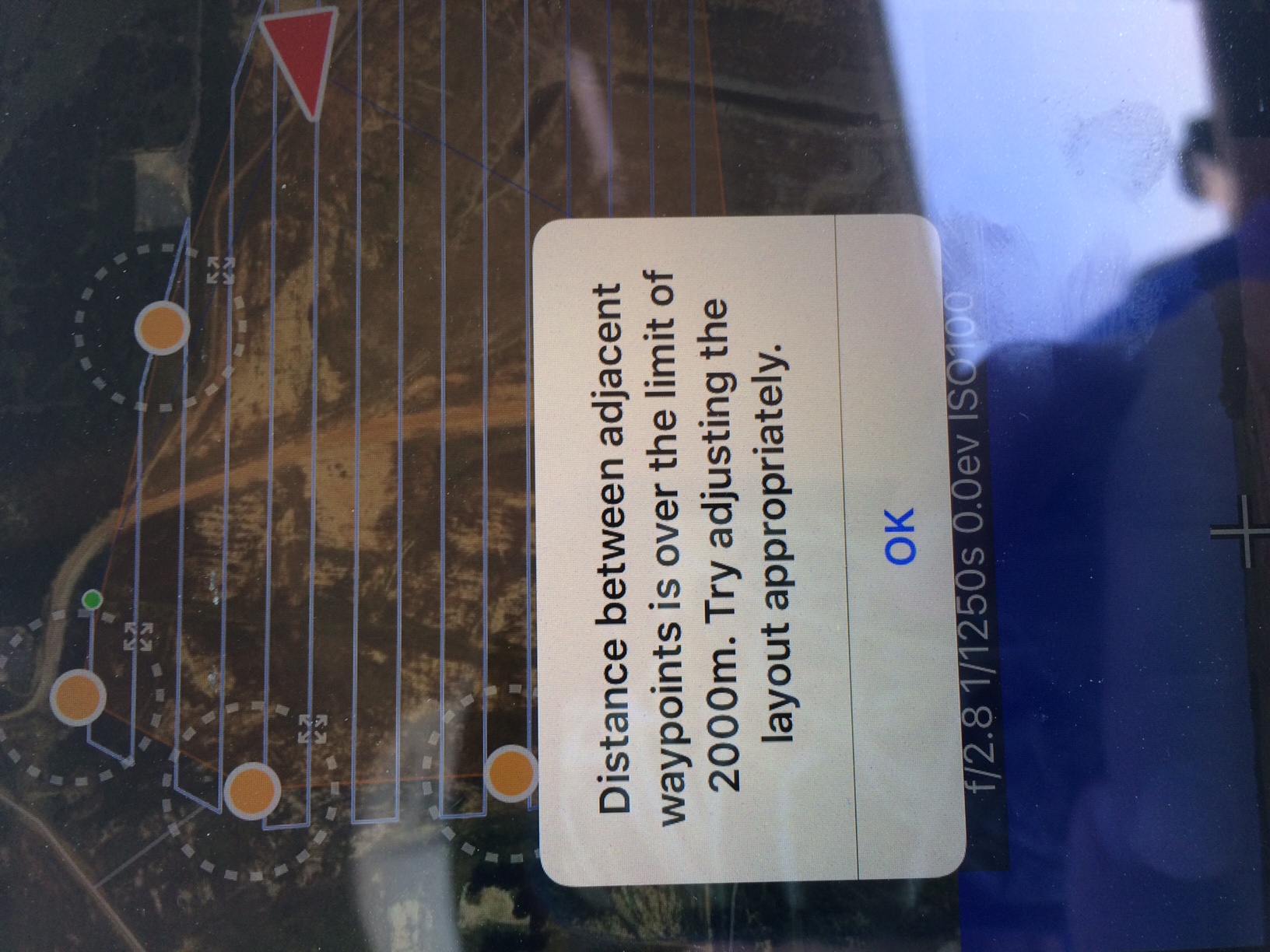
I am using the 2.1.1 version, and it will not let me map anything over 75 acres.  When I try to do it I get the message "distance between adjacent waypoints is over the limit of 2000m."  I have tried first opening up the DJI Go app to reset my location, and have also made sure that my previous paths were cleared.  I am also right in the middle of the flight, so the total distance is not over the limit of 30Km.  I used to be able to do bigger areas, but have no idea why it wont let me now.  I thought this version corrected all the issues with the waypoints.  Thanks in advance!

Wade Sherman

Offizieller Kommentar

Avatar

The flight logs should not affect anything. There is nothing limiting the amount of area you can collect.

Do you have a screenshot of your setup?

Are any of the points in your survey area more that 2km from another point? That is what triggers this.

The other part of this error message is a recommendation to reset your home point. You might just have to give the aircraft a bit longer after a battery swap so it will set its home point again. When you hit the "upload" button Map Pilot attempts to set the home point.

Jay
Aktionen für Kommentare Permalink

Bitte melden Sie sich an, um einen Kommentar zu hinterlassen.

7 Kommentare

0
Avatar

One other thing I have thought about is that I have not cleared the flight logs in a while.  Could that possibly cause this?

Wade Sherman 0 Stimmen
Aktionen für Kommentare Permalink
0
Avatar

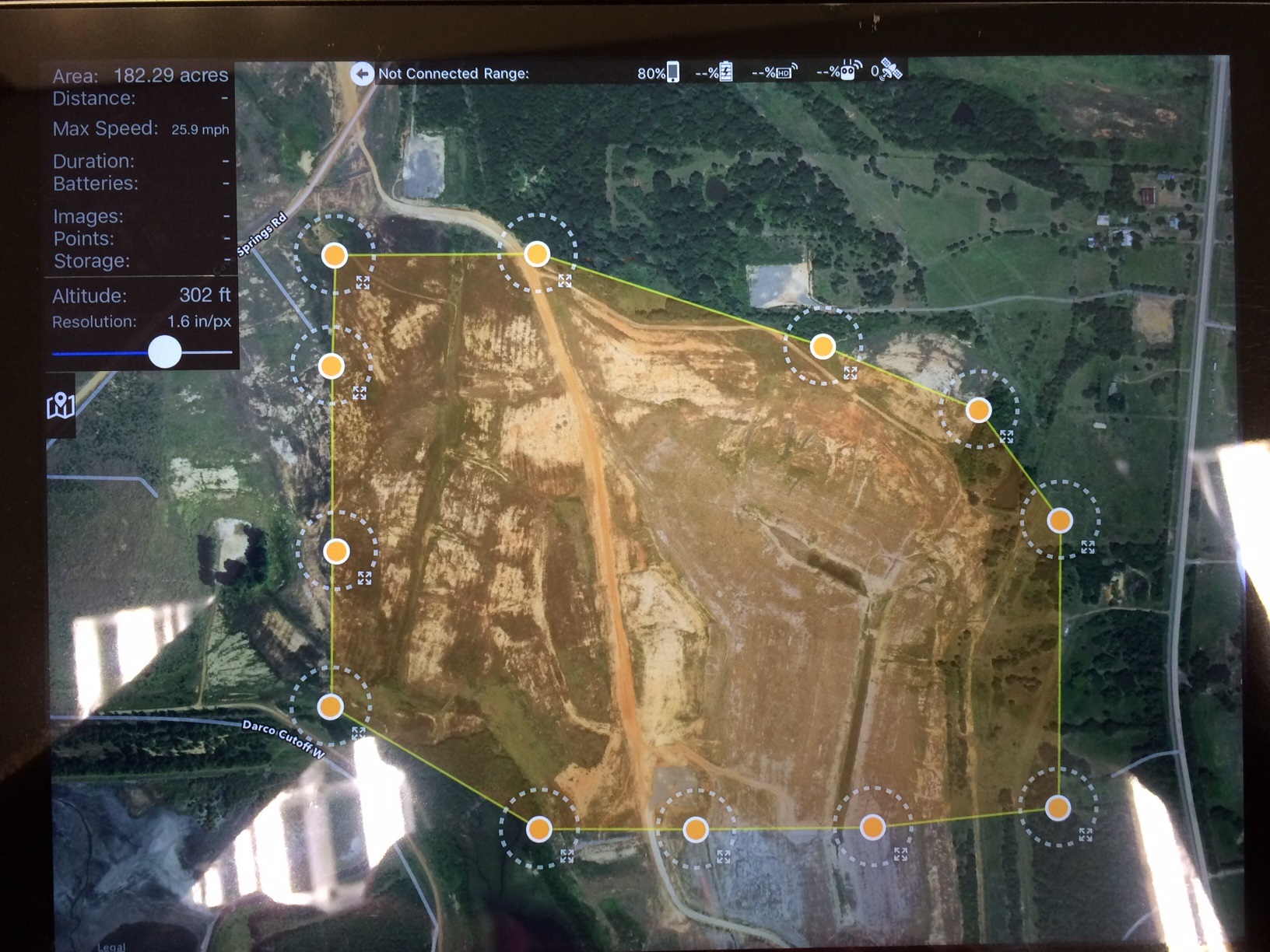
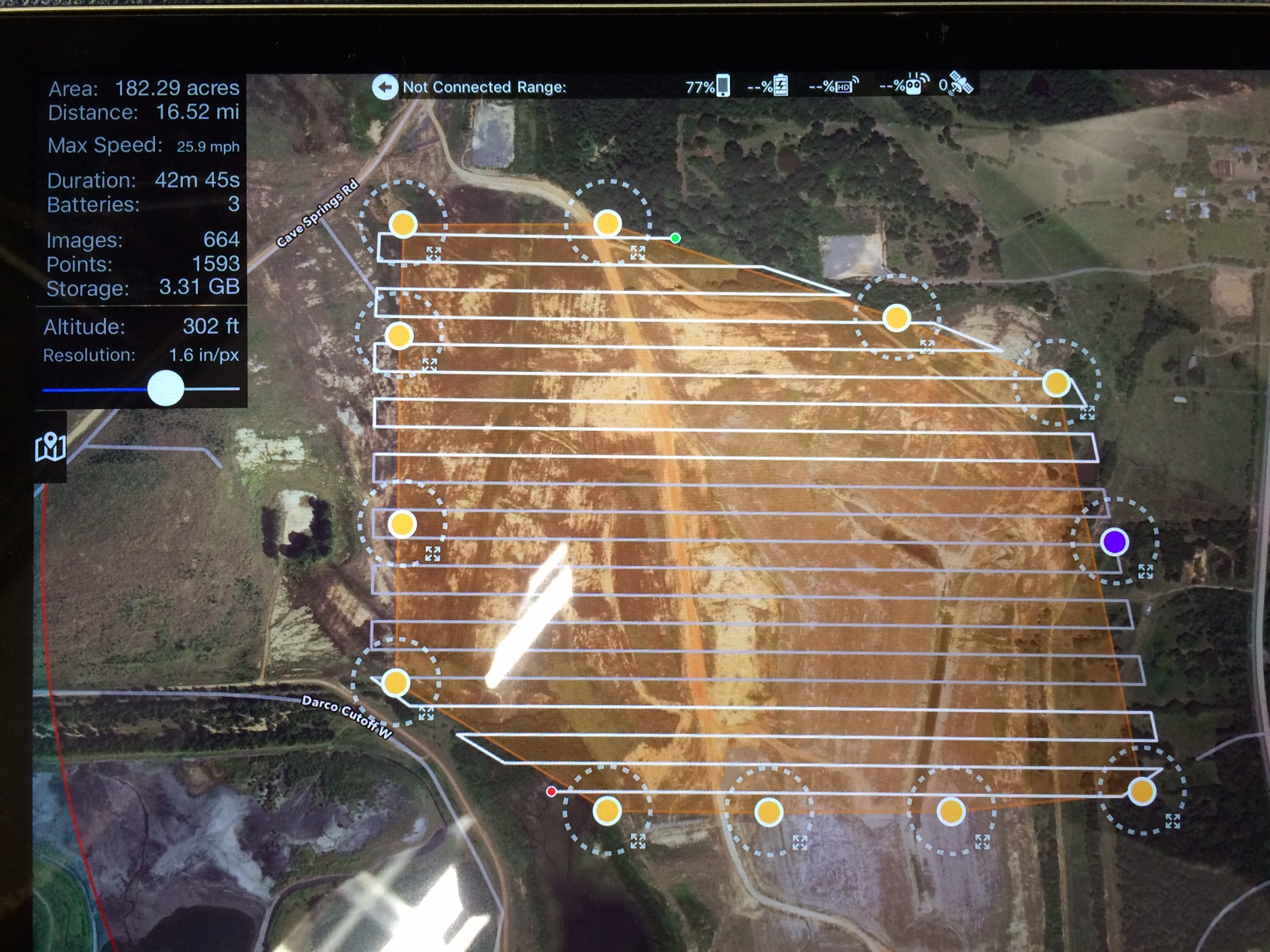
Here is an example of the area I was trying to map.  It seemed like anything over 1 battery it gave me this error message.  The most distance a waypoint could've be apart was 1km.  I know for sure I have done more than 100 acres before with no problem.  Any help would be appreciated.

Wade Sherman 0 Stimmen
Aktionen für Kommentare Permalink
0
Avatar

This is almost certainly due to the Home Point not being set. You might have to make sure your aircraft has enough satellites to get a good fix. Sometimes it takes a few minutes. The most recent versions of Map Pilot, 2.1.1 and onward, won't even allow you to take off if the home point is not set to the takeoff location.

The error message you screenshotted has been modified to address this case in the next release.

Jay 0 Stimmen
Aktionen für Kommentare Permalink
0
Avatar

I am still having this issue to where I can only do a flight path big enough for one battery.  Anything bigger than 50 or 60 acres it gives me the same error message of "Distance between two waypoints is over the limit of 2000 meters."  Then it says "you need to set your home point do you want to do it now?"  I hit yes to set it and try it again and same thing.  I have plenty of satellites.  What can I do to correct this.  In a 150 acre area I had to do three flight paths yesterday.  Thanks

Wade Sherman 0 Stimmen
Aktionen für Kommentare Permalink
0
Avatar

Was there any resolution to this? I've just run into this same problem today. Out in a field trying to do a survey. I was able to fly the first part of the mission, but on the second battery, I got the same error messages. The drone (Inspire 1 Pro) sat for easily 10 minutes while I tried and tried to get it to set a home point. 

If it can set a home point for the first flight, why is it getting stuck (on the ground) for the subsequent flights? Today's parcel is actually smaller than ones I've done in the past, and those didn't have these issues.

Help...

Mark D. Fink 0 Stimmen
Aktionen für Kommentare Permalink