Post

3 Follower Folgen
0
Avatar

Several Errors on Todays Mission

**UPDATE - removed questions submitted as new posts

Hi Guys, 

Apologies for the long post, just had a heap of queries after todays mission. 

Relatively new user to MPP, I seem to either have a really good day with it or a really bad day. Today was one of those bad days I got a bunch of errors, some of which I think I have answered myself some of which I still need advice on.

I love the app when it works, I just need some clarification on some things if possible. I'll list everything I encountered just for others to see possible solutions also. 

Device: iPad Mini 5th Gen on iOS 16
Subscription: Pro
Drone: P4P Advanced
Terrain Awareness: On

Firstly. Settings > Flight Camera > Model
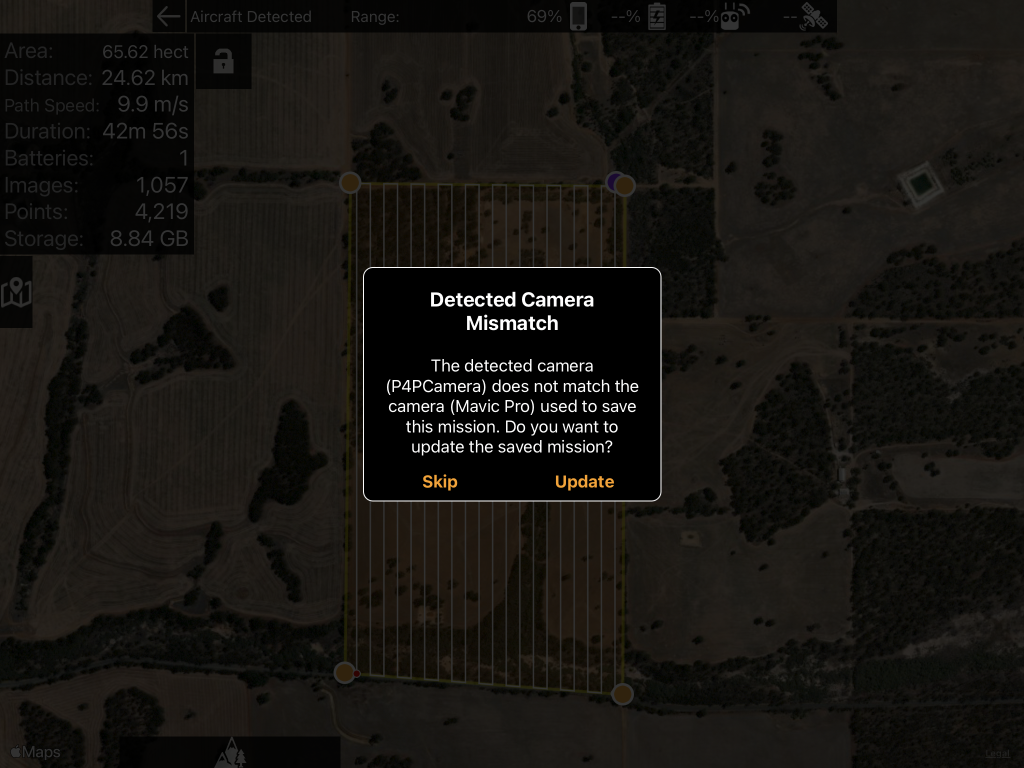
I have set to my drone model. P4P Advanced. However, when I plan a new mission it uses the mavic pro, I can tell by the Estimate panel showing a flight taking 80 mins with 2 batteries. Would never happen with a phantom should be at least 5 batteries estimate. Also when I plug my controller in and it states "Detected Camera Mismatch" The detected camera (P4PCamera) does not match the camera (Mavic Pro) used to save the mission. Do you want to update the saved mission? I click update and nothing in the estimate panel changes, it stays as 2 batteries etc like the Mavic Pro estimates. 
Even a new missions plan would not honour the Phantom 4A that I have set in the settings. 
After an uninstall and re-installation of the application The New missions are now planning as the Phantom 4 based on the flight time and batteries required estimate. However, the existing saved mission plans if I go into one get the detected camera mismatch setting then click on update still nothing changes in the estimate panel.

Maximum Waypoints In Use
The flight path was shortened due to limited waypoints.
I have flown 3 battery missions with over 4,000 points without this error. Do you think it may be caused by the fact the Drone that the mission plan see's is the Mavic Pro and not The P4PA and when it uploads it sends more waypoints due to the battery estimate? 

Flight Start Error Phantom 4 Advanced
Over maximum flight radius. What does this mean? 
Wasn't sure what to try, I close MPP and opened DJI Go checked a couple of settings closed DJI Go, went back into MPP and uploaded again, this time it worked ? 

Aircraft Errors
Always get these 2 errors when starting a mission. 

  • dji_check_fc_takeoff_failed_unkown_error
  • dji_check_fc_gps_reason

Does not seem to affect the mission, but they come up every flight. 

Cheers!

Glenn 

Glenn Stampalia

Bitte melden Sie sich an, um einen Kommentar zu hinterlassen.

8 Kommentare

0
Avatar

Too much going on here to get to it all. This should have been broken up into a couple of posts for each issue so that our responses can help others without expecting them to sift through all of this. Most of this would need screenshots for us to know what you are talking about. 

Is it a saved mission? If so, hit 'Update' then resave it then delete the old version. 

If you are getting the maximum waypoints error that means that you have planned a mission that is over 100 waypoints. This is pretty easy to do it rugged terrain. All it means is that it is going to load the first 100 waypoints and then come back to get more if it finishes them all (it won't). The 100 waypoints is a DJI limitation. 

Make sure the DJI app is fully closed any time you are using Map Pilot Pro. 

Those Aircraft Errors are bad ones. You might need to do a full system calibration or get it checked out if you can't get rid of those. 

Zane 0 Stimmen
Aktionen für Kommentare Permalink
0
Avatar

Yes apologies was just getting it all out there. I'll create separate posts for the things you did not answer here. 

Yes it is a saved mission, tonight i'll try hitting update then saving then seeing if the estimate reflects the P4P and not the Mavic pro. 

How can the waypoint limit be explained when I have completed missions with over 4,000 points without it having to return to get more? I assume the "Points" metric in the estimate panel relates to waypoints? Or is this different? Yes, it is relatively hilly terrain more rolling hills as opposed to rugged. EDIT; i have just read your answer on another post ""Points" refers to how many Maps Made Easy points it would take to process the 1900 images it is estimating it will take to cover that area. A waypoint is a place where the aircraft flies too. Basically it is very corner." 
Thankyou, i assume a waypoint is also at each point the drone goes up and down following the terrain too. ?  

I never run more than 1 drone app at a time. I purely opened DJI Go after receiving the error "Over maximum flight radius" just as a troubleshooting step, once i went into MPP, DJI was closed.

Thanks for the prompt response i'll create new posts for the remaining items. 
I have removed questions from original post that i have submitted as new posts.

Glenn Stampalia 0 Stimmen
Aktionen für Kommentare Permalink
0
Avatar

Tonight I have attempted to open the saved mission which is reporting Mavic Pro as the device. |
I connected the drone and clicked update when i received the below message. 

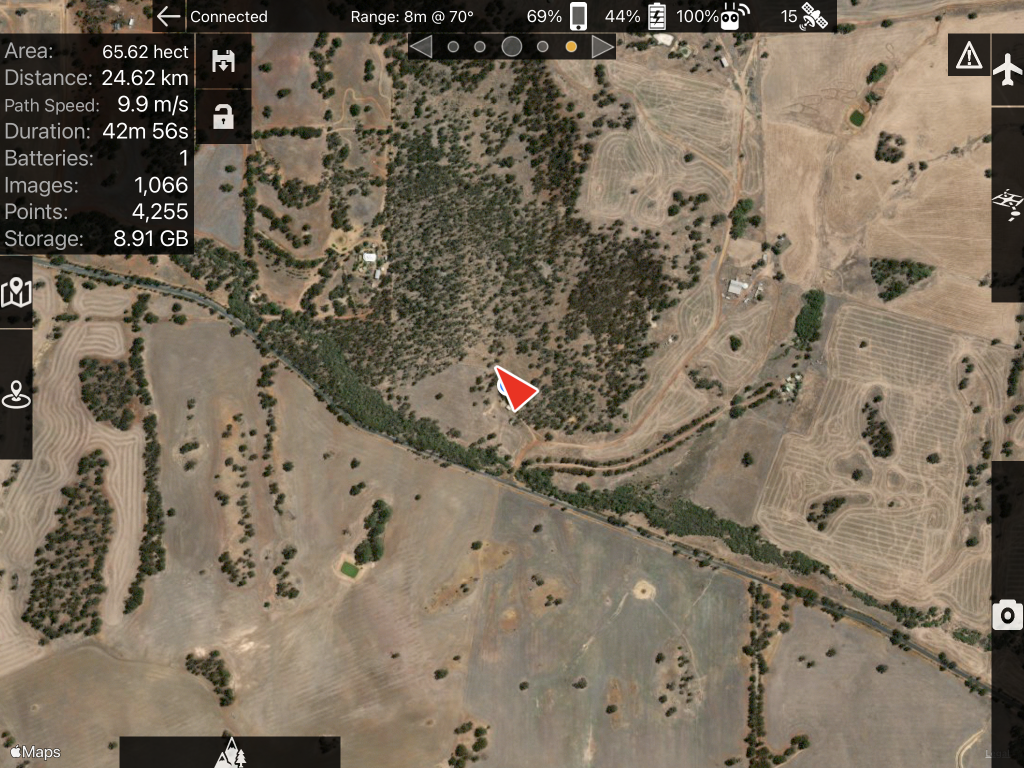
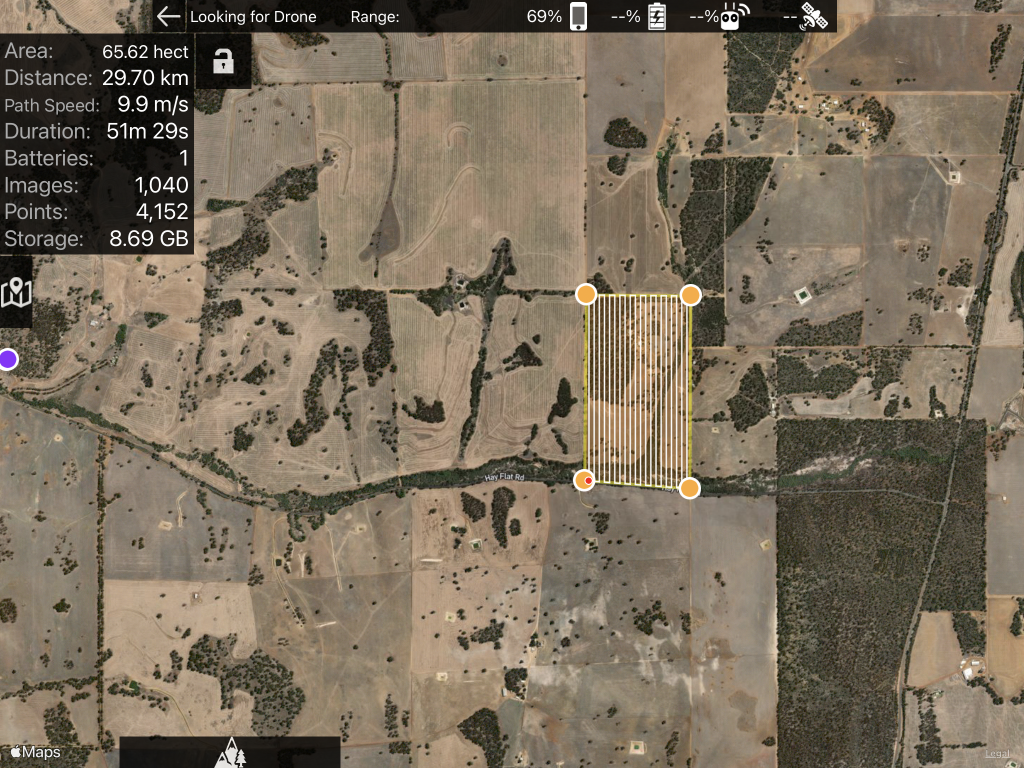
The behaviour is Images, Points and Storage is adjusted, however the batteries required remains the same. In this example a P4PA would definitely need more than 1 battery for a 42-minute flight. 

After updating and saving a new copy of the mission. Going back into it I yielded even weirder results. The Distance, Duration, Images, Points and Storage have all changed. Yet the battery count remains at 1. 

Glenn Stampalia 0 Stimmen
Aktionen für Kommentare Permalink
0
Avatar

I am not sure how you have possibly done a mission with 4000 waypoints. That is not something you can do with waypoint flight. 

The 'Points' number shows the calculated value of how many Maps Made Easy processing points it would take to process the collected imagery. 

Terrain Awareness inflection points get counted in the 100 waypoint limit per takeoff. The more elevation changes the faster that 100 points will go by but the flight tends to be slower. It is very rare to actually get through all 100 waypoints in a single battery flight. 

What do you have your battery timer set to? If it is set to 'Unlimited' it is going to assume 45 minute flights. 

If you are using old missions that are throwing the mismatch error hit 'Update', then hit unlock and then resave it. Get rid of the old one. 


Zane 0 Stimmen
Aktionen für Kommentare Permalink
0
Avatar

Thanks Zane. I understand now that the "Points" value is reflective of processing points and not waypoints. 

My battery time is in fact set to battery limited. It's good to know that this setting assumes 45 mins and not reflective of the average drone flight time of the selected drone. If i bump it down to say 17 or 18 minutes which is what i would normally expect out of a battery the battery value does change to a likely number for the mission now. 

I think i may have been running into the waypoint limit due to having the battery limit set to "battery limited" also, it was trying to load a flight path which was too long and in turn throwing the too many waypoints error. 

Glenn Stampalia 0 Stimmen
Aktionen für Kommentare Permalink
0
Avatar

I’m getting the drone model mismatch issue AND THE max radius too

Troy Fardell 0 Stimmen
Aktionen für Kommentare Permalink
0
Avatar

Please check the max radius setting in the DJI app. It appears that this value got overwritten in a firmware update. This is not a message that Map Pilot Pro throws. It is coming directly from the aircraft. If you get it again please take a screenshot of the message, clear it, and then take a screenshot of the layout that caused it. Email that to us. 

The mismatch issue is because a version a long time ago saved the wrong aircraft. To get rid of it you need to hit the 'Update' button to update the layout for the newly connected aircraft. Then hit Save to save it for the new camera. Delete the old one. 

Zane 0 Stimmen
Aktionen für Kommentare Permalink
0
Avatar

The answer to the 30m limit and the flight radius error is to make sure you are recently logged into your DJI account. It may help to log out and then log back in. Then do this:

  1. Go into DJI Fly
  2. Attempt to start up the motors manually
  3. Sign in, accept, agree, consent to any NFZ warnings
  4. Attempt the start up the motors manually (“manually” = sticks down and in)
  5. If successful, close the DJI Fly and go back into MPP without turning drone/rc off
  6. Attempt to start up the motors in MPP manually. 
  7. If successful, stop the motors manually and use Map Pilot Pro. 
  8. If not successful, go back into the DJI app and make sure all applicable zones are unlocked.
Zane 0 Stimmen
Aktionen für Kommentare Permalink