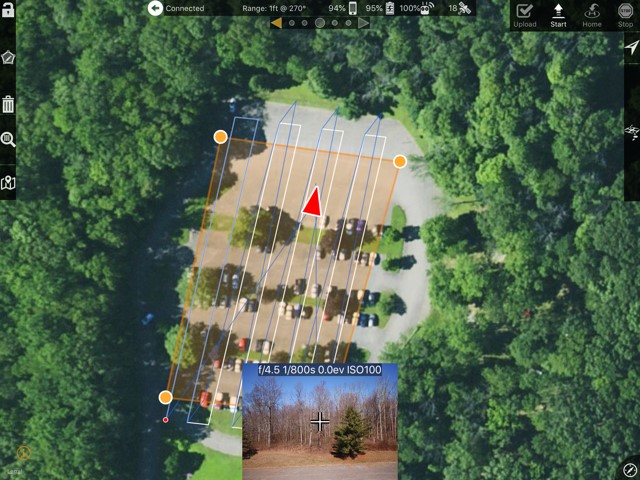
Using the latest version of Map Pilot on an iPad Air flying a DJI Matrice M210. This setup has been used for over a year. The latest update of Map Pilot seems to have broken the grid mission flight line generation. I layout the flight block as usual in Map Pilot, initiate the flight after connection the UAV and take off. The mission is uploaded. Prior to engaging the automated flight plan the flight path is drawn in blue over the white flight path. Usually they are the same lines and everything looks good. With this latest update the flight lines are significantly shifted as shown in the attached image. A point to note, I tried this with a linear mission and it did not exhibit the problem. The blue lines are over the top of the designed flight lines.
Not sure what happened. It seems each time there is a software update, something that worked well no longer works. In this case, it could cause damage to the UAV if the path shifts outside what was intended.
I have to switch to another app to collect grid based imagery.