Bình luận chính thức
As shown in the Tool Tip:
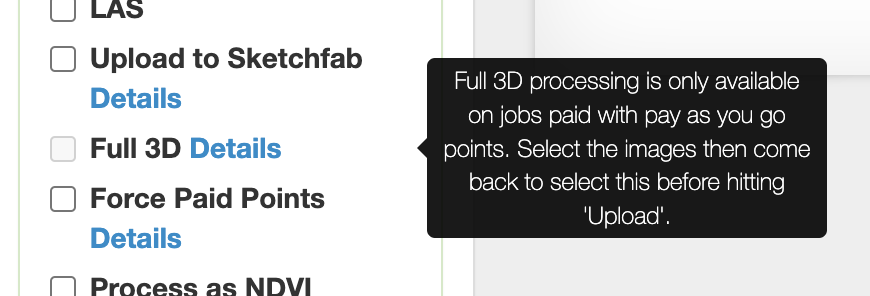
Full 3D processing cannot be done with the subscription processing allotment. That box will only be available to check if purchased points are being used.
Thao tác bình luận
Hi, I was using my mtruitt@swccd.edu account with Maps Made Easy. I was trying to upload a project for Full 3D to test it out. I got to step 2, and clicked on Full 3D. The checkbox greyed out after I did it. Why wasn't it available as an option?
As shown in the Tool Tip:

Full 3D processing cannot be done with the subscription processing allotment. That box will only be available to check if purchased points are being used.
Vui lòng đăng nhập để lại bình luận.