Bài đăng

9 người theo dõi Theo dõi
0
Avatar

Color variations between images

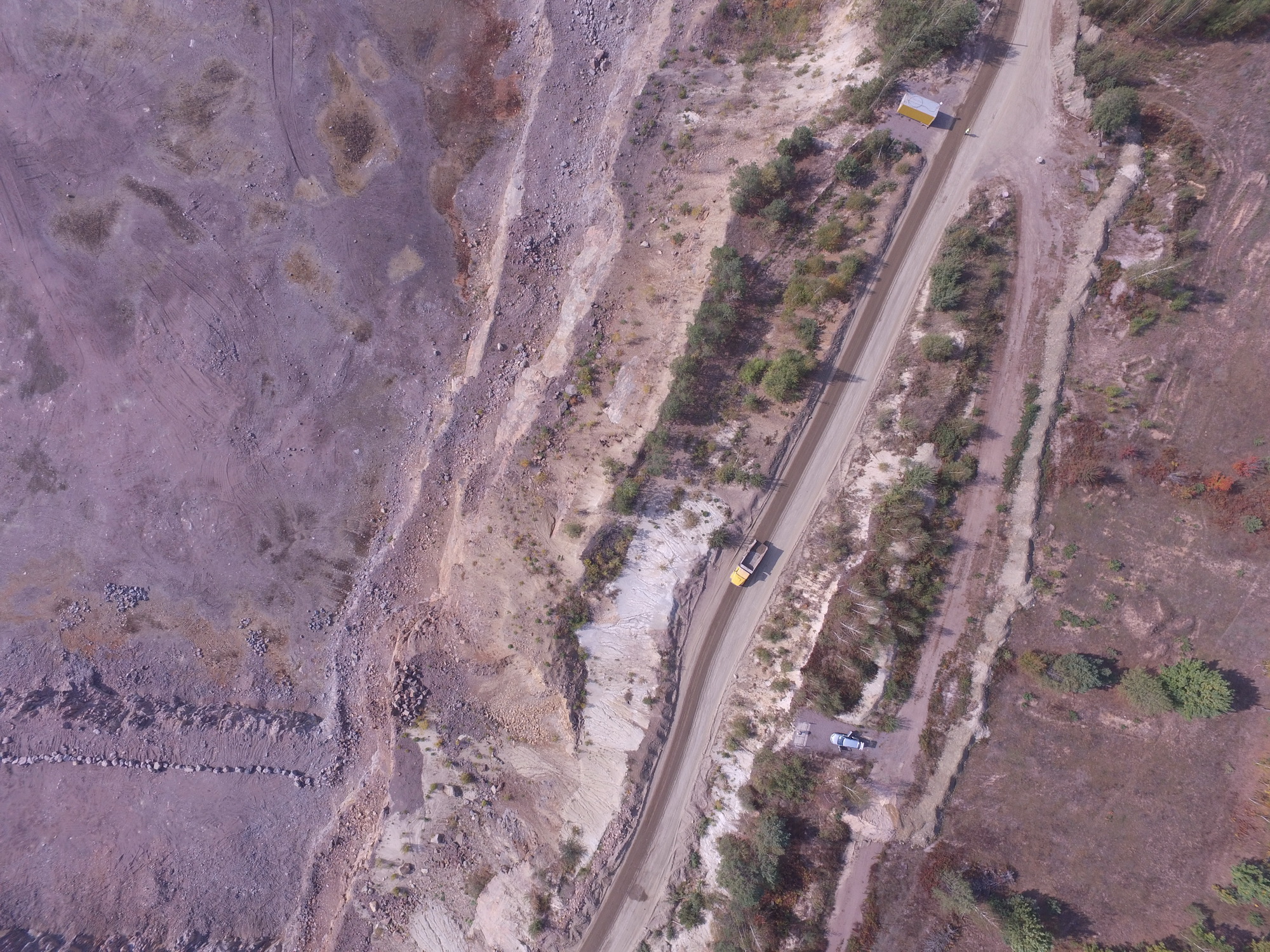
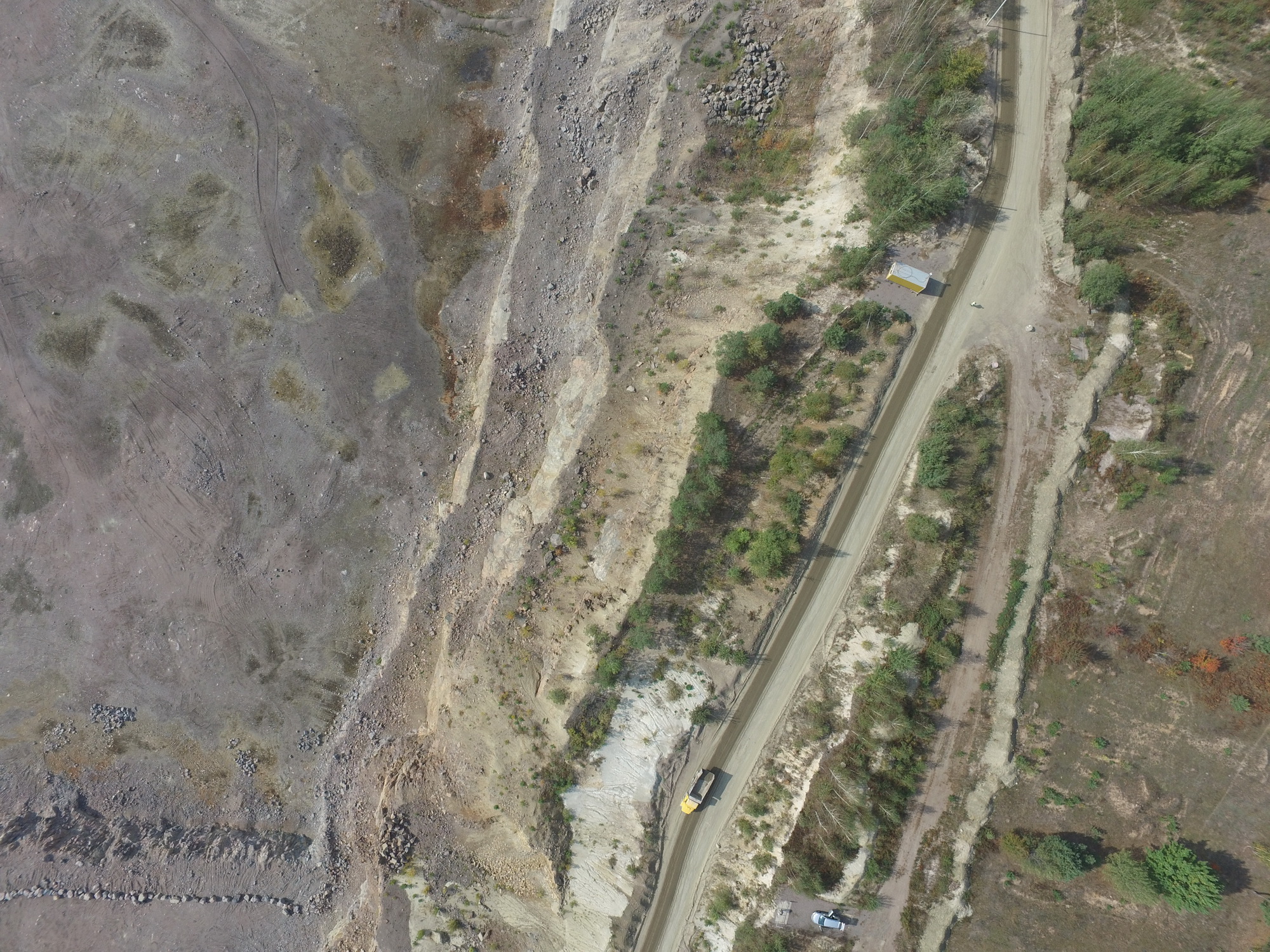
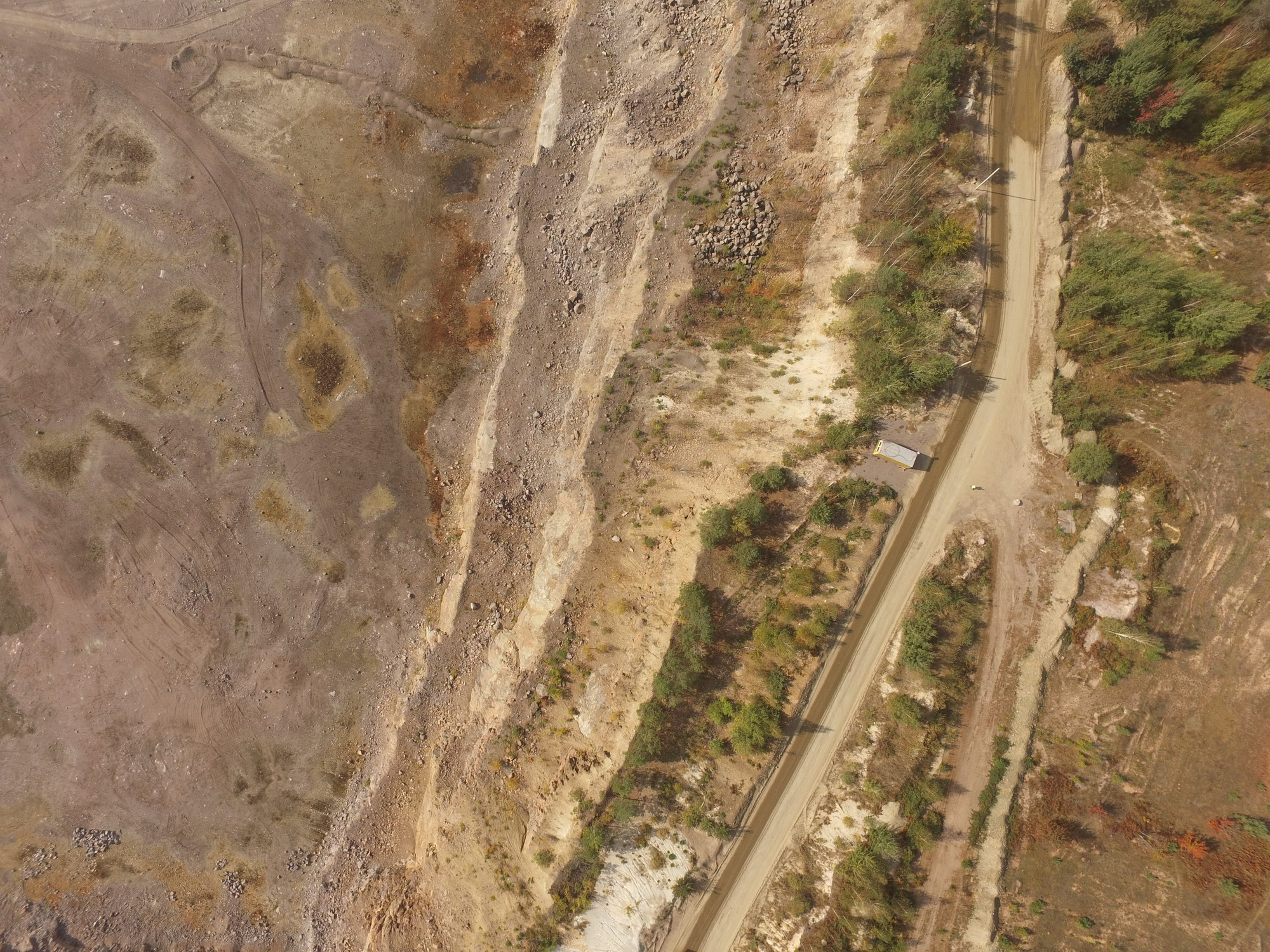
We have been using your app for several months. Recently we have been getting a strange effect happening. The colour composition between successive photos changes as the drone takes pictures. We initially thought it was the camera and communicated with DJI about this. We then bought a brand new P3 Pro and are having the exact same problem. We are using your firmware and checked all the settings. Please advise how to rectify this.

Adam

Bình luận chính thức

Avatar

This looks like a white balance issue. It is likely currently set on "Auto" which will allow the camera to change it as it sees fit. You can change this in the Map Pilot settings menu by selecting either "Sunny" or "Cloudy" to lock the value in.

Hopefully that helps.

Tudor
Thao tác bình luận Đường dẫn cố định

Vui lòng đăng nhập để lại bình luận.

13 bình luận

0
Avatar

I've noticed the last test flight the images changed light source during the mission making some images unusable. I can email a screen shot of the images and settings if you like. I found this discussion so next time I will try setting the map pilot light source settings.

Adrian Fairfield 0 bình chọn
Thao tác bình luận Đường dẫn cố định
0
Avatar

I have the same problem. I have tried first setting color balance in DJI Pilot to Sunny, Cloudy etc as suggested but it has no effect on the photos coming from Map Pilot - the color balance of its photos vary from frame to frame.

I am using a Phantom 3 Advanced.

Any other suggestions?


Ian Grierson 0 bình chọn
Thao tác bình luận Đường dẫn cố định
0
Avatar

When shooting with the exposure mode set to automatic, which is recommended, there will always be differences between the images. The goal is to keep anything from getting too dark or too bright (saturated). To achieve this, the auto exposure will adjust the exposure time to keep within those bounds and this will cause some changes in color as the exposure and ISO float. You can attempt to use the manual or shutter priority modes but then you will really start to see differences in illumination. 

Generally, Maps Made Easy handles these coloration differences pretty well as long as the white balance is on a fixed value instead of auto.

Tudor 0 bình chọn
Thao tác bình luận Đường dẫn cố định
0
Avatar

My problem is how to fix white balance, If I set it in DJI Pilot to sunny or cloudy etc. then run Map Pilot, MP doesn't seem to stick with this but reverts to Auto. Is there any way in Map Pilot to confirm what setting it is trying to use?

Ian Grierson 0 bình chọn
Thao tác bình luận Đường dẫn cố định
0
Avatar

DJI Go should not be used to set camera settings that are to be used by Map Pilot. There is a White Balance setting in the Map Pilot settings.

The default value for White Balance in Map Pilot is Auto White Balance which is why it is reverting.

Jay 0 bình chọn
Thao tác bình luận Đường dẫn cố định
0
Avatar

Bert: Those are classic white balance variation issues. This can occur when the area the camera sees is lighter or darker than other areas. It if is sunny outside, choose the Sunny White Balance setting and this won't happen since you are making the White Balance decision and not the camera. Attempting to adjust the White Balance based on the image content is what Auto White Balance does.

Zane 0 bình chọn
Thao tác bình luận Đường dẫn cố định
0
Avatar

Is there still a white balance setting in Map Pilot app?  I can't find it in settings, but I am experiencing the same issue.  Map Pilot Version 2.7.0 build 11032017, DJI X3 on M100

FairweatherIT LLC 0 bình chọn
Thao tác bình luận Đường dẫn cố định
0
Avatar

The White Balance Setting can be found in the camera control section of the Options Menu. See below it is noted "White Bal" 4th over at the bottom.

Zane 0 bình chọn
Thao tác bình luận Đường dẫn cố định
0
Avatar

Hi,

regarding the white balance issue is it possible to add more presets the sunny or cloudy? I find that both sunny and cloudy make photos too yellowish. A color preset at about 4500K is more natural for me.

George 0 bình chọn
Thao tác bình luận Đường dẫn cố định