Publicação

2 seguidores Seguir
0
Avatar

Troubleshooting Steps for H20T/M300

Hello MME,

M300 with H20T.  I can get it to map and take pictures, but what I cannot seem to accomplish is "inheriting" the settings I create in the DJI Pilot app to Map Pilot Pro (elite).  It just keeps whatever settings Map Pilot Pro has/wants.

Ok... I can adjust my camera in Map Pilot Pro, but it won't let me select my temperature range.  It locks me out at 30°c to 35°c.  I have not figured out how to adjust that... what did I miss?

BTW, thank you for an awesome product I rely on everyday.

Cheers,

Ray

Ray Penner

Comentário oficial

Avatar
Thank you for reporting this. There is definitely a bug here we will fix in the next release. We incorrectly update the Max/Min values of the iso therm range slider to be the max and min, not the “selected” max and min. Which is why he is probably “locking out” at 30 to 35
 
We believe you had an iso therm of 30 - 35 selected in DJI Pilot, and Map Pilot reads those currently values and incorrectly makes that iso therm range the Entire possible range of the slider.
 
The workaround for now is to make sure the value is set properly in DJI Pilot and then open Map Pilot Pro. Then don't touch the sliders in MPP. 
Zane
Ações de comentário Permalink

iniciar sessão para comentar.

4 comentários

0
Avatar

Okay, I understand.  Dang glitches...

Your suspicion of my temperature settings are not entirely correct,  I had my "settings" from 0° to 45°.  Even when I select a "silly" temperature range, it still appears the same.

I won't touch the sliders or anything... hey, when I open the camera window, will MPP take over instantly?  Can I still view camera while NOT touching the adjustment sliders?


Cheers

Ray Penner 0 votos
Ações de comentário Permalink
0
Avatar

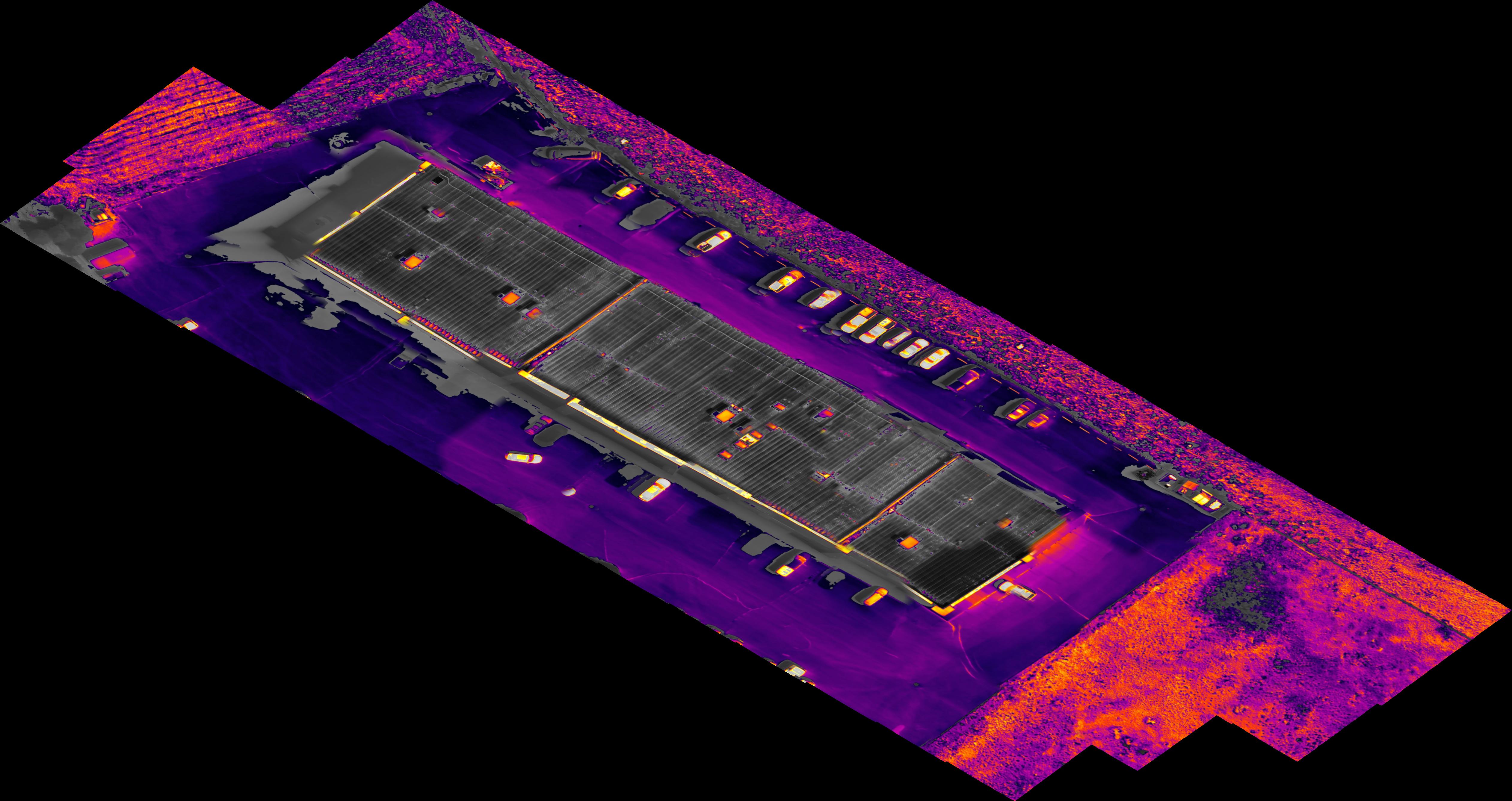
Hey... I got the workaround to work... mostly.  I got a map!

Why would the resulting jpeg image be skewed?  Is that a result of the 5° camera setting?

Ray Penner 0 votos
Ações de comentário Permalink
0
Avatar

Progress is good. Try viewing the GeoTiff which will be in the geo corrected pixel units. It is not related to the any gimbal setting. 

Zane 0 votos
Ações de comentário Permalink