Comentário oficial

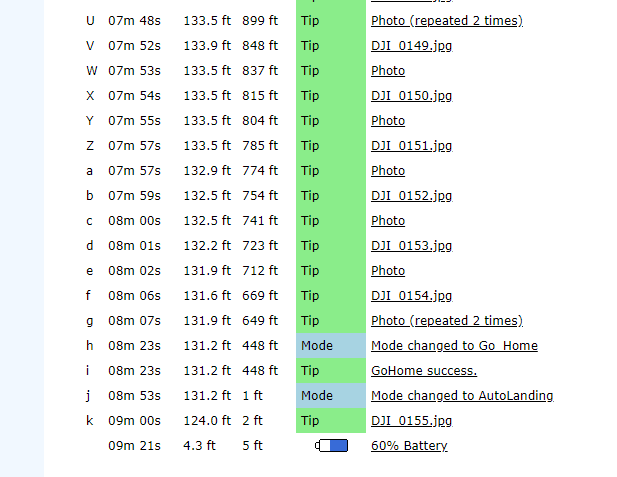
The 'Photo Error' message occurs when the SD card can not keep up with the camera writing the files. You can either use a slower SD write speed in the Map Pilot settings, select less along track overlap, or fly more slowly to address this issue.
You should also make sure that your SD card is cleanly formatted before use.
The X4S camera is essentially the same as the P4P camera so I wouldn't think there would be issues given the same setup.
Bucking is bad and is a sign of a failed or failing IMU.
We usually recommend using Active Connect mode which ensures that all of the images are taken while travelling the same speed but if you don't want to use that or fly outside the designated polygon you can use Connectionless mode which will trigger the camera local to the aircraft (instead of the app doing it) and it won't leave the polygon.