Publicação

3 seguidores Seguir
0
Avatar

GSD and Volumetrics

I use Maps Made Easy and Map Pilot Pro to make stockpile surveys.  I see that "Every job with a GSD of less than 2 inch/pixel that is run through Maps Made Easy will have the ability to measure stockpile volumes..."

My question is: using Map Pilot Pro, how can I see what my GSD is using any particular drone?  I would like to know how high I can fly to get a GSD less than 2"/pixel.

Thanks.

Robert Fly

Comentário oficial

Avatar

That is very old information. We will update that article. That hasn't been true for a very long time. The truth is every job we process has the ability to do volume measurements. 

The GSD is displayed under the altitude select slider. 

Zane
Ações de comentário Permalink

Por favor, entrar para comentar.

5 comentários

0
Avatar

How do I get those reading off of map after made ? Can I get map info using an iPad pro ? I can't seem to find it
Thanks
Chris

Chris Rice 0 votos
Ações de comentário Permalink
0
Avatar

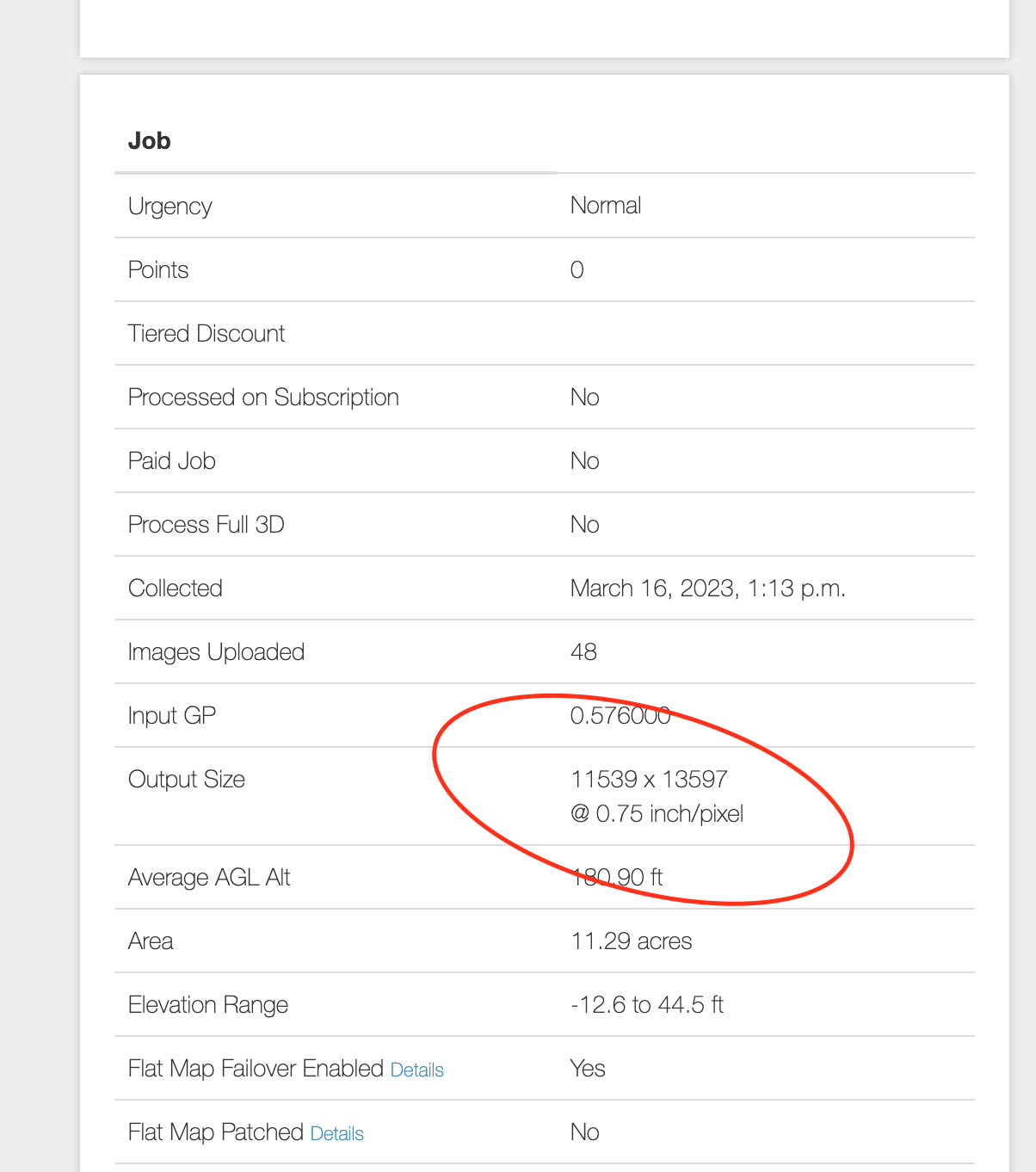
The output GSD is available in the 'Output Size' under the 'Job' section of the map. 

'24333 x 14331@ 0.75 inch/pixel' for example

Zane 0 votos
Ações de comentário Permalink
0
Avatar

I don't understand. I've tried to watch your videos and I'm not seeing the same thing. I really want to master this and implement into our Drone program

Chris Rice 0 votos
Ações de comentário Permalink
0
Avatar

This is kind of a different topic than the original post. In general you want to start a new one so the original poster doesn't get all these emails about an unrelated topic... 

The number in the original post says the ground resolution for the images that are being collected. 

Once you process the images using Maps Made Easy the GSD of the processed map will be shown there. It should closely resemble the value at which the data was collected unless the downscaling factor is used in Step 2 of the uploader. 

Here is the value from your 'Trailer Park' map:

Zane 0 votos
Ações de comentário Permalink