게시물

팔로워 2명 팔로우
0
Avatar

Uneven coverage reported for a Map Pilot Mission

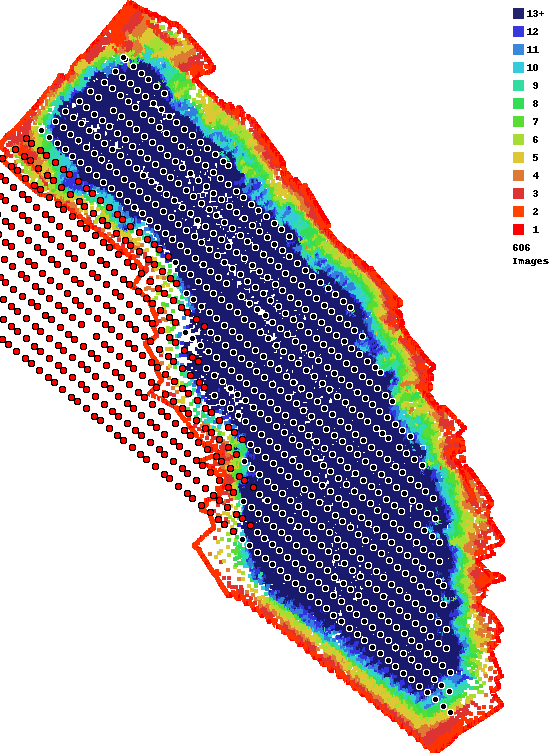
Hi, I flew a Map Pilot mission which failed to process part of the image. The Coverage Report shows a lower density for part of the scan, AND it shows fewer total images than what were uploaded.  

What would have caused this?  

Could it be due to the relatively indistinct features on the field?  Even so, I would expect the coverage report to show that the photos were taken there, and to report the correct number of images in the job.  

I have run successful MME maps on these fields in the past and wonder what made this one fail.  (I also have another large portion of the farm at the other end of this field that failed in a similar way.)

Here is the coverage report:

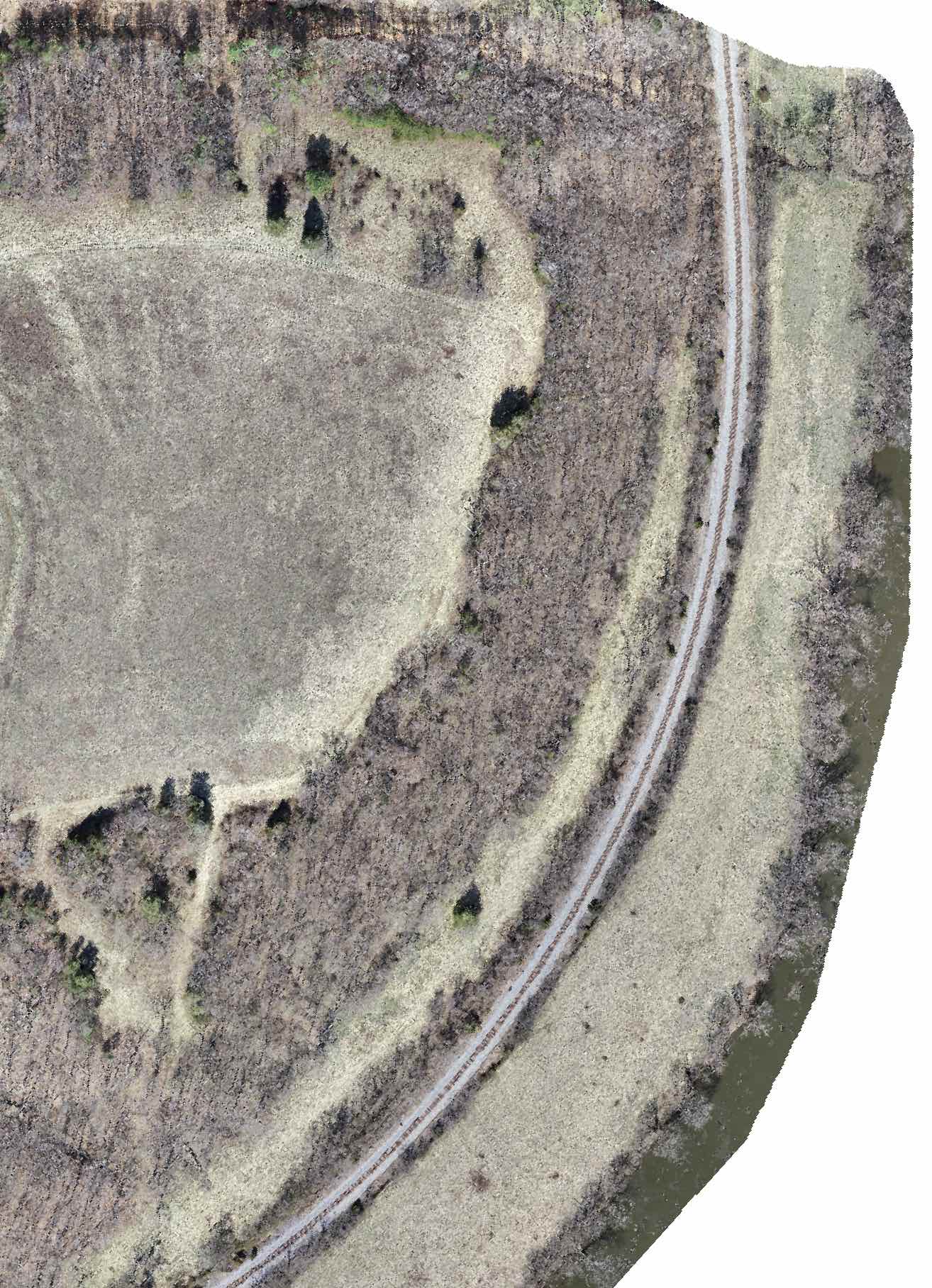
Here for instance is a successful map created from a scan taken the following day so you can see what the terrain is like:

Keith Johnson

공식 댓글

Avatar

Your most recent map (not shown above) uploaded 1944 images but only 1013 were included in the output. The second number is the number from the Overlap Report image. That is the count of the black dots. That means there are 931 (1944-1013) red dots in there which represent images that were not included in the reconstruction. This can be due to a variety of reasons. 

This is all explained in the Overlap Report support article:

https://support.dronesmadeeasy.com/hc/en-us/articles/207148006-Overlap-Reports

From the looks of things I would say it is related to have a lot of bare trees in the area. Bare trees are notoriously hard to process, especially when it is full sun which creates a ton of complex shadows. You did use 80% overlap, which would be good for normal trees but with bare trees it can take more than that or not even be possible. 

Our Flat Map system filled in the missing area as best it could. 


Zane
댓글 작업 고유 링크

댓글을 남기려면 로그인하세요.

댓글 1개