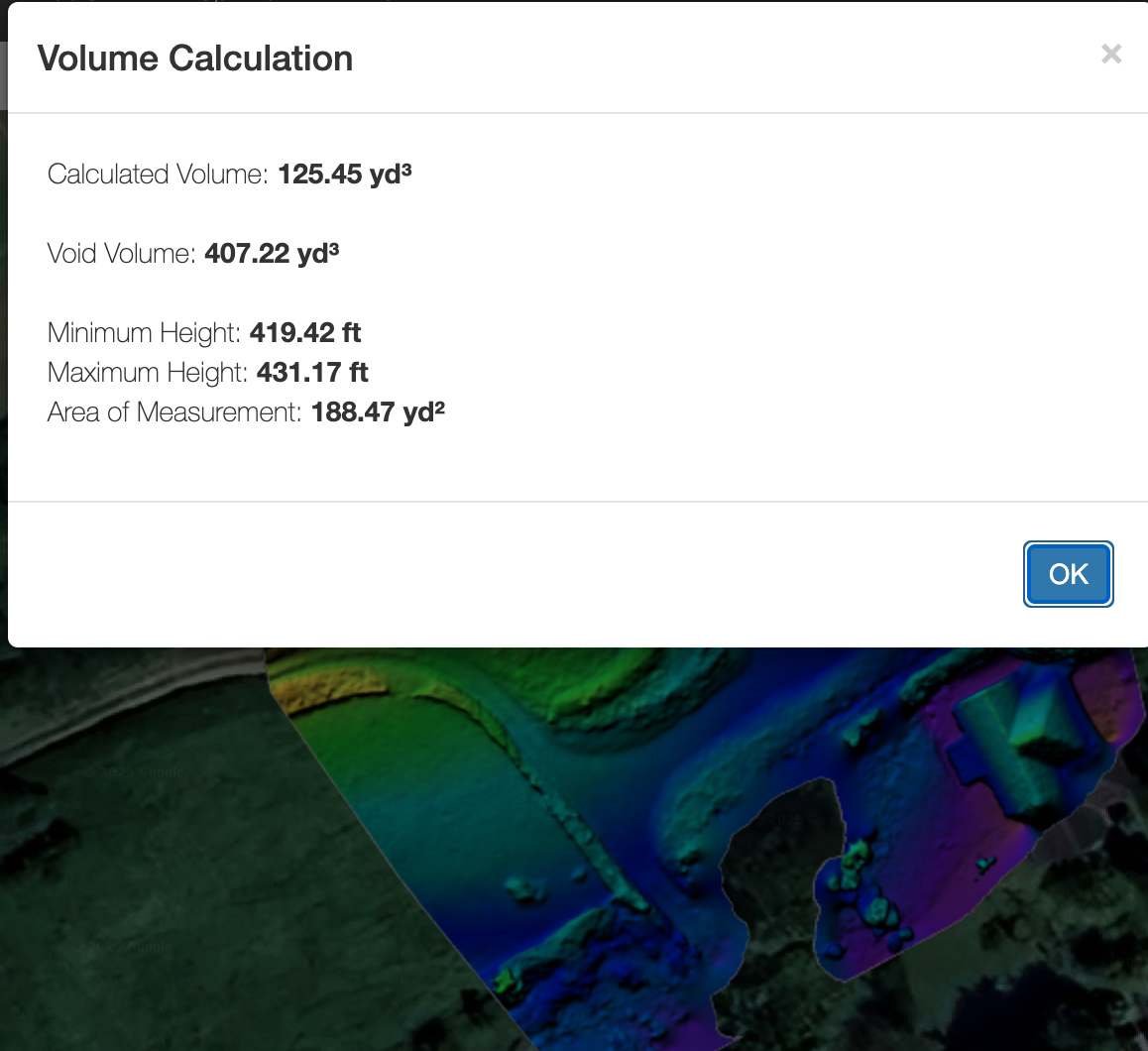
We are sorry to hear you are having issues using the volume measurement tool. I don't see an account for you in the system that is associated with this email address. What is the username you are logging in under? What map are you trying to measure?
In general, the volume tool is only going to work where the is valid 3D. Enable the elevation layer in the top right and make sure your whole measurement polygon is within the colorized area. Areas outside of that cannot be measured.
게시물
팔로우
Volumetric Tool Not Working
Hello,
I've put all my photos in as normal, rendered the ortho all good, used the polygon tool to draw a container, and nothing happens, no dialog box, no volume numbers on the map. Is the volumetric tool broken? Am i doing something wrong? Spent the last 12 hrs trying to figure it out with no luck. Driving me insane!
댓글을 남기려면 로그인하세요.
댓글 9개
Hello Zane, i'm not sure why you're unable to see my account as it is with this email address, Furthermore i have replied to you via email multiple times over the last 24 hours and it seems you're not receiving them?
The Username is media4you.
In response to your last paragraph, i am doing exactly what is required of me via your own youtube tutorial and instructions. After some further testing, it seems that the polygon tool lines may not be connecting to each other when ending the shape, leading to the volume measurement tool not activating. Currently there isn't any obvious way that the lines are connecting, and if i double click to end the line, ontop of the first box connection, it doesn't seem to be connecting. Not sure why that's happening. I'm now very behind on getting this sorted and it's causing men and my business problems so if you could get back to me asap regarding this, then that would be much appreciated.
Kind Regards,
Ben.
You can see your posts and our replies here. https://support.dronesmadeeasy.com/hc/en-us/community/posts/43372176691476
The email address associated with the account media4you is not what we are getting these posts from. One is a gmail account and the other has the domain @media4youiow.co.uk. This is why we couldn't find your account. if you are replying to our ticket from a different email address than the one you originally made it with it will probably get blocked. It sounds like you are mixing up your email addresses or something.
I am able to see volume measurements on your most recent map. You might want to try using a different browser if you have one available. Do all of this on a computer, not a mobile device.

Hi Zane,
Regarding the volume measurement i'm not sure why you can see it and not myself, i've tried multiple browsers, on both my PC and Laptop and nothing is working. After some further testing, it seems that the polygon tool lines may not be connecting to each other when ending the shape, leading to the volume measurement tool not activating. Currently there isn't any obvious way that the lines are connecting, and if i double click to end the line, on top of the first box connection, it doesn't seem to be connecting. Not sure why that's happening?
I hope to hear from you soon,
Hi Zane, just tried using it on a 3rd different browser just in case, and still having the same issue, it just won't work for some reason and the polygon tool lines don't seem to be giving any indication of any connections being made.
It sounds like you are using the poly line tool about the polygon tool.
If that is not the issue please take a screenshot of what you're doing.
And was that the case? Is the polygon tool actually working for you?
Hi Zane, Thank you for your support and my apologies in the delay with answering you. (Currently doing night shifts).
Yes it seems i was being a bit of a plonk and using the poly line tool instead of the polygon tool. I think the issue for me was that they both effectively create the same visual thing, the line, and both with the same name, so even when looking at the YouTube tutorial on your site, as it was minimised to a smaller box, i was paying less attention to where the mouse was clicking, and more attention to both the wording and what was visually happening on the screen.
I've tested it a few times now and it seems to be working fine so my apologies for taking up your time with this!
I do have 2 questions however i wanted to sneak in quickly for you, firstly, is there any way to change the voiume measurement amounts from yards to something else? As i'm in the UK, it would be incredibly useful to be able to toggle something like that. Secondly, when creating the DEM map, is there any way to see what the altitude difference is? I will always use Maps Made Easy over realityscan due to the higher quality output and better functionality, however on realityscan, their dem map also shows a vertical colour guide with what the corresponding colours equates too in altitude change which is extremely useful for construction and surveying reports. Likewise realityscan has an inbuilt report export function so with one click, you get a report with all the information and photos/files on it so you can easily send it to a client. Is any of this a future possibility for maps made easy? As these things would really bring the tool/service into the top i think, it would certainly make my clients more happy!
Thanks again for your support and i look forward to hearing back from you.
Once you have all of your annotations and measurements you can export them in a KML file which can be used to share the data.