게시물

팔로워 2명 팔로우
0
Avatar

m300 Custom Camera Approach Speed

Hello,

I have a custom camera for my M300.  I design a mission where the optimal flight speed, for my given mission, is 6m/s.

As luck would have it, the start point is far away.  How do I tell my m300 that its okay to fly to the start at 15m/s, slow down to 6m/s for the mission, and return at 15?  Currently, its like a speed limit.  If I adjust the value on the slider "up", my poor bird won't slow down at all!

My P4Pv2 seems smart enough to haul feathers out there, slow down and map, and haul back.  Being with a custom camera, it won't slow down for light conditions (it would if Map Pilot could connect to it, but that is not what I am talking about here)... what setting do I need to toggle so it will go fast to the start, slow to the speed I want, and fly fast home.

Thanks!

Ray Penner

공식 댓글

Avatar

The speed slider is essentially the mission speed limit. If you have it turned up to 15 m/s it will go 15 m/s on the approach and return. 

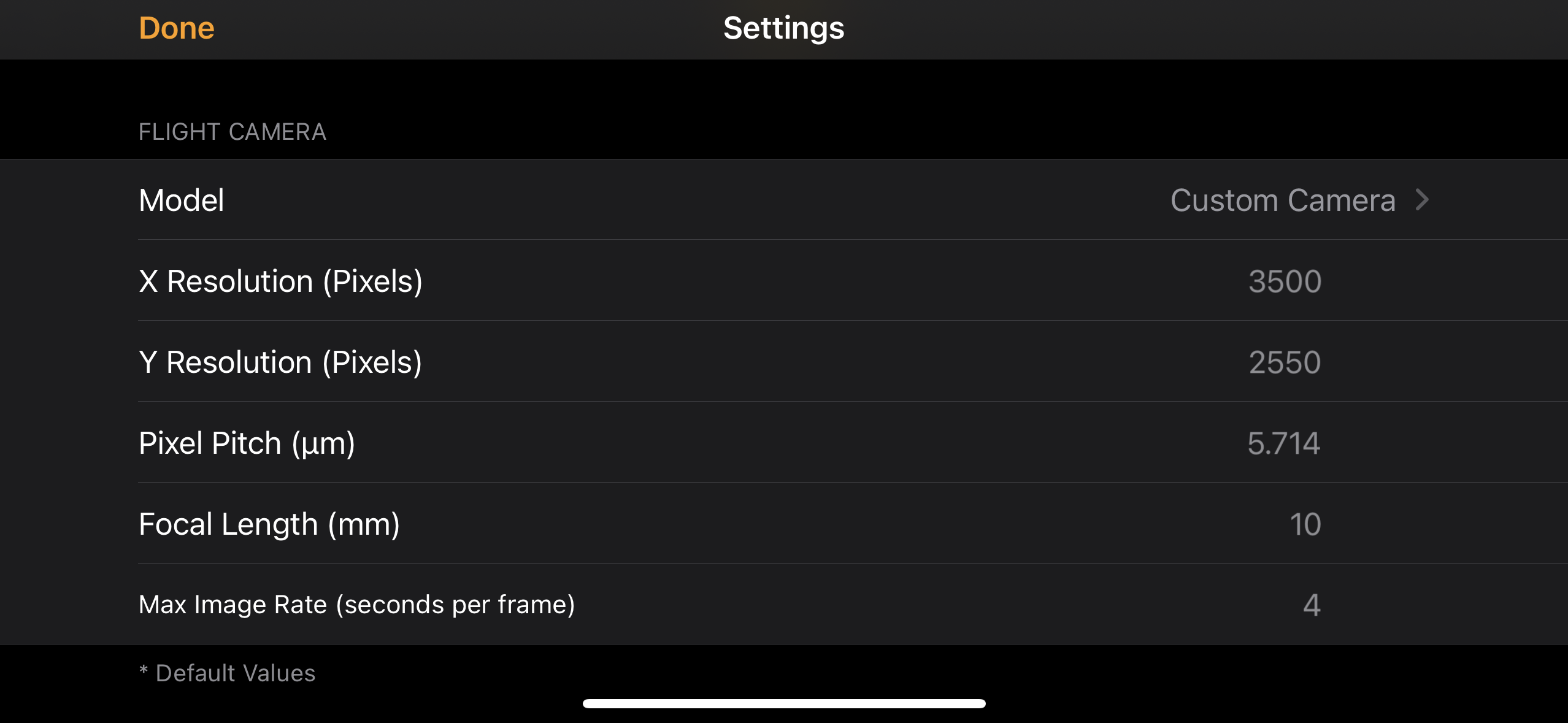
But, since it is a Custom Camera setting you may have to raise the "Max Image Rate" to something like 2 or 3 seconds per image to get the aircraft to slow down while on the planned path. The default value is 1 image per second which usually allows for faster flight than the 15 m/s speed limit so the speed on the planned path gets pinned to 15 m/s too.

Zane
댓글 작업 고유 링크

댓글을 남기려면 로그인하세요.

댓글 4개

0
Avatar

I understand the speed limit.

What math do I need to complete, so I am able to predict what speed my aircraft will fly, while "mapping", if I set the imager to 3, or even 4 seconds?  The current rate of 2 seconds does nothing.

Higher approach/return speed, independent of the mapping speed would be awesome, I just don't want to wreck the balance and reliability I currently enjoy with Map Pilot. 

As I've learned, there is always something we can do with Map Pilot to make our missions work!

Cheers!

Ray

Ray Penner 0 표
댓글 작업 고유 링크
0
Avatar

Map Pilot Pro will show you the speed. The screenshot here shows the Custom Camera settings to define whatever the field of view would be and then has a 4 seconds per image setting. 

You can see here that the speed slider is up at 15 m/s but the speed shows that it will fly at 7.1 m/s on course. The text under the slider shows these pretty explicitly. You can choose any value for the imaging rate to achieve whatever speed you are trying to get. 

Map Pilot Pro is designed for cameras that are triggered by the app. The Custom Camera is a flexible control to allow for taking off without a DJI camera connected that still allows for appropriate overlap control. We do not plan on adding a separate speed control for non-imaging payloads.  

Zane 0 표
댓글 작업 고유 링크