


Tindakan komentar
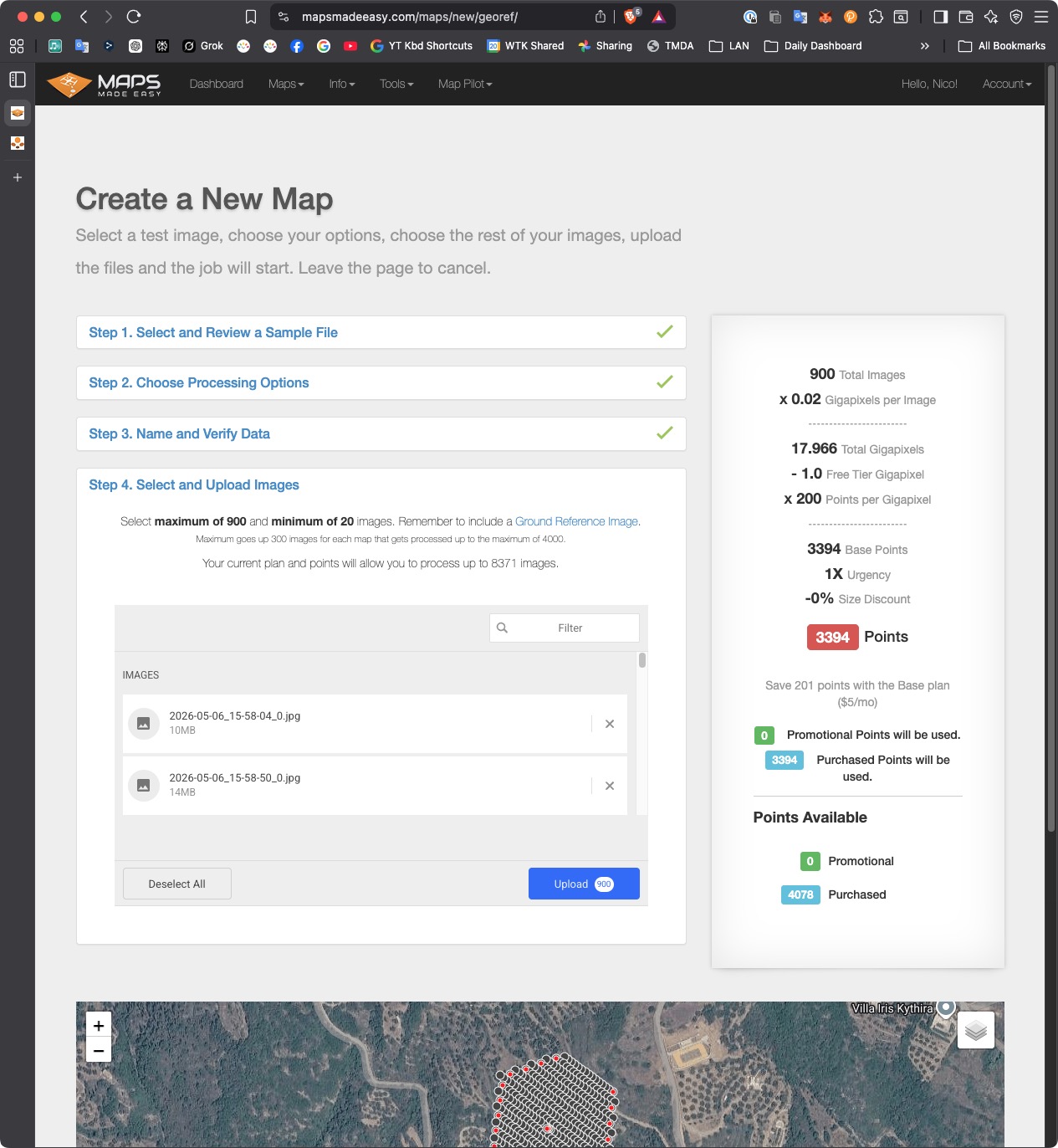
I purchased 4000 points. I flew a mission that recorded 1255 images. I tried to create a new map from these images using DJI Workflow. The upload page says "Your current plan and points will allow you to process up to 8371 images". However, on the Select and Upload Images page, I see "Select maximum of 900 and minimum of 20 images to upload". I am confused. How do I upload the 1255 images of my mission?
Harap masuk untuk memberikan komentar.

We are sorry to hear you are having issues uploading your imagery. We throttle the number of files new users can upload to discourage running large amounts of data through the system before you have run smaller works through first. It is important to know what works and what doesn't before you spend a lot of points.
The maximum number of images that can be uploaded to the system goes up as you process more maps. To start, the maximum is the greater of 600 or 300 images per map you have run. For example, to run a 1235 image map you would need to have at least 5 maps processed first to raise the limit up to 1500.
You can see this in Step 4 of the upload where is says the following:
"Maximum goes up 300 images for each map that gets processed up to the maximum of 4000."
We encourage you to run increasingly complex jobs to learn your way around the system but you would technically be able to continue with your intended dataset as long as you have the required number of maps in the system. They can be free/small if needed.
The part about 8371 images is just telling you how many images you can run in total.
