
Were you trying to collect video or do anything specific camera modes? That is usually when the work mode warning shows.
Any information or screenshots you could share would be useful.
Tindakan komentar

I created a straightforward mission using the grid pattern. The software detected the drone, then displayed the following in a dialog box: Work Mode Error // Current product does not support this feature. (code:-1013)
The Mavic Air 2 is listed as supported hardware. Firmware for drone and controller are both up to date. What can I do to make this work?
Harap masuk untuk memberikan komentar.
Were you trying to collect video or do anything specific camera modes? That is usually when the work mode warning shows.
Any information or screenshots you could share would be useful.
The drone was still stationary on the ground. The app had just detected the Mavic Air 2, I pressed OK on that dialog box, then the error. I've never used the app before, but if it starts up video as soon as it connects to the drone, that could be it.
Screenshot attached below: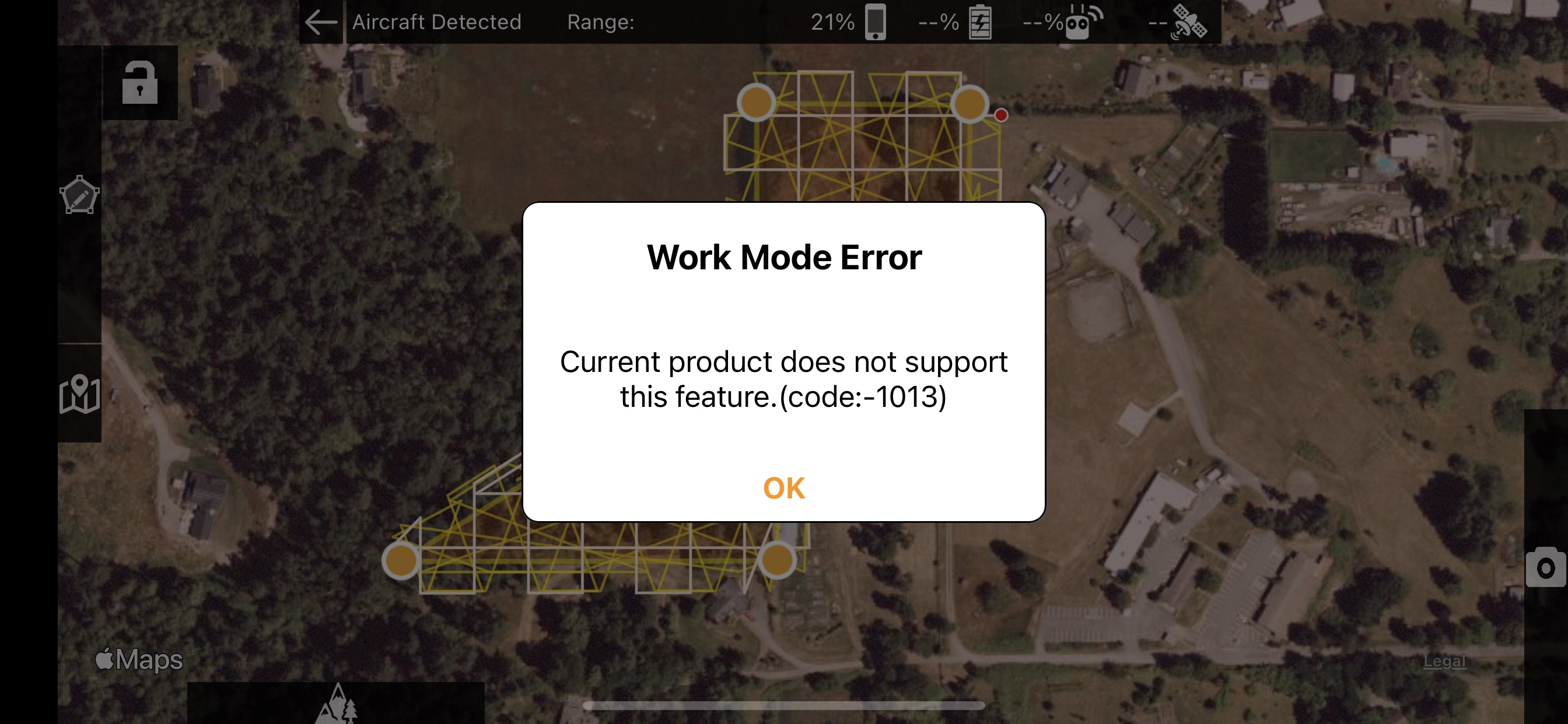
That shouldn't have stopped you from continuing. It would likely have worked. You need to make sure your aircraft can get a full GPS lock so the red triangle will show.
Okay, to confirm:
1. Turn on the drone, use the DJI app to wait until at least 10 satellites are in view; then
2. Turn on the Map Pilot Pro app while standing close to the drone, wait for it to discover the drone, hit OK, press OK at the work mode error dialog if I see it; then
3. I should see a red arrow. At that point I'm guessing based on a video I saw -- hit the airplane icon on the far right, a menu will slide out to the left with 'simulator' and 'upload', pick upload, the mission will be uploaded to the drone; then
4. Take off! ... the upload button will be replaced with "Start" at which point stand back and watch the magic, I think.
I'll give it a try conditions permitting and post back here!
1. We recommend using the DJI app to make sure you can fly in that area. You don't always have to do it but it is a good sanity check.
2. You don't really have to be close. Within strong RC signal's reach.
3. The red arrow shows when you have a GPS fix of at least 8 satellites. To do this your aircraft will need a clear view of the sky.
4. Sounds about right.
Final update: the flight went pretty much as expected, but it went WAY TOO FAST and the motion blur was red the entire time. Totally my fault. :-) The data made a map that was more artsy than useful, and I'll be dialing the speed way down for future flights.


