That warning usually means there is an issue with waypoints being too close or at weird angles. Try rotating the mission a little bit to move things a bit. If that doesn't fix it please send a screenshot so we can see what you are seeing.
पोस्ट
अनुसरण करें
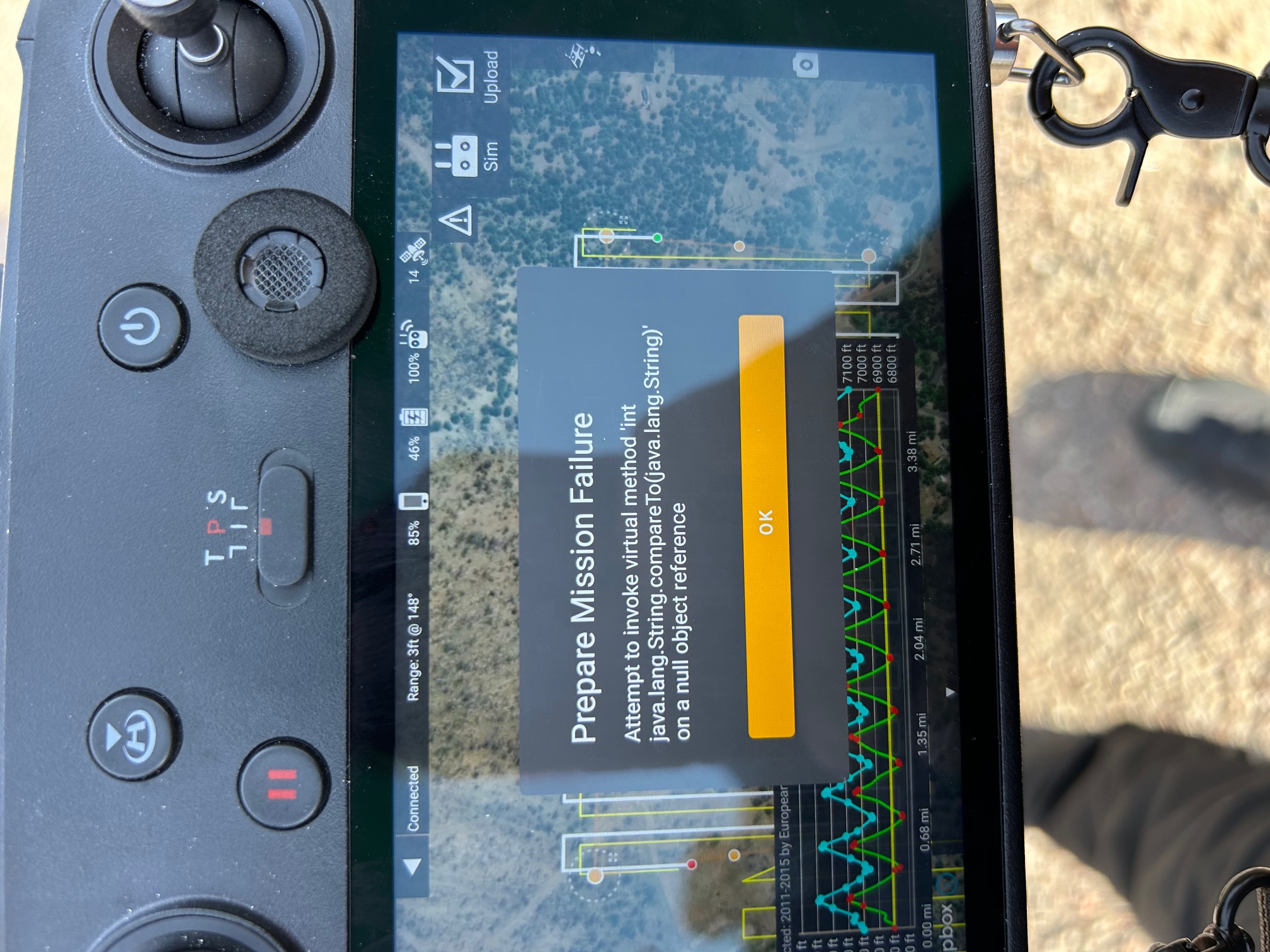
Prepare Mission Failure
I get a "Prepare Mission Failure" notice after I've mapped my area and accepted terrain awareness. I can't get past this part, not sure what I'm doing wrong?
Any help would be greatly appreciated
कृपया टिप्पणी करने के लिए साइन इन करें करें.
3 टिप्पणियां
टिप्पणी क्रियाएं
I tried rotating it multiple different ways, even 90 degrees, and still get the failure. Attached is the screen shot failure. Any assistance would be awesome! Thanks
टिप्पणी क्रियाएं
Two things to try: see if it will load it without the terrain adjustment and see if another terrain data source will work. It looks like that is some pretty rugged terrain and some of those way points are really close together. Flying a bit higher might help as well.
टिप्पणी क्रियाएं