पोस्ट

2 अनुसरणकर्ता अनुसरण करें
0
Avatar

Vertical Aspect photos -Test File Resolution Not matching

I have 3 different locations worth of photos where I get the "Resolution doesn't match test file" prompt when uploading".

I have tried uploading completely unopened direct from SD card, I've tried viewing all the images and then opening them. Even inputting the exact same file as the test file I get the prompt.

If I input a couple random photos that i took later on, a couple seem to work, but none of my Nadir stuff does... I tried my 48mp mode photos, viewed and unviewed, and nothing works there either.

Any ideas?

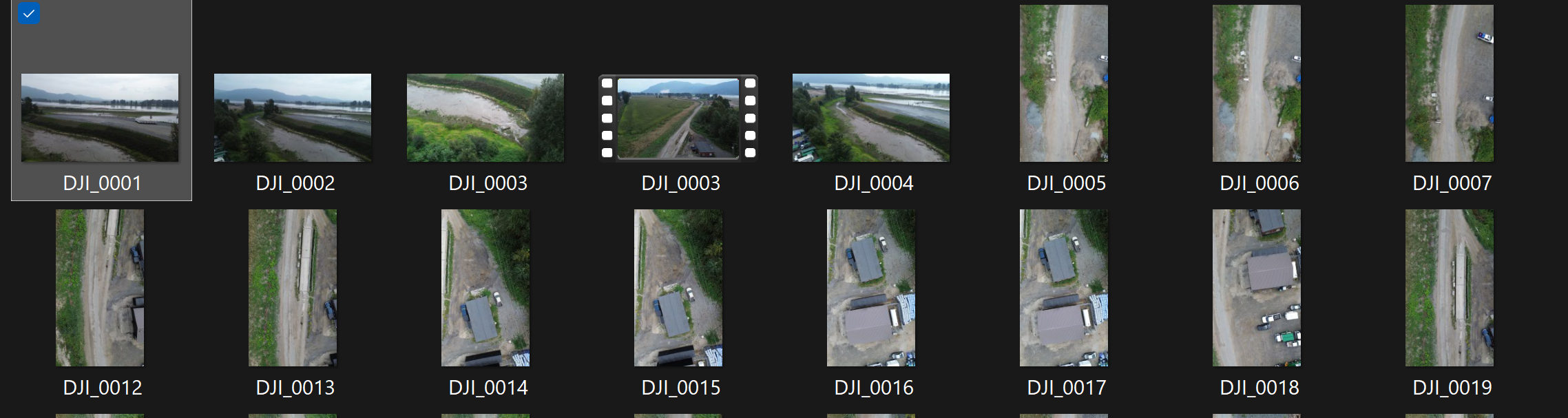
Some photos below, 1 and 3 worked (video and horizon photos were omitted).

Max Maj

आधिकारिक टिप्पणी

Avatar

The mixed aspect ratio of those images is likely the issue. 

I also see some horizon in there which is forbidden in the Data Collection guidelines that are agreed to at the time of upload. 

It should work if you chose the DJI_0005 file as your test file and selected all the files with numbers 5 or higher since the lower ones are a different resolution. 

Zane
टिप्पणी क्रियाएं Permalink

कृपया टिप्पणी करने के लिए साइन इन करें करें.

3 टिप्पणियां

0
Avatar

Hi yes I’m the comment I mentioned I didn’t use the first photos with horizon. I tried this with only the vertical aspect Nadir photos and couldn’t get it to work. Even when I use the DJI_0005 as the test file, it won’t let me upload that same file.

Max Maj 0 वोट
टिप्पणी क्रियाएं Permalink
0
Avatar

UPDATE: going into photo viewer and manually rotating the images 90 degrees worked. Not sure why even pure vertical aspect photos don’t work, but this is the work around

Max Maj 0 वोट
टिप्पणी क्रियाएं Permalink