Publicación

2 seguidores Seguir
0
Avatar

Update October 2025 Android not working

Aloha Zane,

  Is there a way to convert back to the older version?  This new updated bougie is not working for me!  The APKe still ok for my Mini pro 3, no change.  Mini 2 on the B version, does not work!  I went out on a job site today (unaware of the 'update') and it was super frustrating to find out that nothing worked as usual.  Either my drone wobbled heading to the start and during the mission, would not ascend to set height, the terrain parameters were all off, and then the app would not even take photos.  I cleared my cache, uninstalled, reinstalled, tried in a different locationl.  Same--not working properly.

Thanks

Aloha, Rebecca BigIslandSurvey

Rebecca -BigIslandSurvey

Iniciar sesión para dejar un comentario.

3 comentarios

0
Avatar

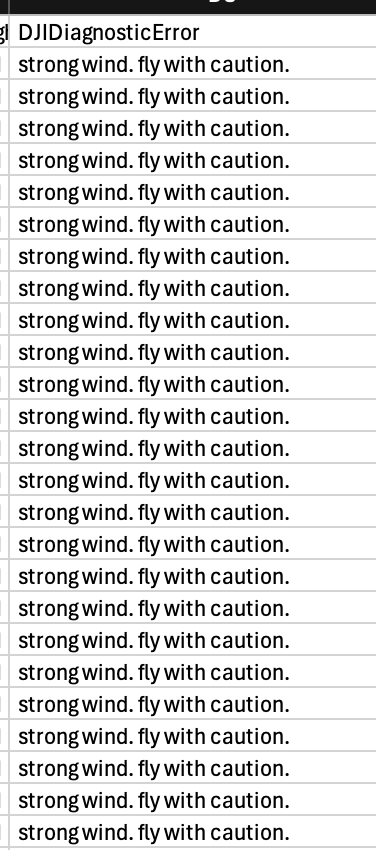
Assuming the flight logs that are in the system are the ones that had issues it looks like there were pretty strong winds our of the east that were blowing that light aircraft off the course. If this happens it won't take images properly and can appear to have issues flying. There would have been errors about "strong winds" in the Aircraft Errors panel since they are showing up in the log files. 

The Mini 3 is a bit stronger so it may have been able to handle the winds a bit better. 

The link to download the previous version is https://dmefiles.s3.amazonaws.com/MapPilotPro_2414b.apk

You can use this older version for a while but I don't think it would have behaved any better in your situation today.
Zane 0 votos
Acciones de comentarios Permalink
0
Avatar

Thank you for the reply about the strong winds.  I have flown in stronger winds before, without issue.  I also did another test of the drone (mini 2) in a non wind area, and it wouldn't even go to the start of the mission.  Thank you for the older version of the app, I will try that.

Rebecca

Rebecca -BigIslandSurvey 0 votos
Acciones de comentarios Permalink
0
Avatar

3.0.13 has been released with an Advanced Setting that allows you to disable "Check Gimbal Angle" which is what is making the gimbal tick like that. Map Pilot Pro monitors the gimbals position and compares it with the currently set value and changes it if it is different from the designated setting. Give that a try and see if it is better. 

Zane 0 votos
Acciones de comentarios Permalink